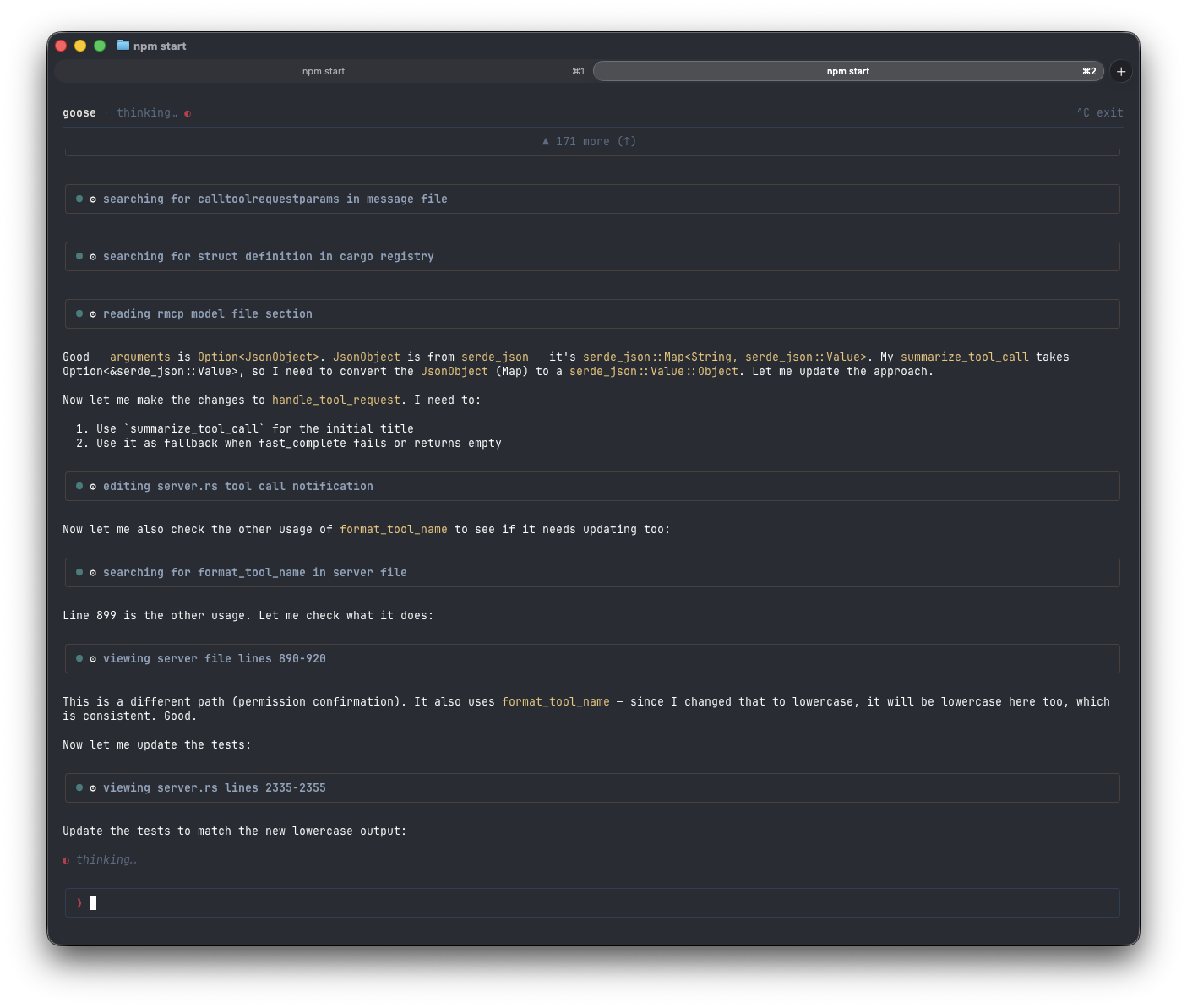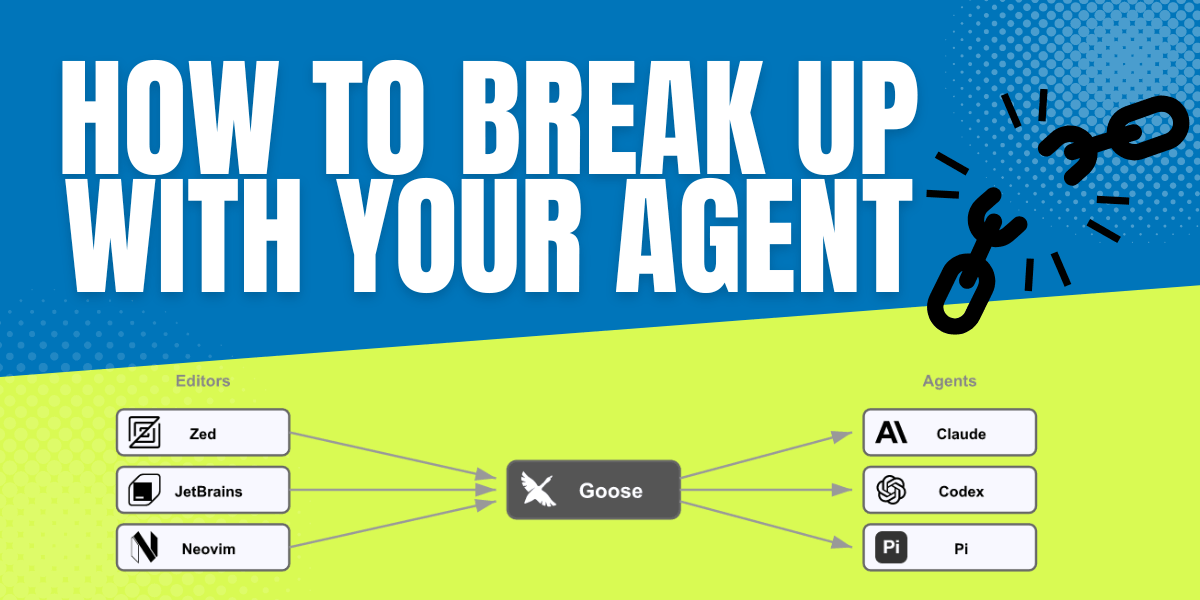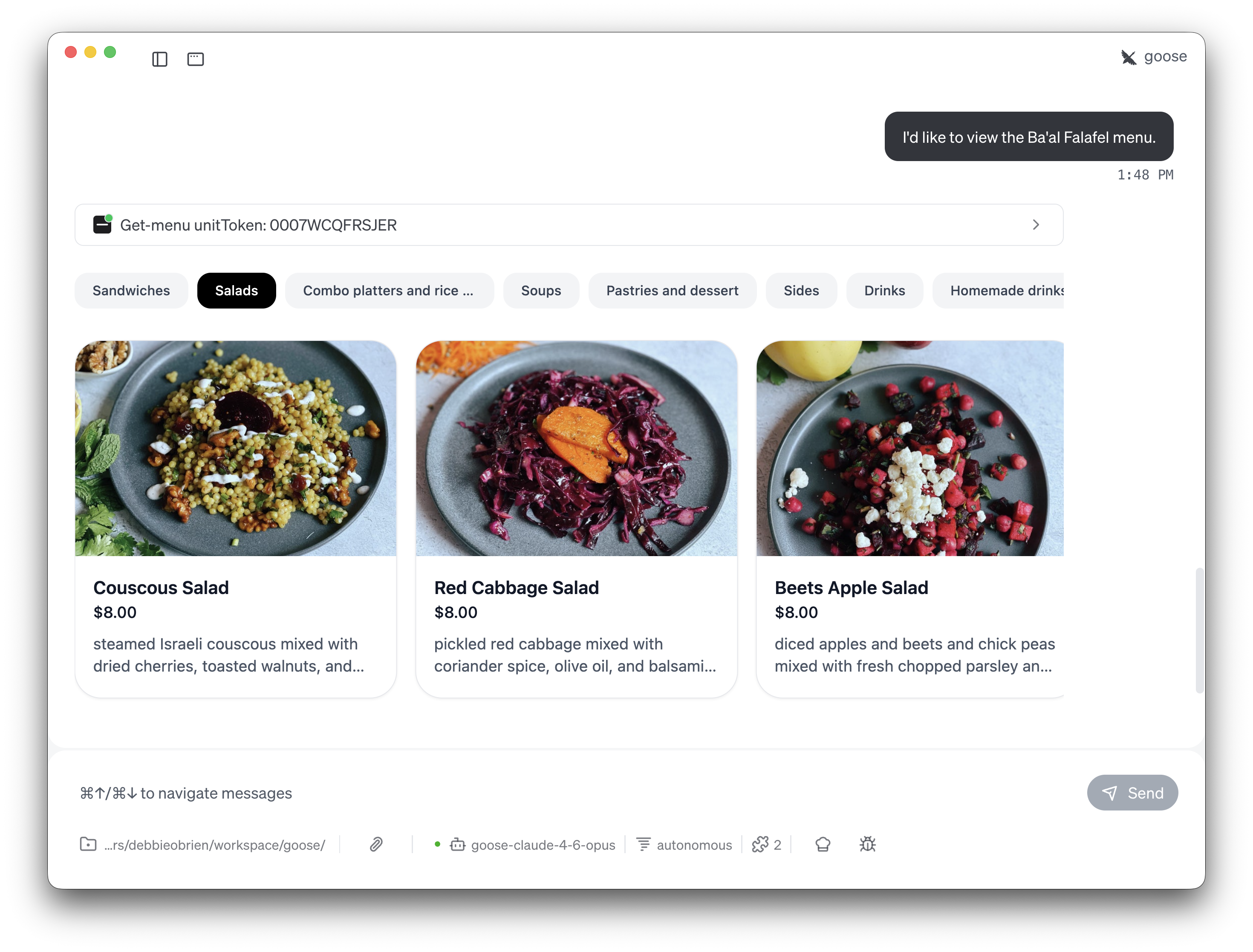
<?xml version="1.0" encoding="utf-8"?><?xml-stylesheet type="text/xsl" href="atom.xsl"?>
<feed xmlns="http://www.w3.org/2005/Atom">
    <id>https://goose-docs.ai/blog</id>
    <title>goose | Your open source AI agent Blog</title>
    <updated>2026-05-14T00:00:00.000Z</updated>
    <generator>https://github.com/jpmonette/feed</generator>
    <link rel="alternate" href="https://goose-docs.ai/blog"/>
    <subtitle>goose | Your open source AI agent Blog</subtitle>
    <icon>https://goose-docs.ai/img/favicon.ico</icon>
    <entry>
        <title type="html"><![CDATA[Hooks: run your own scripts on every goose event]]></title>
        <id>https://goose-docs.ai/blog/2026/05/14/goose-hooks</id>
        <link href="https://goose-docs.ai/blog/2026/05/14/goose-hooks"/>
        <updated>2026-05-14T00:00:00.000Z</updated>
        <summary type="html"><![CDATA[goose now supports lifecycle hooks via the Open Plugins spec. Wire shell scripts into PreToolUse, PostToolUse, UserPromptSubmit, SessionStart, and more.]]></summary>
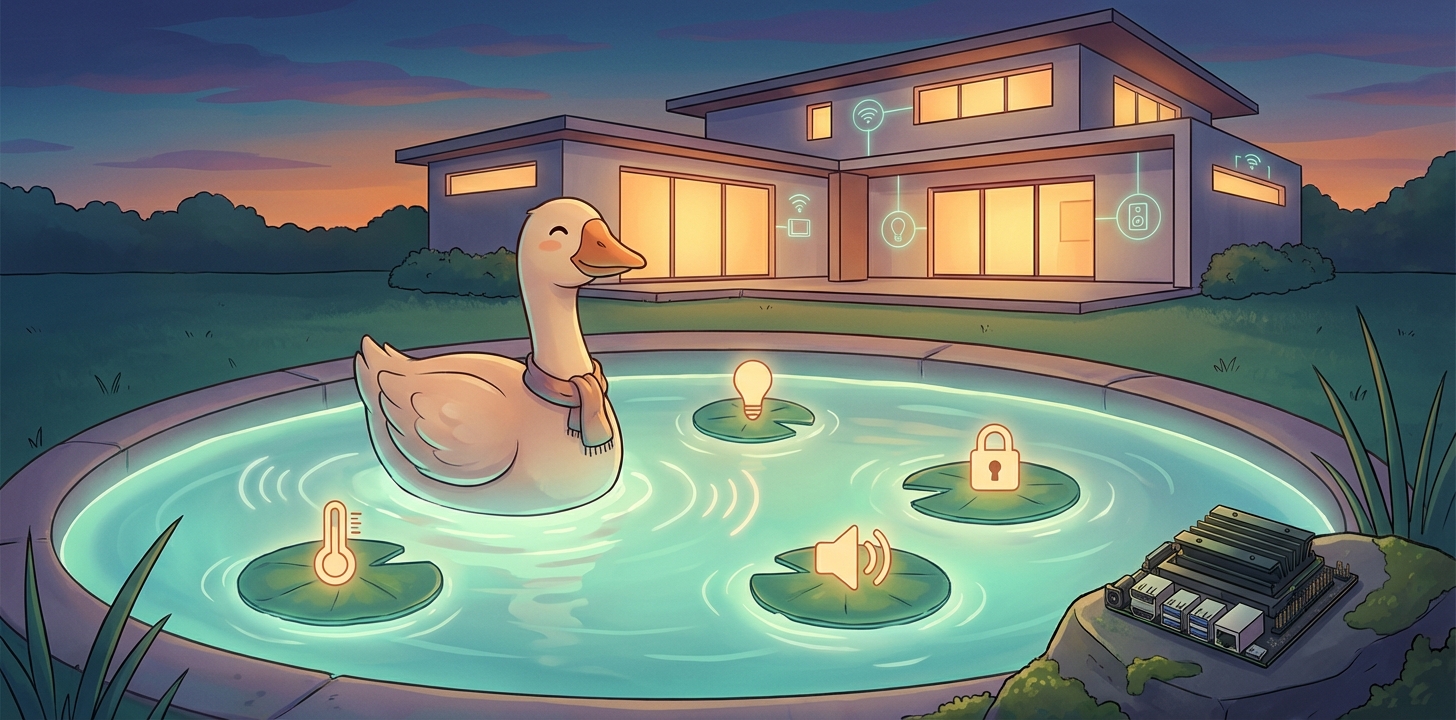
        <content type="html"><![CDATA[<p><img decoding="async" loading="lazy" alt="Hooks: run your own scripts on every goose event" src="https://goose-docs.ai/assets/images/goose-hooks-967ef855cf89adea7e48540ad828bf9a.jpg" width="1600" height="912" class="img_ev3q"></p>
<p>goose now supports <strong>lifecycle hooks</strong>. Drop a plugin into a directory on disk and goose will run your shell scripts when things happen during a session: a tool is about to fire, a tool just finished, the user submitted a prompt, the session started, the session ended.</p>
<p>If you've used Claude Code's hooks or git hooks, it's the same idea. If you haven't: the agent loop is now scriptable from the outside, without writing any Rust or any MCP server.</p>
<h2 class="anchor anchorTargetStickyNavbar_Vzrq" id="how-it-works">How it works<a href="https://goose-docs.ai/blog/2026/05/14/goose-hooks#how-it-works" class="hash-link" aria-label="Direct link to How it works" title="Direct link to How it works" translate="no">​</a></h2>
<p>goose follows the <a href="https://open-plugins.com/agent-builders/components/hooks" target="_blank" rel="noopener noreferrer" class="">Open Plugins hooks specification</a>. Any plugin directory under <code>~/.agents/plugins/&lt;name&gt;/</code> (user scope) or <code>&lt;project&gt;/.agents/plugins/&lt;name&gt;/</code> (project scope) that contains a <code>hooks/hooks.json</code> file is auto-discovered at startup.</p>
<p>A minimal hook config looks like this:</p>
<div class="language-json codeBlockContainer_Ckt0 theme-code-block" style="--prism-color:#393A34;--prism-background-color:#f6f8fa"><div class="codeBlockContent_QJqH"><pre tabindex="0" class="prism-code language-json codeBlock_bY9V thin-scrollbar" style="color:#393A34;background-color:#f6f8fa"><code class="codeBlockLines_e6Vv"><span class="token-line" style="color:#393A34"><span class="token punctuation" style="color:#393A34">{</span><span class="token plain"></span><br></span><span class="token-line" style="color:#393A34"><span class="token plain">  </span><span class="token property" style="color:#36acaa">"hooks"</span><span class="token operator" style="color:#393A34">:</span><span class="token plain"> </span><span class="token punctuation" style="color:#393A34">{</span><span class="token plain"></span><br></span><span class="token-line" style="color:#393A34"><span class="token plain">    </span><span class="token property" style="color:#36acaa">"PostToolUse"</span><span class="token operator" style="color:#393A34">:</span><span class="token plain"> </span><span class="token punctuation" style="color:#393A34">[</span><span class="token plain"></span><br></span><span class="token-line" style="color:#393A34"><span class="token plain">      </span><span class="token punctuation" style="color:#393A34">{</span><span class="token plain"></span><br></span><span class="token-line" style="color:#393A34"><span class="token plain">        </span><span class="token property" style="color:#36acaa">"matcher"</span><span class="token operator" style="color:#393A34">:</span><span class="token plain"> </span><span class="token string" style="color:#e3116c">"developer__shell|developer__text_editor"</span><span class="token punctuation" style="color:#393A34">,</span><span class="token plain"></span><br></span><span class="token-line" style="color:#393A34"><span class="token plain">        </span><span class="token property" style="color:#36acaa">"hooks"</span><span class="token operator" style="color:#393A34">:</span><span class="token plain"> </span><span class="token punctuation" style="color:#393A34">[</span><span class="token plain"></span><br></span><span class="token-line" style="color:#393A34"><span class="token plain">          </span><span class="token punctuation" style="color:#393A34">{</span><span class="token plain"> </span><span class="token property" style="color:#36acaa">"type"</span><span class="token operator" style="color:#393A34">:</span><span class="token plain"> </span><span class="token string" style="color:#e3116c">"command"</span><span class="token punctuation" style="color:#393A34">,</span><span class="token plain"> </span><span class="token property" style="color:#36acaa">"command"</span><span class="token operator" style="color:#393A34">:</span><span class="token plain"> </span><span class="token string" style="color:#e3116c">"${PLUGIN_ROOT}/scripts/log.sh"</span><span class="token plain"> </span><span class="token punctuation" style="color:#393A34">}</span><span class="token plain"></span><br></span><span class="token-line" style="color:#393A34"><span class="token plain">        </span><span class="token punctuation" style="color:#393A34">]</span><span class="token plain"></span><br></span><span class="token-line" style="color:#393A34"><span class="token plain">      </span><span class="token punctuation" style="color:#393A34">}</span><span class="token plain"></span><br></span><span class="token-line" style="color:#393A34"><span class="token plain">    </span><span class="token punctuation" style="color:#393A34">]</span><span class="token plain"></span><br></span><span class="token-line" style="color:#393A34"><span class="token plain">  </span><span class="token punctuation" style="color:#393A34">}</span><span class="token plain"></span><br></span><span class="token-line" style="color:#393A34"><span class="token plain"></span><span class="token punctuation" style="color:#393A34">}</span><br></span></code></pre></div></div>
<p>When the event fires, goose runs the command, sets <code>PLUGIN_ROOT</code> in the environment, and pipes a JSON payload to the script on stdin:</p>
<div class="language-json codeBlockContainer_Ckt0 theme-code-block" style="--prism-color:#393A34;--prism-background-color:#f6f8fa"><div class="codeBlockContent_QJqH"><pre tabindex="0" class="prism-code language-json codeBlock_bY9V thin-scrollbar" style="color:#393A34;background-color:#f6f8fa"><code class="codeBlockLines_e6Vv"><span class="token-line" style="color:#393A34"><span class="token punctuation" style="color:#393A34">{</span><span class="token plain"></span><br></span><span class="token-line" style="color:#393A34"><span class="token plain">  </span><span class="token property" style="color:#36acaa">"event"</span><span class="token operator" style="color:#393A34">:</span><span class="token plain"> </span><span class="token string" style="color:#e3116c">"PostToolUse"</span><span class="token punctuation" style="color:#393A34">,</span><span class="token plain"></span><br></span><span class="token-line" style="color:#393A34"><span class="token plain">  </span><span class="token property" style="color:#36acaa">"session_id"</span><span class="token operator" style="color:#393A34">:</span><span class="token plain"> </span><span class="token string" style="color:#e3116c">"abc-123"</span><span class="token punctuation" style="color:#393A34">,</span><span class="token plain"></span><br></span><span class="token-line" style="color:#393A34"><span class="token plain">  </span><span class="token property" style="color:#36acaa">"tool_name"</span><span class="token operator" style="color:#393A34">:</span><span class="token plain"> </span><span class="token string" style="color:#e3116c">"developer__shell"</span><span class="token punctuation" style="color:#393A34">,</span><span class="token plain"></span><br></span><span class="token-line" style="color:#393A34"><span class="token plain">  </span><span class="token property" style="color:#36acaa">"tool_input"</span><span class="token operator" style="color:#393A34">:</span><span class="token plain"> </span><span class="token punctuation" style="color:#393A34">{</span><span class="token plain"> </span><span class="token property" style="color:#36acaa">"command"</span><span class="token operator" style="color:#393A34">:</span><span class="token plain"> </span><span class="token string" style="color:#e3116c">"rg TODO"</span><span class="token plain"> </span><span class="token punctuation" style="color:#393A34">}</span><span class="token punctuation" style="color:#393A34">,</span><span class="token plain"></span><br></span><span class="token-line" style="color:#393A34"><span class="token plain">  </span><span class="token property" style="color:#36acaa">"working_dir"</span><span class="token operator" style="color:#393A34">:</span><span class="token plain"> </span><span class="token string" style="color:#e3116c">"/Users/you/project"</span><span class="token plain"></span><br></span><span class="token-line" style="color:#393A34"><span class="token plain"></span><span class="token punctuation" style="color:#393A34">}</span><br></span></code></pre></div></div>
<p>The supported events are:</p>
<ul>
<li class=""><code>SessionStart</code>, <code>SessionEnd</code>, <code>Stop</code></li>
<li class=""><code>UserPromptSubmit</code></li>
<li class=""><code>PreToolUse</code>, <code>PostToolUse</code>, <code>PostToolUseFailure</code></li>
<li class=""><code>BeforeReadFile</code>, <code>AfterFileEdit</code></li>
<li class=""><code>BeforeShellExecution</code>, <code>AfterShellExecution</code></li>
</ul>
<p>The <code>matcher</code> field is a regex tested against the most relevant string for the event (tool name, file path, or shell command). Leave it off and the hook fires for every event of that type. Hooks that fail or time out are logged but won't crash the host tool, so your scripts can be as scrappy as you want.</p>
<h2 class="anchor anchorTargetStickyNavbar_Vzrq" id="a-few-things-to-try">A few things to try<a href="https://goose-docs.ai/blog/2026/05/14/goose-hooks#a-few-things-to-try" class="hash-link" aria-label="Direct link to A few things to try" title="Direct link to A few things to try" translate="no">​</a></h2>
<h3 class="anchor anchorTargetStickyNavbar_Vzrq" id="1-have-goose-talk-to-you-when-it-actually-needs-you">1. Have goose talk to you when it actually needs you<a href="https://goose-docs.ai/blog/2026/05/14/goose-hooks#1-have-goose-talk-to-you-when-it-actually-needs-you" class="hash-link" aria-label="Direct link to 1. Have goose talk to you when it actually needs you" title="Direct link to 1. Have goose talk to you when it actually needs you" translate="no">​</a></h3>
<p>Pick a handful of events that mean "the human's attention would be useful right now" — a tool failed, the session wrapped, a long-running command finished — and have goose speak a line when one of them fires:</p>
<div class="language-json codeBlockContainer_Ckt0 theme-code-block" style="--prism-color:#393A34;--prism-background-color:#f6f8fa"><div class="codeBlockContent_QJqH"><pre tabindex="0" class="prism-code language-json codeBlock_bY9V thin-scrollbar" style="color:#393A34;background-color:#f6f8fa"><code class="codeBlockLines_e6Vv"><span class="token-line" style="color:#393A34"><span class="token punctuation" style="color:#393A34">{</span><span class="token plain"></span><br></span><span class="token-line" style="color:#393A34"><span class="token plain">  </span><span class="token property" style="color:#36acaa">"hooks"</span><span class="token operator" style="color:#393A34">:</span><span class="token plain"> </span><span class="token punctuation" style="color:#393A34">{</span><span class="token plain"></span><br></span><span class="token-line" style="color:#393A34"><span class="token plain">    </span><span class="token property" style="color:#36acaa">"PostToolUseFailure"</span><span class="token operator" style="color:#393A34">:</span><span class="token plain"> </span><span class="token punctuation" style="color:#393A34">[</span><span class="token punctuation" style="color:#393A34">{</span><span class="token plain"> </span><span class="token property" style="color:#36acaa">"hooks"</span><span class="token operator" style="color:#393A34">:</span><span class="token plain"> </span><span class="token punctuation" style="color:#393A34">[</span><span class="token punctuation" style="color:#393A34">{</span><span class="token plain"> </span><span class="token property" style="color:#36acaa">"type"</span><span class="token operator" style="color:#393A34">:</span><span class="token plain"> </span><span class="token string" style="color:#e3116c">"command"</span><span class="token punctuation" style="color:#393A34">,</span><span class="token plain"> </span><span class="token property" style="color:#36acaa">"command"</span><span class="token operator" style="color:#393A34">:</span><span class="token plain"> </span><span class="token string" style="color:#e3116c">"${PLUGIN_ROOT}/scripts/notify.sh"</span><span class="token plain"> </span><span class="token punctuation" style="color:#393A34">}</span><span class="token punctuation" style="color:#393A34">]</span><span class="token plain"> </span><span class="token punctuation" style="color:#393A34">}</span><span class="token punctuation" style="color:#393A34">]</span><span class="token punctuation" style="color:#393A34">,</span><span class="token plain"></span><br></span><span class="token-line" style="color:#393A34"><span class="token plain">    </span><span class="token property" style="color:#36acaa">"SessionEnd"</span><span class="token operator" style="color:#393A34">:</span><span class="token plain">         </span><span class="token punctuation" style="color:#393A34">[</span><span class="token punctuation" style="color:#393A34">{</span><span class="token plain"> </span><span class="token property" style="color:#36acaa">"hooks"</span><span class="token operator" style="color:#393A34">:</span><span class="token plain"> </span><span class="token punctuation" style="color:#393A34">[</span><span class="token punctuation" style="color:#393A34">{</span><span class="token plain"> </span><span class="token property" style="color:#36acaa">"type"</span><span class="token operator" style="color:#393A34">:</span><span class="token plain"> </span><span class="token string" style="color:#e3116c">"command"</span><span class="token punctuation" style="color:#393A34">,</span><span class="token plain"> </span><span class="token property" style="color:#36acaa">"command"</span><span class="token operator" style="color:#393A34">:</span><span class="token plain"> </span><span class="token string" style="color:#e3116c">"${PLUGIN_ROOT}/scripts/notify.sh"</span><span class="token plain"> </span><span class="token punctuation" style="color:#393A34">}</span><span class="token punctuation" style="color:#393A34">]</span><span class="token plain"> </span><span class="token punctuation" style="color:#393A34">}</span><span class="token punctuation" style="color:#393A34">]</span><span class="token punctuation" style="color:#393A34">,</span><span class="token plain"></span><br></span><span class="token-line" style="color:#393A34"><span class="token plain">    </span><span class="token property" style="color:#36acaa">"AfterShellExecution"</span><span class="token operator" style="color:#393A34">:</span><span class="token plain"> </span><span class="token punctuation" style="color:#393A34">[</span><span class="token plain"></span><br></span><span class="token-line" style="color:#393A34"><span class="token plain">      </span><span class="token punctuation" style="color:#393A34">{</span><span class="token plain"></span><br></span><span class="token-line" style="color:#393A34"><span class="token plain">        </span><span class="token property" style="color:#36acaa">"matcher"</span><span class="token operator" style="color:#393A34">:</span><span class="token plain"> </span><span class="token string" style="color:#e3116c">"^(cargo (test|build|clippy)|pnpm (test|build)|just )"</span><span class="token punctuation" style="color:#393A34">,</span><span class="token plain"></span><br></span><span class="token-line" style="color:#393A34"><span class="token plain">        </span><span class="token property" style="color:#36acaa">"hooks"</span><span class="token operator" style="color:#393A34">:</span><span class="token plain"> </span><span class="token punctuation" style="color:#393A34">[</span><span class="token punctuation" style="color:#393A34">{</span><span class="token plain"> </span><span class="token property" style="color:#36acaa">"type"</span><span class="token operator" style="color:#393A34">:</span><span class="token plain"> </span><span class="token string" style="color:#e3116c">"command"</span><span class="token punctuation" style="color:#393A34">,</span><span class="token plain"> </span><span class="token property" style="color:#36acaa">"command"</span><span class="token operator" style="color:#393A34">:</span><span class="token plain"> </span><span class="token string" style="color:#e3116c">"${PLUGIN_ROOT}/scripts/notify.sh"</span><span class="token plain"> </span><span class="token punctuation" style="color:#393A34">}</span><span class="token punctuation" style="color:#393A34">]</span><span class="token plain"></span><br></span><span class="token-line" style="color:#393A34"><span class="token plain">      </span><span class="token punctuation" style="color:#393A34">}</span><span class="token plain"></span><br></span><span class="token-line" style="color:#393A34"><span class="token plain">    </span><span class="token punctuation" style="color:#393A34">]</span><span class="token plain"></span><br></span><span class="token-line" style="color:#393A34"><span class="token plain">  </span><span class="token punctuation" style="color:#393A34">}</span><span class="token plain"></span><br></span><span class="token-line" style="color:#393A34"><span class="token plain"></span><span class="token punctuation" style="color:#393A34">}</span><br></span></code></pre></div></div>
<p>Then <code>notify.sh</code> branches on the payload and picks a line:</p>
<div class="language-bash codeBlockContainer_Ckt0 theme-code-block" style="--prism-color:#393A34;--prism-background-color:#f6f8fa"><div class="codeBlockContent_QJqH"><pre tabindex="0" class="prism-code language-bash codeBlock_bY9V thin-scrollbar" style="color:#393A34;background-color:#f6f8fa"><code class="codeBlockLines_e6Vv"><span class="token-line" style="color:#393A34"><span class="token plain">#!/usr/bin/env bash</span><br></span><span class="token-line" style="color:#393A34"><span class="token plain">payload="$(cat)"</span><br></span><span class="token-line" style="color:#393A34"><span class="token plain">event="$(printf '%s' "$payload" | jq -r .event)"</span><br></span><span class="token-line" style="color:#393A34"><span class="token plain" style="display:inline-block"></span><br></span><span class="token-line" style="color:#393A34"><span class="token plain">case "$event" in</span><br></span><span class="token-line" style="color:#393A34"><span class="token plain">  PostToolUseFailure)  echo "That didn't work. Need a hand?" | say -v Daniel ;;</span><br></span><span class="token-line" style="color:#393A34"><span class="token plain">  SessionEnd)          echo "Done. Come check this out."     | say -v Daniel ;;</span><br></span><span class="token-line" style="color:#393A34"><span class="token plain">  AfterShellExecution) echo "Long command finished."         | say -v Daniel ;;</span><br></span><span class="token-line" style="color:#393A34"><span class="token plain">esac</span><br></span></code></pre></div></div>
<p>Tune the <code>matcher</code> regex to whatever counts as "long-running" in your world — test suites, builds, deploys, <code>terraform apply</code>.</p>
<h3 class="anchor anchorTargetStickyNavbar_Vzrq" id="2-the-goose-is-doing-something-desk-light-">2. The "goose is doing something" desk light 🪿💡<a href="https://goose-docs.ai/blog/2026/05/14/goose-hooks#2-the-goose-is-doing-something-desk-light-" class="hash-link" aria-label="Direct link to 2. The &quot;goose is doing something&quot; desk light 🪿💡" title="Direct link to 2. The &quot;goose is doing something&quot; desk light 🪿💡" translate="no">​</a></h3>
<p>If you have a smart bulb with an HTTP API (Hue, LIFX, Home Assistant, etc.), turn it on when goose starts a tool call and off when it finishes:</p>
<div class="language-json codeBlockContainer_Ckt0 theme-code-block" style="--prism-color:#393A34;--prism-background-color:#f6f8fa"><div class="codeBlockContent_QJqH"><pre tabindex="0" class="prism-code language-json codeBlock_bY9V thin-scrollbar" style="color:#393A34;background-color:#f6f8fa"><code class="codeBlockLines_e6Vv"><span class="token-line" style="color:#393A34"><span class="token punctuation" style="color:#393A34">{</span><span class="token plain"></span><br></span><span class="token-line" style="color:#393A34"><span class="token plain">  </span><span class="token property" style="color:#36acaa">"hooks"</span><span class="token operator" style="color:#393A34">:</span><span class="token plain"> </span><span class="token punctuation" style="color:#393A34">{</span><span class="token plain"></span><br></span><span class="token-line" style="color:#393A34"><span class="token plain">    </span><span class="token property" style="color:#36acaa">"PreToolUse"</span><span class="token operator" style="color:#393A34">:</span><span class="token plain">  </span><span class="token punctuation" style="color:#393A34">[</span><span class="token punctuation" style="color:#393A34">{</span><span class="token plain"> </span><span class="token property" style="color:#36acaa">"hooks"</span><span class="token operator" style="color:#393A34">:</span><span class="token plain"> </span><span class="token punctuation" style="color:#393A34">[</span><span class="token punctuation" style="color:#393A34">{</span><span class="token plain"> </span><span class="token property" style="color:#36acaa">"type"</span><span class="token operator" style="color:#393A34">:</span><span class="token plain"> </span><span class="token string" style="color:#e3116c">"command"</span><span class="token punctuation" style="color:#393A34">,</span><span class="token plain"> </span><span class="token property" style="color:#36acaa">"command"</span><span class="token operator" style="color:#393A34">:</span><span class="token plain"> </span><span class="token string" style="color:#e3116c">"curl -s -X POST http://hue.local/light/on"</span><span class="token plain">  </span><span class="token punctuation" style="color:#393A34">}</span><span class="token punctuation" style="color:#393A34">]</span><span class="token plain"> </span><span class="token punctuation" style="color:#393A34">}</span><span class="token punctuation" style="color:#393A34">]</span><span class="token punctuation" style="color:#393A34">,</span><span class="token plain"></span><br></span><span class="token-line" style="color:#393A34"><span class="token plain">    </span><span class="token property" style="color:#36acaa">"PostToolUse"</span><span class="token operator" style="color:#393A34">:</span><span class="token plain"> </span><span class="token punctuation" style="color:#393A34">[</span><span class="token punctuation" style="color:#393A34">{</span><span class="token plain"> </span><span class="token property" style="color:#36acaa">"hooks"</span><span class="token operator" style="color:#393A34">:</span><span class="token plain"> </span><span class="token punctuation" style="color:#393A34">[</span><span class="token punctuation" style="color:#393A34">{</span><span class="token plain"> </span><span class="token property" style="color:#36acaa">"type"</span><span class="token operator" style="color:#393A34">:</span><span class="token plain"> </span><span class="token string" style="color:#e3116c">"command"</span><span class="token punctuation" style="color:#393A34">,</span><span class="token plain"> </span><span class="token property" style="color:#36acaa">"command"</span><span class="token operator" style="color:#393A34">:</span><span class="token plain"> </span><span class="token string" style="color:#e3116c">"curl -s -X POST http://hue.local/light/off"</span><span class="token plain"> </span><span class="token punctuation" style="color:#393A34">}</span><span class="token punctuation" style="color:#393A34">]</span><span class="token plain"> </span><span class="token punctuation" style="color:#393A34">}</span><span class="token punctuation" style="color:#393A34">]</span><span class="token plain"></span><br></span><span class="token-line" style="color:#393A34"><span class="token plain">  </span><span class="token punctuation" style="color:#393A34">}</span><span class="token plain"></span><br></span><span class="token-line" style="color:#393A34"><span class="token plain"></span><span class="token punctuation" style="color:#393A34">}</span><br></span></code></pre></div></div>
<p>Now your desk lamp is a status indicator for the agent. Walk away, glance back, and if it's on, goose is still working.</p>
<h3 class="anchor anchorTargetStickyNavbar_Vzrq" id="3-auto-format-every-file-goose-edits">3. Auto-format every file goose edits<a href="https://goose-docs.ai/blog/2026/05/14/goose-hooks#3-auto-format-every-file-goose-edits" class="hash-link" aria-label="Direct link to 3. Auto-format every file goose edits" title="Direct link to 3. Auto-format every file goose edits" translate="no">​</a></h3>
<p>Hook <code>AfterFileEdit</code> and run the formatter yourself so the agent doesn't have to remember:</p>
<div class="language-json codeBlockContainer_Ckt0 theme-code-block" style="--prism-color:#393A34;--prism-background-color:#f6f8fa"><div class="codeBlockContent_QJqH"><pre tabindex="0" class="prism-code language-json codeBlock_bY9V thin-scrollbar" style="color:#393A34;background-color:#f6f8fa"><code class="codeBlockLines_e6Vv"><span class="token-line" style="color:#393A34"><span class="token punctuation" style="color:#393A34">{</span><span class="token plain"></span><br></span><span class="token-line" style="color:#393A34"><span class="token plain">  </span><span class="token property" style="color:#36acaa">"hooks"</span><span class="token operator" style="color:#393A34">:</span><span class="token plain"> </span><span class="token punctuation" style="color:#393A34">{</span><span class="token plain"></span><br></span><span class="token-line" style="color:#393A34"><span class="token plain">    </span><span class="token property" style="color:#36acaa">"AfterFileEdit"</span><span class="token operator" style="color:#393A34">:</span><span class="token plain"> </span><span class="token punctuation" style="color:#393A34">[</span><span class="token plain"></span><br></span><span class="token-line" style="color:#393A34"><span class="token plain">      </span><span class="token punctuation" style="color:#393A34">{</span><span class="token plain"></span><br></span><span class="token-line" style="color:#393A34"><span class="token plain">        </span><span class="token property" style="color:#36acaa">"matcher"</span><span class="token operator" style="color:#393A34">:</span><span class="token plain"> </span><span class="token string" style="color:#e3116c">"\\.(ts|tsx|js|jsx|json|md)$"</span><span class="token punctuation" style="color:#393A34">,</span><span class="token plain"></span><br></span><span class="token-line" style="color:#393A34"><span class="token plain">        </span><span class="token property" style="color:#36acaa">"hooks"</span><span class="token operator" style="color:#393A34">:</span><span class="token plain"> </span><span class="token punctuation" style="color:#393A34">[</span><span class="token punctuation" style="color:#393A34">{</span><span class="token plain"> </span><span class="token property" style="color:#36acaa">"type"</span><span class="token operator" style="color:#393A34">:</span><span class="token plain"> </span><span class="token string" style="color:#e3116c">"command"</span><span class="token punctuation" style="color:#393A34">,</span><span class="token plain"> </span><span class="token property" style="color:#36acaa">"command"</span><span class="token operator" style="color:#393A34">:</span><span class="token plain"> </span><span class="token string" style="color:#e3116c">"${PLUGIN_ROOT}/scripts/format.sh"</span><span class="token plain"> </span><span class="token punctuation" style="color:#393A34">}</span><span class="token punctuation" style="color:#393A34">]</span><span class="token plain"></span><br></span><span class="token-line" style="color:#393A34"><span class="token plain">      </span><span class="token punctuation" style="color:#393A34">}</span><span class="token punctuation" style="color:#393A34">,</span><span class="token plain"></span><br></span><span class="token-line" style="color:#393A34"><span class="token plain">      </span><span class="token punctuation" style="color:#393A34">{</span><span class="token plain"></span><br></span><span class="token-line" style="color:#393A34"><span class="token plain">        </span><span class="token property" style="color:#36acaa">"matcher"</span><span class="token operator" style="color:#393A34">:</span><span class="token plain"> </span><span class="token string" style="color:#e3116c">"\\.rs$"</span><span class="token punctuation" style="color:#393A34">,</span><span class="token plain"></span><br></span><span class="token-line" style="color:#393A34"><span class="token plain">        </span><span class="token property" style="color:#36acaa">"hooks"</span><span class="token operator" style="color:#393A34">:</span><span class="token plain"> </span><span class="token punctuation" style="color:#393A34">[</span><span class="token punctuation" style="color:#393A34">{</span><span class="token plain"> </span><span class="token property" style="color:#36acaa">"type"</span><span class="token operator" style="color:#393A34">:</span><span class="token plain"> </span><span class="token string" style="color:#e3116c">"command"</span><span class="token punctuation" style="color:#393A34">,</span><span class="token plain"> </span><span class="token property" style="color:#36acaa">"command"</span><span class="token operator" style="color:#393A34">:</span><span class="token plain"> </span><span class="token string" style="color:#e3116c">"cargo fmt"</span><span class="token plain"> </span><span class="token punctuation" style="color:#393A34">}</span><span class="token punctuation" style="color:#393A34">]</span><span class="token plain"></span><br></span><span class="token-line" style="color:#393A34"><span class="token plain">      </span><span class="token punctuation" style="color:#393A34">}</span><span class="token plain"></span><br></span><span class="token-line" style="color:#393A34"><span class="token plain">    </span><span class="token punctuation" style="color:#393A34">]</span><span class="token plain"></span><br></span><span class="token-line" style="color:#393A34"><span class="token plain">  </span><span class="token punctuation" style="color:#393A34">}</span><span class="token plain"></span><br></span><span class="token-line" style="color:#393A34"><span class="token plain"></span><span class="token punctuation" style="color:#393A34">}</span><br></span></code></pre></div></div>
<p><code>scripts/format.sh</code> reads the file path from stdin and runs <code>prettier --write</code> against it.</p>
<h3 class="anchor anchorTargetStickyNavbar_Vzrq" id="4-daily-session-journal">4. Daily session journal<a href="https://goose-docs.ai/blog/2026/05/14/goose-hooks#4-daily-session-journal" class="hash-link" aria-label="Direct link to 4. Daily session journal" title="Direct link to 4. Daily session journal" translate="no">​</a></h3>
<p>Hook <code>SessionEnd</code> and append a one-line summary to a markdown file:</p>
<div class="language-bash codeBlockContainer_Ckt0 theme-code-block" style="--prism-color:#393A34;--prism-background-color:#f6f8fa"><div class="codeBlockContent_QJqH"><pre tabindex="0" class="prism-code language-bash codeBlock_bY9V thin-scrollbar" style="color:#393A34;background-color:#f6f8fa"><code class="codeBlockLines_e6Vv"><span class="token-line" style="color:#393A34"><span class="token plain">#!/usr/bin/env bash</span><br></span><span class="token-line" style="color:#393A34"><span class="token plain">payload="$(cat)"</span><br></span><span class="token-line" style="color:#393A34"><span class="token plain">session_id="$(printf '%s' "$payload" | jq -r .session_id)"</span><br></span><span class="token-line" style="color:#393A34"><span class="token plain">date_str="$(date '+%Y-%m-%d %H:%M')"</span><br></span><span class="token-line" style="color:#393A34"><span class="token plain">echo "- $date_str — session $session_id ended" &gt;&gt; ~/notes/goose-journal.md</span><br></span></code></pre></div></div>
<p>Capture <code>UserPromptSubmit</code> payloads too and you've got a log of every question you asked your agent today.</p>
<h3 class="anchor anchorTargetStickyNavbar_Vzrq" id="5-make-goose-sound-like-a-submarine">5. Make goose sound like a submarine<a href="https://goose-docs.ai/blog/2026/05/14/goose-hooks#5-make-goose-sound-like-a-submarine" class="hash-link" aria-label="Direct link to 5. Make goose sound like a submarine" title="Direct link to 5. Make goose sound like a submarine" translate="no">​</a></h3>
<p>Because you can:</p>
<div class="language-json codeBlockContainer_Ckt0 theme-code-block" style="--prism-color:#393A34;--prism-background-color:#f6f8fa"><div class="codeBlockContent_QJqH"><pre tabindex="0" class="prism-code language-json codeBlock_bY9V thin-scrollbar" style="color:#393A34;background-color:#f6f8fa"><code class="codeBlockLines_e6Vv"><span class="token-line" style="color:#393A34"><span class="token punctuation" style="color:#393A34">{</span><span class="token plain"></span><br></span><span class="token-line" style="color:#393A34"><span class="token plain">  </span><span class="token property" style="color:#36acaa">"hooks"</span><span class="token operator" style="color:#393A34">:</span><span class="token plain"> </span><span class="token punctuation" style="color:#393A34">{</span><span class="token plain"></span><br></span><span class="token-line" style="color:#393A34"><span class="token plain">    </span><span class="token property" style="color:#36acaa">"PreToolUse"</span><span class="token operator" style="color:#393A34">:</span><span class="token plain"> </span><span class="token punctuation" style="color:#393A34">[</span><span class="token plain"></span><br></span><span class="token-line" style="color:#393A34"><span class="token plain">      </span><span class="token punctuation" style="color:#393A34">{</span><span class="token plain"></span><br></span><span class="token-line" style="color:#393A34"><span class="token plain">        </span><span class="token property" style="color:#36acaa">"hooks"</span><span class="token operator" style="color:#393A34">:</span><span class="token plain"> </span><span class="token punctuation" style="color:#393A34">[</span><span class="token plain"></span><br></span><span class="token-line" style="color:#393A34"><span class="token plain">          </span><span class="token punctuation" style="color:#393A34">{</span><span class="token plain"></span><br></span><span class="token-line" style="color:#393A34"><span class="token plain">            </span><span class="token property" style="color:#36acaa">"type"</span><span class="token operator" style="color:#393A34">:</span><span class="token plain"> </span><span class="token string" style="color:#e3116c">"command"</span><span class="token punctuation" style="color:#393A34">,</span><span class="token plain"></span><br></span><span class="token-line" style="color:#393A34"><span class="token plain">            </span><span class="token property" style="color:#36acaa">"command"</span><span class="token operator" style="color:#393A34">:</span><span class="token plain"> </span><span class="token string" style="color:#e3116c">"afplay /System/Library/Sounds/Submarine.aiff"</span><span class="token plain"></span><br></span><span class="token-line" style="color:#393A34"><span class="token plain">          </span><span class="token punctuation" style="color:#393A34">}</span><span class="token plain"></span><br></span><span class="token-line" style="color:#393A34"><span class="token plain">        </span><span class="token punctuation" style="color:#393A34">]</span><span class="token plain"></span><br></span><span class="token-line" style="color:#393A34"><span class="token plain">      </span><span class="token punctuation" style="color:#393A34">}</span><span class="token plain"></span><br></span><span class="token-line" style="color:#393A34"><span class="token plain">    </span><span class="token punctuation" style="color:#393A34">]</span><span class="token punctuation" style="color:#393A34">,</span><span class="token plain"></span><br></span><span class="token-line" style="color:#393A34"><span class="token plain">    </span><span class="token property" style="color:#36acaa">"SessionEnd"</span><span class="token operator" style="color:#393A34">:</span><span class="token plain"> </span><span class="token punctuation" style="color:#393A34">[</span><span class="token plain"></span><br></span><span class="token-line" style="color:#393A34"><span class="token plain">      </span><span class="token punctuation" style="color:#393A34">{</span><span class="token plain"></span><br></span><span class="token-line" style="color:#393A34"><span class="token plain">        </span><span class="token property" style="color:#36acaa">"hooks"</span><span class="token operator" style="color:#393A34">:</span><span class="token plain"> </span><span class="token punctuation" style="color:#393A34">[</span><span class="token plain"></span><br></span><span class="token-line" style="color:#393A34"><span class="token plain">          </span><span class="token punctuation" style="color:#393A34">{</span><span class="token plain"></span><br></span><span class="token-line" style="color:#393A34"><span class="token plain">            </span><span class="token property" style="color:#36acaa">"type"</span><span class="token operator" style="color:#393A34">:</span><span class="token plain"> </span><span class="token string" style="color:#e3116c">"command"</span><span class="token punctuation" style="color:#393A34">,</span><span class="token plain"></span><br></span><span class="token-line" style="color:#393A34"><span class="token plain">            </span><span class="token property" style="color:#36acaa">"command"</span><span class="token operator" style="color:#393A34">:</span><span class="token plain"> </span><span class="token string" style="color:#e3116c">"say 'Captain, the session has ended.'"</span><span class="token plain"></span><br></span><span class="token-line" style="color:#393A34"><span class="token plain">          </span><span class="token punctuation" style="color:#393A34">}</span><span class="token plain"></span><br></span><span class="token-line" style="color:#393A34"><span class="token plain">        </span><span class="token punctuation" style="color:#393A34">]</span><span class="token plain"></span><br></span><span class="token-line" style="color:#393A34"><span class="token plain">      </span><span class="token punctuation" style="color:#393A34">}</span><span class="token plain"></span><br></span><span class="token-line" style="color:#393A34"><span class="token plain">    </span><span class="token punctuation" style="color:#393A34">]</span><span class="token plain"></span><br></span><span class="token-line" style="color:#393A34"><span class="token plain">  </span><span class="token punctuation" style="color:#393A34">}</span><span class="token plain"></span><br></span><span class="token-line" style="color:#393A34"><span class="token plain"></span><span class="token punctuation" style="color:#393A34">}</span><br></span></code></pre></div></div>
<p>Useful when goose is working on a long task in another window. The audio cue tells you it's actually doing things instead of sitting there waiting on you.</p>
<h2 class="anchor anchorTargetStickyNavbar_Vzrq" id="try-the-example">Try the example<a href="https://goose-docs.ai/blog/2026/05/14/goose-hooks#try-the-example" class="hash-link" aria-label="Direct link to Try the example" title="Direct link to Try the example" translate="no">​</a></h2>
<p>There's a working example in the repo at <a href="https://github.com/block/goose/tree/main/examples/plugins/hello-hooks" target="_blank" rel="noopener noreferrer" class=""><code>examples/plugins/hello-hooks</code></a> — a plugin that wires up <code>SessionStart</code>, <code>UserPromptSubmit</code>, <code>PreToolUse</code>, and <code>PostToolUse</code> and prints a friendly emoji to stderr for each one. Copy it to <code>~/.agents/plugins/</code>, start a session, and watch the events fly by:</p>
<div class="language-bash codeBlockContainer_Ckt0 theme-code-block" style="--prism-color:#393A34;--prism-background-color:#f6f8fa"><div class="codeBlockContent_QJqH"><pre tabindex="0" class="prism-code language-bash codeBlock_bY9V thin-scrollbar" style="color:#393A34;background-color:#f6f8fa"><code class="codeBlockLines_e6Vv"><span class="token-line" style="color:#393A34"><span class="token plain">mkdir -p ~/.agents/plugins</span><br></span><span class="token-line" style="color:#393A34"><span class="token plain">cp -R examples/plugins/hello-hooks ~/.agents/plugins/hello-hooks</span><br></span><span class="token-line" style="color:#393A34"><span class="token plain">chmod +x ~/.agents/plugins/hello-hooks/scripts/announce.sh</span><br></span><span class="token-line" style="color:#393A34"><span class="token plain" style="display:inline-block"></span><br></span><span class="token-line" style="color:#393A34"><span class="token plain">goose session</span><br></span><span class="token-line" style="color:#393A34"><span class="token plain"># 🚀 [hello-hooks] SessionStart</span><br></span><span class="token-line" style="color:#393A34"><span class="token plain"># 💬 [hello-hooks] UserPromptSubmit</span><br></span><span class="token-line" style="color:#393A34"><span class="token plain"># ⚡ [hello-hooks] PreToolUse tool=developer__shell</span><br></span><span class="token-line" style="color:#393A34"><span class="token plain"># ✅ [hello-hooks] PostToolUse tool=developer__shell</span><br></span></code></pre></div></div>
<p>Every event also gets appended to <code>~/.agents/plugins/hello-hooks/last-event.log</code> so you can see the exact JSON your scripts receive. Fire some events, <code>tail</code> the log, build from there.</p>
<h2 class="anchor anchorTargetStickyNavbar_Vzrq" id="why-this-matters">Why this matters<a href="https://goose-docs.ai/blog/2026/05/14/goose-hooks#why-this-matters" class="hash-link" aria-label="Direct link to Why this matters" title="Direct link to Why this matters" translate="no">​</a></h2>
<p>MCP servers give goose new tools. Hooks go the other direction: they give you a way to react to what goose is doing, in real time, with whatever language you already know. Bash, Python, a Go binary, a one-line <code>curl</code>. It's all just a command on stdin.</p>
<p>The plugin model is small on purpose: a folder, a JSON file, a script. No registration step, no daemon, no rebuild. Drop it in, start goose, it works. Take it out and goose doesn't notice it's gone.</p>
<p>If you build something fun, share it. The <code>examples/plugins/</code> directory is a good home for community plugins, and the <a href="https://open-plugins.com/" target="_blank" rel="noopener noreferrer" class="">Open Plugins spec</a> means anything you build here works with other agents that adopt it.</p>
<p>Happy hooking. 🪝</p>]]></content>
        <author>
            <name>Alex Hancock</name>
        </author>
    </entry>
    <entry>
        <title type="html"><![CDATA[Orchestrate complex workflows across multiple agents with goose]]></title>
        <id>https://goose-docs.ai/blog/2026/05/05/goose-as-conductor</id>
        <link href="https://goose-docs.ai/blog/2026/05/05/goose-as-conductor"/>
        <updated>2026-05-05T00:00:00.000Z</updated>
        <summary type="html"><![CDATA[Use goose to coordinate multi-agent workflows — decompose complex tasks, delegate to specialized agents in parallel, and synthesize the results.]]></summary>
        <content type="html"><![CDATA[<p><img decoding="async" loading="lazy" alt="goose orchestrating multiple agents like a conductor" src="https://goose-docs.ai/assets/images/goose-conductor-c380f287a96196276ac7cb0a652e390c.png" width="1200" height="630" class="img_ev3q"></p>
<p>A lot of people prompt their agents one task at a time — "do this, now do that, now do the next thing." It works, but it's slow. Many people also want their agents doing many things at once: researching while coding, reviewing while testing, writing docs while refactoring.</p>
<p>That's what orchestration gives you. Instead of feeding goose one task at a time and waiting, you can have it coordinate multiple agents working in parallel — each focused on a specific piece of the puzzle, with goose keeping everything on track.</p>
<h2 class="anchor anchorTargetStickyNavbar_Vzrq" id="what-is-orchestration">What is orchestration?<a href="https://goose-docs.ai/blog/2026/05/05/goose-as-conductor#what-is-orchestration" class="hash-link" aria-label="Direct link to What is orchestration?" title="Direct link to What is orchestration?" translate="no">​</a></h2>
<p>If you've used <a class="" href="https://goose-docs.ai/docs/guides/subagents">subagents</a> before, you already know how to delegate work to independent AI instances. Orchestration is the layer above that — the part that decides <em>who</em> does <em>what</em> and <em>when</em>. Instead of one goose session doing everything sequentially, orchestration lets you:</p>
<ul>
<li class=""><strong>Decompose</strong> a complex task into independent subtasks</li>
<li class=""><strong>Delegate</strong> each subtask to a separate agent (subagent, ACP provider, or another goose instance)</li>
<li class=""><strong>Coordinate</strong> the results — waiting for dependencies, handling failures, merging outputs</li>
</ul>
<p>Think of it as the difference between a solo developer and a tech lead managing a team.</p>
<h2 class="anchor anchorTargetStickyNavbar_Vzrq" id="try-it-yourself">Try it yourself<a href="https://goose-docs.ai/blog/2026/05/05/goose-as-conductor#try-it-yourself" class="hash-link" aria-label="Direct link to Try it yourself" title="Direct link to Try it yourself" translate="no">​</a></h2>
<p>Here's something you can run right now to see orchestration in action. Ask goose:</p>
<div class="language-text codeBlockContainer_Ckt0 theme-code-block" style="--prism-color:#393A34;--prism-background-color:#f6f8fa"><div class="codeBlockContent_QJqH"><pre tabindex="0" class="prism-code language-text codeBlock_bY9V thin-scrollbar" style="color:#393A34;background-color:#f6f8fa"><code class="codeBlockLines_e6Vv"><span class="token-line" style="color:#393A34"><span class="token plain">I need to understand this codebase. In parallel:</span><br></span><span class="token-line" style="color:#393A34"><span class="token plain">- Summarize the project structure and key dependencies</span><br></span><span class="token-line" style="color:#393A34"><span class="token plain">- Identify the main entry points and how data flows through them</span><br></span><span class="token-line" style="color:#393A34"><span class="token plain">- Find any TODO comments or known issues in the code</span><br></span></code></pre></div></div>
<p>goose will spin up three subagents simultaneously — one for each research task. You'll see them working at the same time in your session, and all three summaries come back roughly together instead of one after another. What would've been three sequential waits becomes one.</p>
<h2 class="anchor anchorTargetStickyNavbar_Vzrq" id="how-it-builds-on-what-already-exists">How it builds on what already exists<a href="https://goose-docs.ai/blog/2026/05/05/goose-as-conductor#how-it-builds-on-what-already-exists" class="hash-link" aria-label="Direct link to How it builds on what already exists" title="Direct link to How it builds on what already exists" translate="no">​</a></h2>
<p>Orchestration doesn't replace subagents or subrecipes — it builds on them:</p>
<table><thead><tr><th>Layer</th><th>What it does</th></tr></thead><tbody><tr><td><a class="" href="https://goose-docs.ai/docs/guides/subagents">Subagents</a> (delegate)</td><td>Spin up independent sub-tasks</td></tr><tr><td>Async delegates</td><td>Run subagents in the background, collect results later</td></tr><tr><td><a class="" href="https://goose-docs.ai/docs/guides/acp-providers">ACP providers</a></td><td>Bring in external agents (Claude Code, Codex, Amp)</td></tr><tr><td><strong>Orchestration</strong></td><td>Coordinate all of the above into structured workflows</td></tr></tbody></table>
<p>If subagents are your teammates, orchestration is the project plan that tells them what to do and when.</p>
<h2 class="anchor anchorTargetStickyNavbar_Vzrq" id="phased-workflows-research--build--verify">Phased workflows: research → build → verify<a href="https://goose-docs.ai/blog/2026/05/05/goose-as-conductor#phased-workflows-research--build--verify" class="hash-link" aria-label="Direct link to Phased workflows: research → build → verify" title="Direct link to Phased workflows: research → build → verify" translate="no">​</a></h2>
<p>Not everything can run in parallel. Some workflows have natural phases where later steps depend on earlier results. You can describe this to goose naturally:</p>
<div class="language-text codeBlockContainer_Ckt0 theme-code-block" style="--prism-color:#393A34;--prism-background-color:#f6f8fa"><div class="codeBlockContent_QJqH"><pre tabindex="0" class="prism-code language-text codeBlock_bY9V thin-scrollbar" style="color:#393A34;background-color:#f6f8fa"><code class="codeBlockLines_e6Vv"><span class="token-line" style="color:#393A34"><span class="token plain">Build a REST API for the inventory system:</span><br></span><span class="token-line" style="color:#393A34"><span class="token plain">1. First, research the existing data models in src/models/ and the API patterns in src/routes/ (do both at the same time)</span><br></span><span class="token-line" style="color:#393A34"><span class="token plain">2. Then implement the inventory API routes following those patterns</span><br></span><span class="token-line" style="color:#393A34"><span class="token plain">3. Finally, write integration tests and do a security review (both at the same time)</span><br></span></code></pre></div></div>
<p>goose understands the dependency structure here. Phase 1 runs two research tasks in parallel. Phase 2 waits for those results before building. Phase 3 kicks off two independent verification tasks in parallel.</p>
<p>The key insight: <strong>reads can be parallel, writes should be sequential</strong> (especially if they touch the same files).</p>
<h2 class="anchor anchorTargetStickyNavbar_Vzrq" id="orchestration--acp-mixing-agents">Orchestration + ACP: mixing agents<a href="https://goose-docs.ai/blog/2026/05/05/goose-as-conductor#orchestration--acp-mixing-agents" class="hash-link" aria-label="Direct link to Orchestration + ACP: mixing agents" title="Direct link to Orchestration + ACP: mixing agents" translate="no">​</a></h2>
<p>Here's where things get really interesting. Orchestration works with <a class="" href="https://goose-docs.ai/docs/guides/acp-providers">ACP providers</a>, which means you can delegate to entirely different coding agents — not just goose subagents.</p>
<p>To use them, you just say so in your prompt, e.g:</p>
<div class="language-text codeBlockContainer_Ckt0 theme-code-block" style="--prism-color:#393A34;--prism-background-color:#f6f8fa"><div class="codeBlockContent_QJqH"><pre tabindex="0" class="prism-code language-text codeBlock_bY9V thin-scrollbar" style="color:#393A34;background-color:#f6f8fa"><code class="codeBlockLines_e6Vv"><span class="token-line" style="color:#393A34"><span class="token plain">Refactor the auth module for clarity using Claude Code,</span><br></span><span class="token-line" style="color:#393A34"><span class="token plain">then write tests for it, and use Codex to generate the API docs.</span><br></span></code></pre></div></div>
<p>goose understands that you want different agents handling different parts of the workflow. It delegates each task to the right agent, waits for the results, and brings everything together. This works the same whether you're on the CLI or the desktop app — you just ask in natural language.</p>
<p>The only prerequisite is having the <a class="" href="https://goose-docs.ai/docs/guides/acp-providers">provider configured</a> for whichever agents you want to use.</p>
<h2 class="anchor anchorTargetStickyNavbar_Vzrq" id="best-practices">Best practices<a href="https://goose-docs.ai/blog/2026/05/05/goose-as-conductor#best-practices" class="hash-link" aria-label="Direct link to Best practices" title="Direct link to Best practices" translate="no">​</a></h2>
<p>When you start orchestrating, it's important to do this with tasks that are conceptually separate and will be less likely to result in edit conflicts on shared files. Here are some tips:</p>
<h3 class="anchor anchorTargetStickyNavbar_Vzrq" id="parallelize-your-reads">Parallelize your reads<a href="https://goose-docs.ai/blog/2026/05/05/goose-as-conductor#parallelize-your-reads" class="hash-link" aria-label="Direct link to Parallelize your reads" title="Direct link to Parallelize your reads" translate="no">​</a></h3>
<p>Research tasks are safe to run in parallel. Multiple agents can read the same codebase, docs, or APIs simultaneously without stepping on each other.</p>
<h3 class="anchor anchorTargetStickyNavbar_Vzrq" id="be-explicit-in-instructions">Be explicit in instructions<a href="https://goose-docs.ai/blog/2026/05/05/goose-as-conductor#be-explicit-in-instructions" class="hash-link" aria-label="Direct link to Be explicit in instructions" title="Direct link to Be explicit in instructions" translate="no">​</a></h3>
<p>Delegates only know what you tell them. They don't share context with each other or with the parent session. If a delegate needs information from a previous phase, pass it explicitly in the instructions.</p>
<h3 class="anchor anchorTargetStickyNavbar_Vzrq" id="start-simple">Start simple<a href="https://goose-docs.ai/blog/2026/05/05/goose-as-conductor#start-simple" class="hash-link" aria-label="Direct link to Start simple" title="Direct link to Start simple" translate="no">​</a></h3>
<p>You don't need to orchestrate everything. A single subagent is fine for straightforward tasks. Orchestration shines when you have genuinely independent work streams or need multiple perspectives on the same problem.</p>
<h2 class="anchor anchorTargetStickyNavbar_Vzrq" id="get-started">Get started<a href="https://goose-docs.ai/blog/2026/05/05/goose-as-conductor#get-started" class="hash-link" aria-label="Direct link to Get started" title="Direct link to Get started" translate="no">​</a></h2>
<p>If you're already using goose, you can start orchestrating today. The simplest way is just to ask:</p>
<div class="language-text codeBlockContainer_Ckt0 theme-code-block" style="--prism-color:#393A34;--prism-background-color:#f6f8fa"><div class="codeBlockContent_QJqH"><pre tabindex="0" class="prism-code language-text codeBlock_bY9V thin-scrollbar" style="color:#393A34;background-color:#f6f8fa"><code class="codeBlockLines_e6Vv"><span class="token-line" style="color:#393A34"><span class="token plain">Do these three things in parallel: [task A], [task B], [task C]</span><br></span></code></pre></div></div>
<p>goose handles the rest — spinning up delegates, running them concurrently, and bringing the results together.</p>
<p>For reusable workflows, check out the <a class="" href="https://goose-docs.ai/docs/tutorials/subrecipes-in-parallel/">subrecipes in parallel tutorial</a> to build recipes you can share with your team. And if you want to bring in external agents, the <a class="" href="https://goose-docs.ai/docs/guides/acp-providers">ACP providers guide</a> will get you set up with Claude Code, Codex, or Amp.</p>
]]></content>
        <author>
            <name>Adewale Abati</name>
            <uri>https://adewaleabati.com</uri>
        </author>
    </entry>
    <entry>
        <title type="html"><![CDATA[Approaching frontier performance for 1/30th the cost]]></title>
        <id>https://goose-docs.ai/blog/2026/05/04/officeqa-minimax-m25</id>
        <link href="https://goose-docs.ai/blog/2026/05/04/officeqa-minimax-m25"/>
        <updated>2026-05-04T00:00:00.000Z</updated>
        <summary type="html"><![CDATA[Using goose with MiniMax M2.5 on the Databricks OfficeQA benchmark]]></summary>
        <content type="html"><![CDATA[<p>Quick highlight: <a href="https://x.com/SentientAGI/status/2046967422004154739" target="_blank" rel="noopener noreferrer" class="">Sentient AGI</a> recently shared with us some results with a challenge called "Grounded Reasoning" where teams tackled the Databricks OfficeQA benchmark using the MiniMax (2.5) open model.</p>
<p>Highlights from the linked article:</p>
<blockquote>
<ul>
<li class="">Using goose with <a href="https://www.minimax.io/" target="_blank" rel="noopener noreferrer" class="">MiniMax M2.5</a> on the <a href="https://www.databricks.com/blog/officeqa" target="_blank" rel="noopener noreferrer" class="">OfficeQA benchmark from Databricks</a>, we're seeing results approaching frontier model performance for <strong>1/30th of the cost</strong>.</li>
<li class="">Closed-source wins on accuracy (~80% vs ~70%), but MiniMax M2.5 ran at an average of $1.74 per run versus $56.53 for Opus 4.5. That's roughly 30× cheaper.</li>
<li class="">Switching to the @goose_oss harness beat alternatives by ~10% in accuracy and was 8× cheaper than the next option. We decided to further investigate this with independent testing. On Terminal Bench 2.0, we found a similar story—goose was 20x more token efficient (and cheaper) than OpenHands, and more than 40x cheaper than OpenCode.</li>
</ul>
</blockquote>
<p>Check out the full post and results here:</p>
<blockquote>
<p><strong><a href="https://x.com/SentientAGI/status/2046967422004154739" target="_blank" rel="noopener noreferrer" class="">https://x.com/SentientAGI/status/2046967422004154739</a></strong></p>
</blockquote>
]]></content>
        <author>
            <name>Michael Neale</name>
        </author>
    </entry>
    <entry>
        <title type="html"><![CDATA[Beyond the Terminal: goose Controls Your Desktop with Peekaboo]]></title>
        <id>https://goose-docs.ai/blog/2026/04/29/computer-controller-peekaboo</id>
        <link href="https://goose-docs.ai/blog/2026/04/29/computer-controller-peekaboo"/>
        <updated>2026-04-29T00:00:00.000Z</updated>
        <summary type="html"><![CDATA[The Computer Controller extension was rebuilt with Peekaboo, giving goose the ability to see, click, type, and interact with any application on your Mac.]]></summary>
        <content type="html"><![CDATA[<p><img decoding="async" loading="lazy" alt="goose controlling a Mac desktop with annotated UI elements" src="https://goose-docs.ai/assets/images/computer-controller-peekaboo-5069db3b5bd23b7a434a3c27f5eedd94.png" width="2396" height="1268" class="img_ev3q"></p>
<p>Most AI agents live in the terminal. They can read files, run commands, and write code — but ask them to click a button in a web app or fill out a form, and they're stuck. They can't <em>see</em> what's on screen, and they certainly can't interact with it.</p>
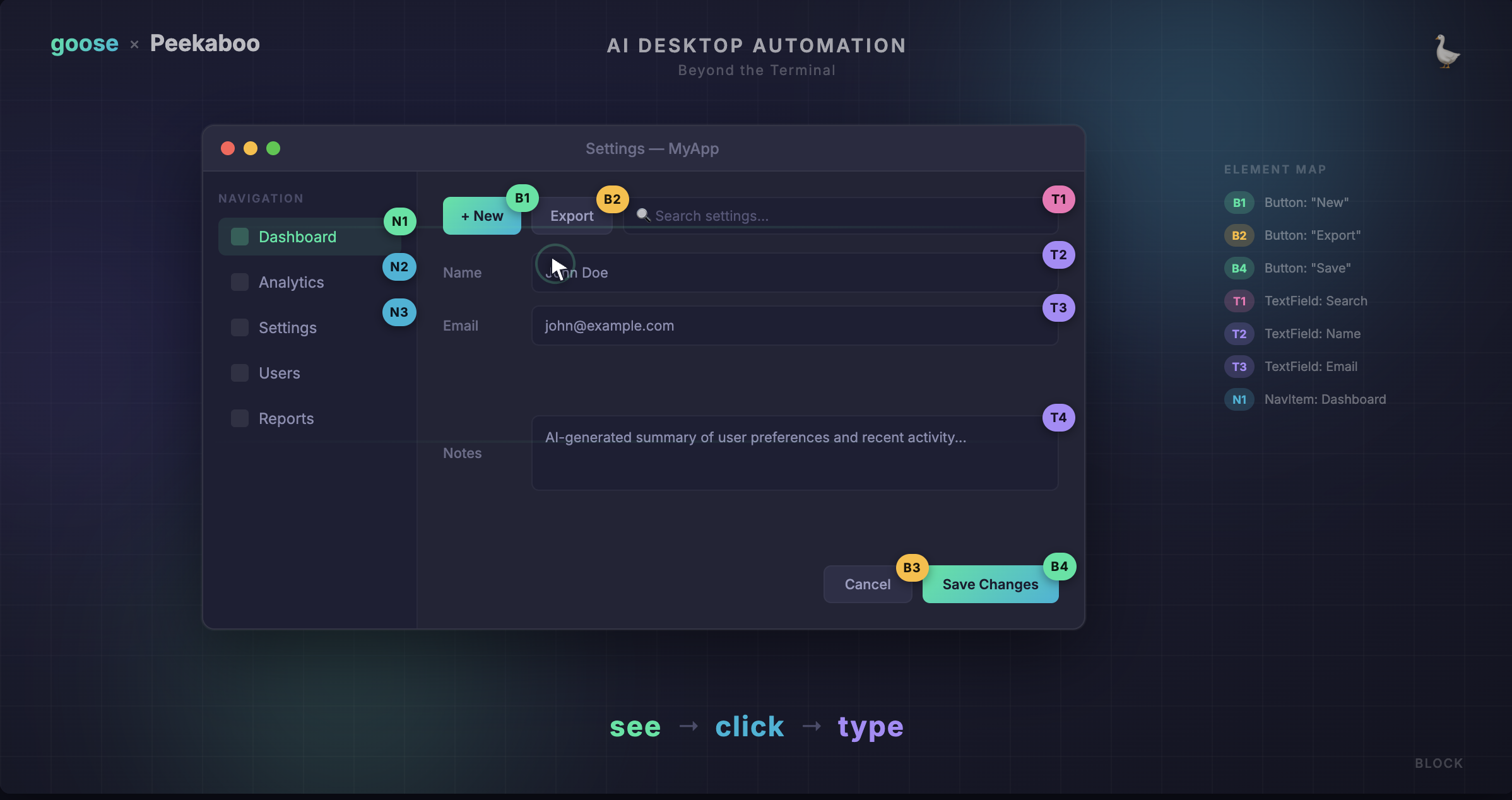
<p>With v1.26, goose broke out of the terminal. The Computer Controller extension was rebuilt from the ground up with <a href="https://github.com/steipete/Peekaboo" target="_blank" rel="noopener noreferrer" class="">Peekaboo</a>, a macOS CLI tool for screen capture and GUI automation. This gives goose eyes and hands for the desktop — it can see annotated screenshots, identify UI elements, click buttons, type text, scroll, drag, and navigate menus across any application on your Mac.</p>
<h2 class="anchor anchorTargetStickyNavbar_Vzrq" id="the-see--click--type-loop">The see → click → type loop<a href="https://goose-docs.ai/blog/2026/04/29/computer-controller-peekaboo#the-see--click--type-loop" class="hash-link" aria-label="Direct link to The see → click → type loop" title="Direct link to The see → click → type loop" translate="no">​</a></h2>
<p>The core workflow is dead simple and surprisingly reliable:</p>
<ol>
<li class=""><strong>See</strong> — goose takes an annotated screenshot of an app. Every clickable element gets a labeled ID like <code>B1</code>, <code>B2</code>, <code>T1</code>.</li>
<li class=""><strong>Click</strong> — goose clicks on an element by its ID. No fragile pixel coordinates.</li>
<li class=""><strong>Type</strong> — goose types text, presses keys, or uses keyboard shortcuts.</li>
</ol>
<p>Because element IDs are tied to actual UI components (not screen positions), this approach adapts to different window sizes and positions. goose doesn't need to know <em>where</em> a button is on screen — just <em>what</em> it is.</p>
<p>Here's what that looks like in practice:</p>
<div class="language-text codeBlockContainer_Ckt0 theme-code-block" style="--prism-color:#393A34;--prism-background-color:#f6f8fa"><div class="codeBlockContent_QJqH"><pre tabindex="0" class="prism-code language-text codeBlock_bY9V thin-scrollbar" style="color:#393A34;background-color:#f6f8fa"><code class="codeBlockLines_e6Vv"><span class="token-line" style="color:#393A34"><span class="token plain">goose: Let me see what's on screen...</span><br></span><span class="token-line" style="color:#393A34"><span class="token plain">→ see --app Safari --annotate</span><br></span><span class="token-line" style="color:#393A34"><span class="token plain" style="display:inline-block"></span><br></span><span class="token-line" style="color:#393A34"><span class="token plain">goose: I can see the form. Clicking on the email field...</span><br></span><span class="token-line" style="color:#393A34"><span class="token plain">→ click --on T3</span><br></span><span class="token-line" style="color:#393A34"><span class="token plain">→ type "hello@example.com" --return</span><br></span></code></pre></div></div>
<p>The <code>see</code> command returns both an annotated screenshot (that is stored temporarily in memory) and structured JSON data with element IDs, labels, and types. This combination of vision and structure is what makes the interaction reliable.</p>
<h2 class="anchor anchorTargetStickyNavbar_Vzrq" id="what-can-goose-actually-do-with-this">What can goose actually do with this?<a href="https://goose-docs.ai/blog/2026/04/29/computer-controller-peekaboo#what-can-goose-actually-do-with-this" class="hash-link" aria-label="Direct link to What can goose actually do with this?" title="Direct link to What can goose actually do with this?" translate="no">​</a></h2>
<p>Once goose can see and interact with your screen, the range of tasks it can handle expands dramatically. Here are some real examples:</p>
<h3 class="anchor anchorTargetStickyNavbar_Vzrq" id="fill-out-forms">Fill out forms<a href="https://goose-docs.ai/blog/2026/04/29/computer-controller-peekaboo#fill-out-forms" class="hash-link" aria-label="Direct link to Fill out forms" title="Direct link to Fill out forms" translate="no">​</a></h3>
<blockquote>
<p>"Go to the HR portal and submit my time off request for next Friday"</p>
</blockquote>
<p>goose opens the browser, navigates to the page, identifies the form fields, fills them in, and clicks submit — all by seeing the UI and interacting with it step by step.</p>
<h3 class="anchor anchorTargetStickyNavbar_Vzrq" id="navigate-complex-uis">Navigate complex UIs<a href="https://goose-docs.ai/blog/2026/04/29/computer-controller-peekaboo#navigate-complex-uis" class="hash-link" aria-label="Direct link to Navigate complex UIs" title="Direct link to Navigate complex UIs" translate="no">​</a></h3>
<blockquote>
<p>"Open Figma, find the design called 'Homepage Redesign', and export it as PNG"</p>
</blockquote>
<p>Multi-step workflows across apps that don't have APIs become possible. goose can click through menus, search within apps, and follow multi-screen flows.</p>
<h3 class="anchor anchorTargetStickyNavbar_Vzrq" id="control-system-settings">Control system settings<a href="https://goose-docs.ai/blog/2026/04/29/computer-controller-peekaboo#control-system-settings" class="hash-link" aria-label="Direct link to Control system settings" title="Direct link to Control system settings" translate="no">​</a></h3>
<blockquote>
<p>"Turn on Do Not Disturb and set my display brightness to 50%"</p>
</blockquote>
<p>System preferences, menu bar items, and macOS settings are all accessible through Peekaboo's <code>menu</code>, <code>menubar</code>, and <code>dialog</code> commands.</p>
<h3 class="anchor anchorTargetStickyNavbar_Vzrq" id="automate-repetitive-gui-tasks">Automate repetitive GUI tasks<a href="https://goose-docs.ai/blog/2026/04/29/computer-controller-peekaboo#automate-repetitive-gui-tasks" class="hash-link" aria-label="Direct link to Automate repetitive GUI tasks" title="Direct link to Automate repetitive GUI tasks" translate="no">​</a></h3>
<blockquote>
<p>"For each PDF in my Downloads folder, open it in Preview and print it"</p>
</blockquote>
<p>goose can combine its existing file system and shell capabilities with GUI automation — reading a directory listing, then opening and interacting with each file visually.</p>
<h2 class="anchor anchorTargetStickyNavbar_Vzrq" id="the-full-command-toolkit">The full command toolkit<a href="https://goose-docs.ai/blog/2026/04/29/computer-controller-peekaboo#the-full-command-toolkit" class="hash-link" aria-label="Direct link to The full command toolkit" title="Direct link to The full command toolkit" translate="no">​</a></h2>
<p>Peekaboo gives goose a comprehensive set of commands for interacting with macOS across vision, interaction, and system control. Check out the <a href="https://github.com/steipete/Peekaboo" target="_blank" rel="noopener noreferrer" class="">Peekaboo docs</a> for a full list. Some highlights:</p>
<ul>
<li class=""><code>see</code> — capture an annotated screenshot and get structured UI data</li>
<li class=""><code>click</code> — click on an element by its ID</li>
<li class=""><code>type</code> — type text or press keys</li>
<li class=""><code>scroll</code> — scroll within an element</li>
<li class=""><code>drag</code> — click and drag from one element to another</li>
<li class=""><code>menu</code> — interact with menu bar items</li>
<li class=""><code>dialog</code> — interact with system dialogs and notifications</li>
</ul>
<h2 class="anchor anchorTargetStickyNavbar_Vzrq" id="tips-for-best-results">Tips for best results<a href="https://goose-docs.ai/blog/2026/04/29/computer-controller-peekaboo#tips-for-best-results" class="hash-link" aria-label="Direct link to Tips for best results" title="Direct link to Tips for best results" translate="no">​</a></h2>
<p>After using the Computer Controller extensively, here are a few things that help:</p>
<ul>
<li class=""><strong>Don't touch your mouse while goose is working.</strong> goose takes screenshots and clicks based on what it sees. If you move things around mid-task, it'll get confused.</li>
<li class=""><strong>Be specific in your prompts.</strong> "Click the blue Submit button at the bottom of the form" gives goose much more to work with than "submit it."</li>
<li class=""><strong>Let goose see first.</strong> goose will naturally start with a <code>see</code> command to understand the current UI state before taking action. If you're debugging an interaction, ask goose to take a fresh screenshot.</li>
<li class=""><strong>Long text goes through paste.</strong> For reliability, goose uses <code>paste</code> instead of <code>type</code> when entering longer content. This avoids issues with special characters and typing speed.</li>
</ul>
<h2 class="anchor anchorTargetStickyNavbar_Vzrq" id="current-limitations">Current limitations<a href="https://goose-docs.ai/blog/2026/04/29/computer-controller-peekaboo#current-limitations" class="hash-link" aria-label="Direct link to Current limitations" title="Direct link to Current limitations" translate="no">​</a></h2>
<p>The Computer Controller is powerful, but it's worth knowing the boundaries:</p>
<ul>
<li class=""><strong>macOS only (for now)</strong> — Peekaboo is built on macOS accessibility APIs. On Windows and Linux, the Computer Controller falls back to shell-based automation (PowerShell scripts on Windows, xdotool/wmctrl on Linux).</li>
<li class=""><strong>Fast-changing UIs can be tricky</strong> — Videos, animations, and rapidly updating content can cause goose to see stale state. Static or slow-changing UIs work best.</li>
<li class=""><strong>Standard UI elements work best</strong> — Custom-rendered canvases (like some game UIs or heavily custom web apps) may not expose accessibility labels that Peekaboo can identify.</li>
<li class=""><strong>One screen at a time</strong> — goose works with one screenshot per <code>see</code> command, though you can target specific screens in multi-monitor setups with <code>--screen-index</code>.</li>
</ul>
<h2 class="anchor anchorTargetStickyNavbar_Vzrq" id="try-it-out">Try it out<a href="https://goose-docs.ai/blog/2026/04/29/computer-controller-peekaboo#try-it-out" class="hash-link" aria-label="Direct link to Try it out" title="Direct link to Try it out" translate="no">​</a></h2>
<p>The Computer Controller extension is built into goose — just enable it in your extensions and start asking goose to do visual tasks. If you're on macOS, Peekaboo will handle the rest.</p>
<p>In goose Desktop, go to <strong>Extensions</strong> and toggle on <strong>Computer Controller</strong>. In the CLI:</p>
<div class="language-sh codeBlockContainer_Ckt0 theme-code-block" style="--prism-color:#393A34;--prism-background-color:#f6f8fa"><div class="codeBlockContent_QJqH"><pre tabindex="0" class="prism-code language-sh codeBlock_bY9V thin-scrollbar" style="color:#393A34;background-color:#f6f8fa"><code class="codeBlockLines_e6Vv"><span class="token-line" style="color:#393A34"><span class="token plain">goose configure</span><br></span><span class="token-line" style="color:#393A34"><span class="token plain"># → Toggle Extensions → enable computercontroller</span><br></span></code></pre></div></div>
<p>Then try something simple:</p>
<div class="language-text codeBlockContainer_Ckt0 theme-code-block" style="--prism-color:#393A34;--prism-background-color:#f6f8fa"><div class="codeBlockContent_QJqH"><pre tabindex="0" class="prism-code language-text codeBlock_bY9V thin-scrollbar" style="color:#393A34;background-color:#f6f8fa"><code class="codeBlockLines_e6Vv"><span class="token-line" style="color:#393A34"><span class="token plain">Take a screenshot of my current screen and describe what you see.</span><br></span></code></pre></div></div>
<p>Or something more ambitious:</p>
<div class="language-text codeBlockContainer_Ckt0 theme-code-block" style="--prism-color:#393A34;--prism-background-color:#f6f8fa"><div class="codeBlockContent_QJqH"><pre tabindex="0" class="prism-code language-text codeBlock_bY9V thin-scrollbar" style="color:#393A34;background-color:#f6f8fa"><code class="codeBlockLines_e6Vv"><span class="token-line" style="color:#393A34"><span class="token plain">Open System Settings, go to Displays, and set the resolution to "More Space."</span><br></span></code></pre></div></div>
<p>goose will figure out the rest — seeing the UI, identifying the right elements, and clicking through to get it done.</p>
]]></content>
        <author>
            <name>Adewale Abati</name>
            <uri>https://adewaleabati.com</uri>
        </author>
    </entry>
    <entry>
        <title type="html"><![CDATA[Private by Default: Built-in Local Inference Models with goose]]></title>
        <id>https://goose-docs.ai/blog/2026/04/24/use-goose-with-built-in-local-inference</id>
        <link href="https://goose-docs.ai/blog/2026/04/24/use-goose-with-built-in-local-inference"/>
        <updated>2026-04-24T00:00:00.000Z</updated>
        <summary type="html"><![CDATA[goose now ships with built-in local inference powered by llama.cpp — no server, no API key, no cost. Here's how it works and what to expect.]]></summary>
        <content type="html"><![CDATA[<p><img decoding="async" loading="lazy" alt="blog cover" src="https://goose-docs.ai/assets/images/goose-built-in-inference-14209ea471ca6e50b7d76f6578495aa9.png" width="2384" height="1242" class="img_ev3q"></p>
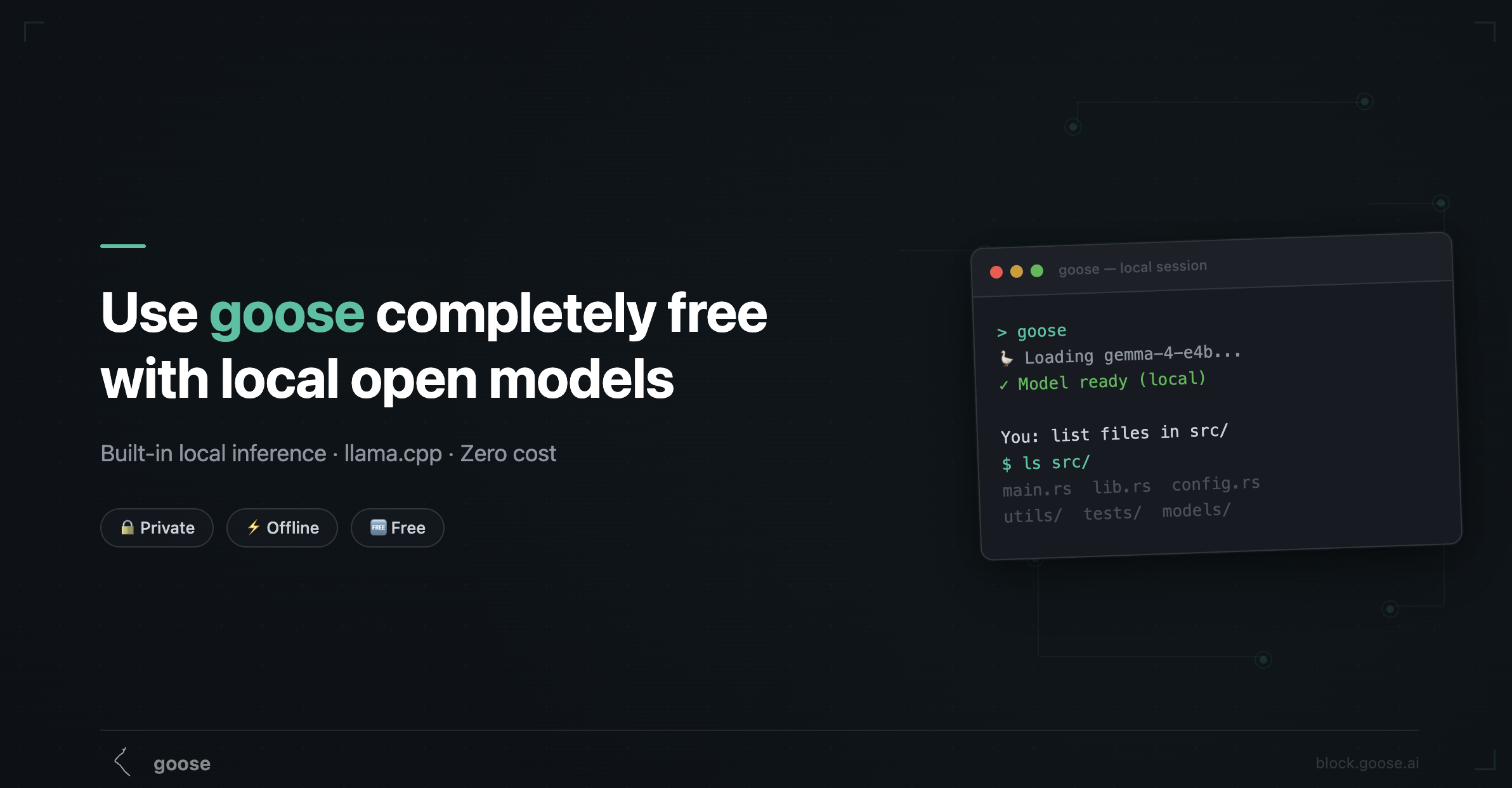
<p>You can now run local models with goose directly on your machine. No Ollama, no Docker, no external server — just entirely within goose. We shipped built-in local inference powered by <a href="https://github.com/ggml-org/llama.cpp" target="_blank" rel="noopener noreferrer" class="">llama.cpp</a>, and it's already available today in the desktop app.</p>
<p>This is the completely free, zero-dependency path to using goose. Your code never leaves your machine, there's no API key to manage, and it works offline. Here's what the experience looks like, which models to pick, and where the rough edges still are.</p>
<h2 class="anchor anchorTargetStickyNavbar_Vzrq" id="how-it-works">How it works<a href="https://goose-docs.ai/blog/2026/04/24/use-goose-with-built-in-local-inference#how-it-works" class="hash-link" aria-label="Direct link to How it works" title="Direct link to How it works" translate="no">​</a></h2>
<p>goose now embeds llama.cpp directly into its runtime. When you select the <strong>Local</strong> provider, goose downloads a quantized <a href="https://huggingface.co/docs/hub/en/gguf" target="_blank" rel="noopener noreferrer" class="">GGUF</a> model from HuggingFace, loads it into your GPU (or CPU) memory, and runs inference in-process.</p>
<p>There's no separate server to start, no port to configure, no background daemon.</p>
<p>How to do this on the desktop app:</p>
<ol>
<li class="">Open <strong>Settings → Local Inference</strong></li>
<li class="">Browse the featured model list — goose recommends the best one for your available memory or you can search for specific models of your choice.</li>
<li class="">Click download — the model file lands in goose’s data directory under <code>models</code></li>
<li class="">Start building. That's it.</li>
</ol>
<p>goose handles the details: GPU offloading, memory management, context window sizing, and automatic model unloading when you switch between models.</p>
<h2 class="anchor anchorTargetStickyNavbar_Vzrq" id="what-makes-this-different-from-ollama">What makes this different from Ollama<a href="https://goose-docs.ai/blog/2026/04/24/use-goose-with-built-in-local-inference#what-makes-this-different-from-ollama" class="hash-link" aria-label="Direct link to What makes this different from Ollama" title="Direct link to What makes this different from Ollama" translate="no">​</a></h2>
<p>You might already be familiar with using goose via the <a class="" href="https://goose-docs.ai/blog/2025/03/14/goose-ollama">Ollama provider</a>. Both paths run models locally, but the architecture is different:</p>
<table><thead><tr><th></th><th>Built-in (llama.cpp)</th><th>Ollama</th></tr></thead><tbody><tr><td><strong>Setup</strong></td><td>Nothing — built into goose</td><td>Install Ollama separately</td></tr><tr><td><strong>Server</strong></td><td>None — in-process</td><td>Ollama runs as a background service</td></tr><tr><td><strong>Model format</strong></td><td>GGUF from HuggingFace</td><td>Ollama's own model registry</td></tr><tr><td><strong>Model management</strong></td><td>goose Settings UI</td><td><code>ollama pull</code> / <code>ollama list</code></td></tr><tr><td><strong>Tool calling</strong></td><td>Native (Gemma 4) or emulated</td><td>Via toolshim interpreter</td></tr><tr><td><strong>Vision</strong></td><td>✅ Gemma 4 models</td><td>Depends on model</td></tr><tr><td><strong>Config</strong></td><td>Zero config</td><td><code>OLLAMA_HOST</code>, timeouts, etc.</td></tr></tbody></table>
<p>The built-in path is designed for people who want the simplest possible local experience — one app, one download, done. Ollama is still great if you want more control, a wider model selection, or you're already using it for other tools.</p>
<h2 class="anchor anchorTargetStickyNavbar_Vzrq" id="featured-models">Featured models<a href="https://goose-docs.ai/blog/2026/04/24/use-goose-with-built-in-local-inference#featured-models" class="hash-link" aria-label="Direct link to Featured models" title="Direct link to Featured models" translate="no">​</a></h2>
<p>goose ships with a curated list of models that are tested and known to work well. As at the time of this writing, the featured models include:</p>
<ul>
<li class="">Llama 3.2 3B (GGUF) — a small, fast model good for basic tasks and shell command generation.</li>
<li class="">Mistral Small 24B (GGUF) — a larger model with strong reasoning capabilities, but slower on CPU.</li>
<li class="">Hermes 2 Pro Mistral 7B (GGUF) — a 7 billion parameter model optimized for instruction following and coding tasks.</li>
<li class="">Gemma 4 E4B (GGUF) — a 4 billion parameter variant of Google's Gemma 4, optimized for local inference with native tool calling support.</li>
<li class="">Gemma 4 26B-A4B (GGUF) — a 26 billion parameter variant of Gemma 4 with native tool calling and vision support, for users who want stronger local performance and have enough available memory.</li>
</ul>
<h2 class="anchor anchorTargetStickyNavbar_Vzrq" id="what-to-expect">What to expect<a href="https://goose-docs.ai/blog/2026/04/24/use-goose-with-built-in-local-inference#what-to-expect" class="hash-link" aria-label="Direct link to What to expect" title="Direct link to What to expect" translate="no">​</a></h2>
<p>There is some cost that comes with choosing to use a local model - the biggest of which is performance depending on the capabilities of your hardware. Compared to cloud models:</p>
<p><strong>It's slower.</strong> The first request takes 30–120 seconds while the model loads into memory. After that, token generation is fast on Apple Silicon (especially M2/M3/M4) but noticeably slower on CPU-only machines.</p>
<p><strong>Context windows are smaller.</strong> Most local models work with 4K–8K tokens of context, compared to 128K+ for Claude or GPT. goose sets <code>num_ctx</code> based on your available memory, but you'll hit limits faster on long sessions. <a class="" href="https://goose-docs.ai/blog/2026/02/06/8-things-you-didnt-know-about-code-mode">Code Mode</a> helps here — it reduces token usage and context rot.</p>
<p><strong>Tool calling is the gap.</strong> With Gemma 4, it's genuinely good. With emulated models, it's limited to shell commands. This is the single biggest difference from the cloud experience.</p>
<p><strong>It's completely private.</strong> Nothing leaves your machine. No telemetry, no API calls, no data sharing. For working with proprietary code, credentials, or sensitive data, this matters.</p>
<p><strong>It costs nothing.</strong> After the initial model download, every session is free. No tokens to count, no bills to worry about.</p>
<h2 class="anchor anchorTargetStickyNavbar_Vzrq" id="tips-for-getting-the-most-out-of-it">Tips for getting the most out of it<a href="https://goose-docs.ai/blog/2026/04/24/use-goose-with-built-in-local-inference#tips-for-getting-the-most-out-of-it" class="hash-link" aria-label="Direct link to Tips for getting the most out of it" title="Direct link to Tips for getting the most out of it" translate="no">​</a></h2>
<p><strong>Start with Gemma 4 E4B.</strong> It's the best balance of capability and resource usage. If it works well for your tasks, great. If you need more power, step up to the 26B variant.</p>
<p><strong>Use Code Mode.</strong> Seriously. It's designed for exactly this scenario — keeping sessions productive within smaller context windows.</p>
<p><strong>Let goose recommend.</strong> The automatic model recommendation is based on your actual available memory, not total RAM. Trust it for the first run.</p>
<p><strong>Don't fight emulated mode.</strong> If you're using a model without native tool calling, lean into the shell-command workflow. Ask goose to do things step by step. It works well for "run this command, check the output, do the next thing" patterns.</p>
<p><strong>Switch models for different tasks.</strong> You can download multiple models. Use a small fast model for quick shell tasks, and a larger one for complex reasoning. goose unloads the previous model automatically.</p>
]]></content>
        <author>
            <name>Adewale Abati</name>
            <uri>https://adewaleabati.com</uri>
        </author>
    </entry>
    <entry>
        <title type="html"><![CDATA[Mesh LLM in goose: routing across models]]></title>
        <id>https://goose-docs.ai/blog/2026/04/20/mesh-llm</id>
        <link href="https://goose-docs.ai/blog/2026/04/20/mesh-llm"/>
        <updated>2026-04-20T00:00:00.000Z</updated>
        <summary type="html"><![CDATA[Mesh LLM is now available as a provider setting in goose.]]></summary>
        <content type="html"><![CDATA[<p>Quick note: <a href="https://github.com/Mesh-LLM/mesh-llm/" target="_blank" rel="noopener noreferrer" class="">Mesh LLM</a> is now in goose as an option for accessing and sharing (open) LLMs with friends and family.</p>
<p>It uses the same llama.cpp infra as local mode to run models, with a twist.</p>
<h2 class="anchor anchorTargetStickyNavbar_Vzrq" id="what-is-mesh-llm">What is Mesh LLM?<a href="https://goose-docs.ai/blog/2026/04/20/mesh-llm#what-is-mesh-llm" class="hash-link" aria-label="Direct link to What is Mesh LLM?" title="Direct link to What is Mesh LLM?" translate="no">​</a></h2>
<p>Mesh LLM is an associated project we're trying out that lets people connect their compute capacity (which may just be a laptop) peer-to-peer, so they can access models they may not otherwise be able to self-host.</p>
<p>There is a demo public "mesh" which at any point has some capacity in it, but you can also make your own private networks and pool compute together. The mesh will try to work out the best places to run models (downloading them as needed) and can even split the compute in various ways.</p>
<p>This is a pretty early-stage project, so we'd love any feedback on it.</p>
<p>Check out <a href="https://docs.anarchai.org/" target="_blank" rel="noopener noreferrer" class="">the project docs</a> and the <a href="https://meshllm.cloud/dashboard" target="_blank" rel="noopener noreferrer" class="">live public mesh</a>.</p>
]]></content>
        <author>
            <name>Michael Neale</name>
        </author>
    </entry>
    <entry>
        <title type="html"><![CDATA[goose 2.0 beta - new architecture and clients]]></title>
        <id>https://goose-docs.ai/blog/2026/04/08/goose-acp-and-new-tui</id>
        <link href="https://goose-docs.ai/blog/2026/04/08/goose-acp-and-new-tui"/>
        <updated>2026-04-08T00:00:00.000Z</updated>
        <summary type="html"><![CDATA[We're shipping a new TUI, rewriting the desktop app in Tauri, and unifying everything under ACP.]]></summary>
        <content type="html"><![CDATA[<p><img decoding="async" loading="lazy" alt="blog cover" src="https://goose-docs.ai/assets/images/goose-2-blog-cover-aaee1526bc905939e34f5766d377a793.jpg" width="1600" height="896" class="img_ev3q"></p>
<p>goose started life in the terminal. The earliest versions were a Python CLI that ran the agent in-process — you typed a message, the model responded, tools executed, and everything happened in a single loop. That simplicity was a strength: it meant anyone with a terminal could start using goose immediately, no app to install, no server to run.</p>
<p>As goose grew, so did the ways people wanted to use it. We shipped an Electron desktop app and suddenly we had two clients with two completely different integration paths. The Rust CLI talked to the agent directly in process, while the desktop app went through <code>goosed</code>, a custom REST + SSE server. Every new feature — session management, extension loading, streaming — had to be wired up in both places.</p>
<p>Third-party developers have never been able to easily build their own clients, as they had no standard way to connect at all.</p>
<p>We needed a single protocol that any client could speak to reach the same agent core. For this purpose we have chosen <a href="https://agentclientprotocol.com/" target="_blank" rel="noopener noreferrer" class="">ACP</a>, the Agent Client Protocol, as our new default interface to goose.</p>
<h2 class="anchor anchorTargetStickyNavbar_Vzrq" id="under-the-hood-acp">Under the hood: ACP<a href="https://goose-docs.ai/blog/2026/04/08/goose-acp-and-new-tui#under-the-hood-acp" class="hash-link" aria-label="Direct link to Under the hood: ACP" title="Direct link to Under the hood: ACP" translate="no">​</a></h2>
<p>Behind the scenes we're unifying how every client connects to goose through <strong>ACP (Agent Client Protocol)</strong>. ACP gives us one protocol and one goose server for every client — terminal, desktop, IDE plugins, whatever you want to build. This will make it possible for an ecosystem of different goose clients to emerge. We also have an <a href="https://github.com/agentclientprotocol/agent-client-protocol/pull/721" target="_blank" rel="noopener noreferrer" class="">RFD</a> for a new HTTP/WS transport for ACP and would welcome feedback on the design.</p>
<p>Here's where things stand:</p>
<table><thead><tr><th>Phase</th><th>What</th><th>Status</th></tr></thead><tbody><tr><td><strong>1 — Stabilize ACP server</strong></td><td>Production-ready server with session persistence, extensions, streaming</td><td>✅ Done</td></tr><tr><td><strong>2 — TypeScript TUI beta</strong></td><td>Feature-complete terminal UI built on the ACP client</td><td>🚧 In progress</td></tr><tr><td><strong>3 — Desktop rewrite to Tauri</strong></td><td>Electron app being replaced with a Tauri-based desktop client on ACP</td><td>🚧 In progress</td></tr><tr><td><strong>4 — Consolidation</strong></td><td>Remove <code>goosed</code> and the old Rust CLI; single unified architecture</td><td>Planned</td></tr></tbody></table>
<p>The work is tracked in <a href="https://github.com/aaif-goose/goose/issues/6642" target="_blank" rel="noopener noreferrer" class="">#6642</a>.</p>
<h2 class="anchor anchorTargetStickyNavbar_Vzrq" id="the-new-goose-tui">The new goose TUI<a href="https://goose-docs.ai/blog/2026/04/08/goose-acp-and-new-tui#the-new-goose-tui" class="hash-link" aria-label="Direct link to The new goose TUI" title="Direct link to The new goose TUI" translate="no">​</a></h2>
<p>With that foundation in place, we're now shipping the first official clients built on top of it: a brand-new TypeScript TUI you can try today and a Tauri-based desktop app that will replace our Electron desktop application. For you, this means a faster, lighter experience in both the terminal and on the desktop — and a clear path for the community to build new client and integrations without reverse-engineering internals.</p>
<p>Here's what's happening and how to get started.</p>
<h2 class="anchor anchorTargetStickyNavbar_Vzrq" id="try-the-new-tui-right-now">Try the new TUI right now<a href="https://goose-docs.ai/blog/2026/04/08/goose-acp-and-new-tui#try-the-new-tui-right-now" class="hash-link" aria-label="Direct link to Try the new TUI right now" title="Direct link to Try the new TUI right now" translate="no">​</a></h2>
<p>The new TypeScript-based TUI is in beta. It already supports messages, tool calling, syntax-highlighted code, and rendered markdown. Give it a spin:</p>
<div class="language-bash codeBlockContainer_Ckt0 theme-code-block" style="--prism-color:#393A34;--prism-background-color:#f6f8fa"><div class="codeBlockContent_QJqH"><pre tabindex="0" class="prism-code language-bash codeBlock_bY9V thin-scrollbar" style="color:#393A34;background-color:#f6f8fa"><code class="codeBlockLines_e6Vv"><span class="token-line" style="color:#393A34"><span class="token plain">npx @aaif/goose</span><br></span></code></pre></div></div>
<p>That's it — one command, no install. It pulls down the latest beta and starts an interactive session.</p>
<p><img decoding="async" loading="lazy" alt="The new goose TUI" src="https://goose-docs.ai/assets/images/TUI-76c312c4cfaa1317401dedb37c1efb27.png" width="1405" height="1193" class="img_ev3q"></p>
<h3 class="anchor anchorTargetStickyNavbar_Vzrq" id="whats-coming-next-for-the-tui">What's coming next for the TUI<a href="https://goose-docs.ai/blog/2026/04/08/goose-acp-and-new-tui#whats-coming-next-for-the-tui" class="hash-link" aria-label="Direct link to What's coming next for the TUI" title="Direct link to What's coming next for the TUI" translate="no">​</a></h3>
<ul>
<li class="">Provider and model management</li>
<li class="">Session list, resume, and export</li>
<li class="">UI for MCP features and skills management</li>
</ul>
<p>We'd love your feedback — try it out and let us know what works and what doesn't.</p>
<h2 class="anchor anchorTargetStickyNavbar_Vzrq" id="desktop-is-moving-to-tauri">Desktop is moving to Tauri<a href="https://goose-docs.ai/blog/2026/04/08/goose-acp-and-new-tui#desktop-is-moving-to-tauri" class="hash-link" aria-label="Direct link to Desktop is moving to Tauri" title="Direct link to Desktop is moving to Tauri" translate="no">​</a></h2>
<p>We're also rewriting the desktop app from Electron to <a href="https://tauri.app/" target="_blank" rel="noopener noreferrer" class="">Tauri</a>. The Tauri rewrite gives us improved performance, a refreshed UI, and the new app will talk to ACP so both official clients will share the same protocol and server.</p>
<p>We will follow up with another post when the desktop is ready for beta testing.</p>
<h2 class="anchor anchorTargetStickyNavbar_Vzrq" id="get-involved">Get involved<a href="https://goose-docs.ai/blog/2026/04/08/goose-acp-and-new-tui#get-involved" class="hash-link" aria-label="Direct link to Get involved" title="Direct link to Get involved" translate="no">​</a></h2>
<p>This is all happening in the open. Follow along or jump in:</p>
<ul>
<li class=""><strong>Tracking issue:</strong> <a href="https://github.com/aaif-goose/goose/issues/6642" target="_blank" rel="noopener noreferrer" class="">#6642</a></li>
<li class=""><strong>Try the TUI:</strong> <code>npx @aaif/goose</code></li>
<li class=""><strong>Discord:</strong> Follow along and give feedback in <a href="https://discord.gg/goose-oss" target="_blank" rel="noopener noreferrer" class="">#goose-2-dev</a>.</li>
<li class=""><strong>Feedback?</strong> Open an issue or drop a comment on #6642 — we'd love to hear from you.</li>
</ul>
]]></content>
        <author>
            <name>Alex Hancock</name>
        </author>
    </entry>
    <entry>
        <title type="html"><![CDATA[How to Break Up with Your Agent]]></title>
        <id>https://goose-docs.ai/blog/2026/04/08/how-to-break-up-with-your-agent</id>
        <link href="https://goose-docs.ai/blog/2026/04/08/how-to-break-up-with-your-agent"/>
        <updated>2026-04-08T00:00:00.000Z</updated>
        <summary type="html"><![CDATA[ACP lets you keep your favorite editor but swap the AI agent, or keep your agent but use it from any editor. Here's what actually works today in Goose.]]></summary>
        <content type="html"><![CDATA[<p><img decoding="async" loading="lazy" alt="Editors connect to Goose via ACP, and Goose connects to multiple agents" src="https://goose-docs.ai/assets/images/how-to-break-up-with-your-agent-f8e0e7e5dfa082ad8d33c0fdf84163d4.png" width="1200" height="600" class="img_ev3q"></p>
<p>The biggest shift in developer tooling over the last year wasn't the rise of agents. It was the rise of agent subscriptions. We stopped choosing LLM platforms and counting tokens. We started choosing an agent CLI and paying a flat monthly fee.</p>
<p>That works until you realize each agent implies a specific frontend. Cursor is its own editor (a VS Code fork). Claude Code started as a terminal-only tool. Many agents only work well inside one specific environment. Even agents with broad IDE support, like Copilot, tie deeper features to their own ecosystem. If you want a different agent in your favorite editor, you're often out of luck.</p>
<p><a href="https://agentclientprotocol.com/" target="_blank" rel="noopener noreferrer" class="">Agent Client Protocol (ACP)</a> is a community specification led by <a href="https://zed.dev/" target="_blank" rel="noopener noreferrer" class="">Zed Industries</a> that decouples agents from editors. Goose implements ACP in both directions: editors can plug into goose, and goose can plug into other agents. This post walks through what that looks like in practice today.</p>
<h2 class="anchor anchorTargetStickyNavbar_Vzrq" id="the-integration-problem">The Integration Problem<a href="https://goose-docs.ai/blog/2026/04/08/how-to-break-up-with-your-agent#the-integration-problem" class="hash-link" aria-label="Direct link to The Integration Problem" title="Direct link to The Integration Problem" translate="no">​</a></h2>
<p>Dozens of agents exist. Dozens of editors exist. Each combination requires a custom integration that has to track both sides as they ship updates. Goose learned this the hard way. Multiple community maintainers built VS Code extensions and even an IntelliJ plugin, but <a class="" href="https://goose-docs.ai/blog/2025/10/24/intro-to-agent-client-protocol-acp">none could keep pace</a> with goose's release cadence. Every goose change meant updating every plugin, and the plugins fell behind.</p>
<p>ACP sidesteps this. Like <a href="https://modelcontextprotocol.io/" target="_blank" rel="noopener noreferrer" class="">MCP</a>, ACP defines a JSON-RPC protocol over stdio, but for agent-editor communication. Editors implement the client interface while agents implement the server. Capabilities like model selection, slash commands, file I/O, and terminal execution are in the ACP protocol, eliminating custom code per agent.</p>
<h2 class="anchor anchorTargetStickyNavbar_Vzrq" id="use-any-editor-with-goose">Use Any Editor with Goose<a href="https://goose-docs.ai/blog/2026/04/08/how-to-break-up-with-your-agent#use-any-editor-with-goose" class="hash-link" aria-label="Direct link to Use Any Editor with Goose" title="Direct link to Use Any Editor with Goose" translate="no">​</a></h2>
<p>Goose is listed in the <a href="https://zed.dev/blog/acp-registry" target="_blank" rel="noopener noreferrer" class="">ACP Agent Registry</a>, so <a href="https://zed.dev/" target="_blank" rel="noopener noreferrer" class="">Zed</a> and <a href="https://blog.jetbrains.com/ai/2025/12/bring-your-own-ai-agent-to-jetbrains-ides/" target="_blank" rel="noopener noreferrer" class="">JetBrains</a> can discover and install it automatically. For editors that don't read the registry yet, like Neovim with <a href="https://github.com/yetone/avante.nvim" target="_blank" rel="noopener noreferrer" class="">avante.nvim</a>, the config is straightforward:</p>
<div class="language-lua codeBlockContainer_Ckt0 theme-code-block" style="--prism-color:#393A34;--prism-background-color:#f6f8fa"><div class="codeBlockContent_QJqH"><pre tabindex="0" class="prism-code language-lua codeBlock_bY9V thin-scrollbar" style="color:#393A34;background-color:#f6f8fa"><code class="codeBlockLines_e6Vv"><span class="token-line" style="color:#393A34"><span class="token plain">acp_providers = {</span><br></span><span class="token-line" style="color:#393A34"><span class="token plain">  ["goose"] = {</span><br></span><span class="token-line" style="color:#393A34"><span class="token plain">    command = "goose",</span><br></span><span class="token-line" style="color:#393A34"><span class="token plain">    args = { "acp", "--with-builtin", "developer" },</span><br></span><span class="token-line" style="color:#393A34"><span class="token plain">  },</span><br></span><span class="token-line" style="color:#393A34"><span class="token plain">},</span><br></span></code></pre></div></div>
<p>What flows through ACP goes beyond prompts. Editors can delegate file reads (including files you haven't saved yet), run terminal commands, and present permission dialogs natively. Any MCP servers configured in your editor are automatically added as extensions for that goose session, so you don't have to configure them in two places.</p>
<p>See the <a class="" href="https://goose-docs.ai/docs/guides/acp-clients">ACP clients guide</a> for more.</p>
<h2 class="anchor anchorTargetStickyNavbar_Vzrq" id="use-any-agent-with-goose">Use Any Agent with Goose<a href="https://goose-docs.ai/blog/2026/04/08/how-to-break-up-with-your-agent#use-any-agent-with-goose" class="hash-link" aria-label="Direct link to Use Any Agent with Goose" title="Direct link to Use Any Agent with Goose" translate="no">​</a></h2>
<p>Goose also speaks ACP as a client. It can orchestrate other agents as ACP providers. You keep goose's UI and extensions, but the underlying LLM and MCP calls go through the other agent. Today that includes <a href="https://github.com/zed-industries/claude-agent-acp" target="_blank" rel="noopener noreferrer" class="">Claude Code</a>, <a href="https://github.com/zed-industries/codex-acp" target="_blank" rel="noopener noreferrer" class="">Codex</a>, <a href="https://docs.github.com/en/copilot/reference/copilot-cli-reference/acp-server" target="_blank" rel="noopener noreferrer" class="">Copilot</a>, <a href="https://github.com/google-gemini/gemini-cli" target="_blank" rel="noopener noreferrer" class="">Gemini</a>, <a href="https://www.npmjs.com/package/amp-acp" target="_blank" rel="noopener noreferrer" class="">Amp</a>, and <a href="https://github.com/svkozak/pi-acp" target="_blank" rel="noopener noreferrer" class="">Pi</a>.</p>
<p>Some agents like Gemini and Copilot speak ACP natively. Others like Claude need a small adapter installed first:</p>
<div class="language-bash codeBlockContainer_Ckt0 theme-code-block" style="--prism-color:#393A34;--prism-background-color:#f6f8fa"><div class="codeBlockContent_QJqH"><pre tabindex="0" class="prism-code language-bash codeBlock_bY9V thin-scrollbar" style="color:#393A34;background-color:#f6f8fa"><code class="codeBlockLines_e6Vv"><span class="token-line" style="color:#393A34"><span class="token plain">npm install -g @zed-industries/claude-agent-acp  # one-time adapter install</span><br></span><span class="token-line" style="color:#393A34"><span class="token plain">GOOSE_PROVIDER=claude-acp GOOSE_MODEL=current goose</span><br></span></code></pre></div></div>
<p>Setting the model to <code>current</code> means "use whatever model is configured in the underlying agent."</p>
<p>See the <a class="" href="https://goose-docs.ai/docs/guides/acp-providers">ACP providers guide</a> for the full list and setup instructions.</p>
<h2 class="anchor anchorTargetStickyNavbar_Vzrq" id="where-acp-stops-today">Where ACP Stops Today<a href="https://goose-docs.ai/blog/2026/04/08/how-to-break-up-with-your-agent#where-acp-stops-today" class="hash-link" aria-label="Direct link to Where ACP Stops Today" title="Direct link to Where ACP Stops Today" translate="no">​</a></h2>
<p>ACP is pre-1.0. Some things work well, some don't yet:</p>
<ul>
<li class="">Permission dialog rendering varies by editor. What looks native in Zed may render differently in Neovim.</li>
<li class="">Not every agent honors MCP server configs passed by the client. Coverage depends on the agent.</li>
<li class="">Model and mode switching support varies. Some agents expose a full model list, others expose aliases.</li>
<li class="">The protocol is still stabilizing. Features move between stability tiers as implementations mature.</li>
</ul>
<p>These are real edges. The protocol is young. The direction is right.</p>
<h2 class="anchor anchorTargetStickyNavbar_Vzrq" id="where-to-next">Where to Next<a href="https://goose-docs.ai/blog/2026/04/08/how-to-break-up-with-your-agent#where-to-next" class="hash-link" aria-label="Direct link to Where to Next" title="Direct link to Where to Next" translate="no">​</a></h2>
<p>Goose currently has separate code paths for its desktop app, CLI, and ACP server. That's converging. The goose daemon is transitioning to ACP as its protocol, so every frontend becomes a thin ACP client talking to the same backend. Provider selection and config changes happen over ACP custom requests instead of per-frontend logic.</p>
<p>On the provider side, adding a new ACP agent to goose today means writing a Rust file. Declarative ACP providers would replace those files with JSON configs, making it possible to add agents without recompiling goose. Combined with native support for the <a href="https://github.com/agentclientprotocol/registry" target="_blank" rel="noopener noreferrer" class="">ACP Agent Registry</a>, goose could discover and offer new agents as they appear in the registry, no release required.</p>
<h2 class="anchor anchorTargetStickyNavbar_Vzrq" id="try-it">Try It<a href="https://goose-docs.ai/blog/2026/04/08/how-to-break-up-with-your-agent#try-it" class="hash-link" aria-label="Direct link to Try It" title="Direct link to Try It" translate="no">​</a></h2>
<p>Goose was recently donated to the <a href="https://aaif.io/" target="_blank" rel="noopener noreferrer" class="">Agentic AI Foundation (AAIF)</a> inside the Linux Foundation. Interoperability is the thesis: goose shouldn't lock you into one agent or one editor.</p>
<p>I'm walking through this architecture at <a href="https://tessl.io/speaker/adriancole/" target="_blank" rel="noopener noreferrer" class="">AI Native DevCon</a>, where every slide links to the PR or GitHub discussion behind it.</p>
<p>Pick the UI you like. Pick the agent you like. They don't have to be the same thing.</p>
<ul>
<li class=""><a class="" href="https://goose-docs.ai/docs/guides/acp-clients">ACP clients guide</a></li>
<li class=""><a class="" href="https://goose-docs.ai/docs/guides/acp-providers">ACP providers guide</a></li>
<li class=""><a href="https://github.com/aaif-goose/goose" target="_blank" rel="noopener noreferrer" class="">Goose on GitHub</a></li>
<li class=""><a href="https://discord.gg/goose-oss" target="_blank" rel="noopener noreferrer" class="">Discord community</a></li>
</ul>
]]></content>
        <author>
            <name>Adrian Cole</name>
        </author>
    </entry>
    <entry>
        <title type="html"><![CDATA[goose has a new home - the Agentic AI Foundation (AAIF)]]></title>
        <id>https://goose-docs.ai/blog/2026/04/07/goose-moves-to-aaif</id>
        <link href="https://goose-docs.ai/blog/2026/04/07/goose-moves-to-aaif"/>
        <updated>2026-04-07T00:00:00.000Z</updated>
        <summary type="html"><![CDATA[goose has moved to the Agentic AI Foundation (aaif) at the Linux Foundation]]></summary>
        <content type="html"><![CDATA[<p>Block has donated goose to the <a href="https://aaif.io/" target="_blank" rel="noopener noreferrer" class="">Agentic AI Foundation (AAIF)</a> at the Linux Foundation, alongside Anthropic's Model Context Protocol (MCP) and OpenAI's AGENTS.md. You can read the <a href="https://aaif.io/press/linux-foundation-announces-the-formation-of-the-agentic-ai-foundation-aaif-anchored-by-new-project-contributions-including-model-context-protocol-mcp-goose-and-agents-md/" target="_blank" rel="noopener noreferrer" class="">full announcement here</a>.</p>
<p>While nothing changes with goose's dedication to its mission and community, here's what's changed;</p>
<h2 class="anchor anchorTargetStickyNavbar_Vzrq" id="new-documentation-site">New Documentation site<a href="https://goose-docs.ai/blog/2026/04/07/goose-moves-to-aaif#new-documentation-site" class="hash-link" aria-label="Direct link to New Documentation site" title="Direct link to New Documentation site" translate="no">​</a></h2>
<p>The documentation has moved to a new site: <a href="https://goose-docs.ai/" target="_blank" rel="noopener noreferrer" class="">https://goose-docs.ai/</a> with a nice .ai TLD! The old docs links will redirect, but update your bookmarks to the new site.</p>
<h2 class="anchor anchorTargetStickyNavbar_Vzrq" id="updated-github-repository">Updated GitHub repository<a href="https://goose-docs.ai/blog/2026/04/07/goose-moves-to-aaif#updated-github-repository" class="hash-link" aria-label="Direct link to Updated GitHub repository" title="Direct link to Updated GitHub repository" translate="no">​</a></h2>
<p>The GitHub repository and related projects have moved from <code>block/goose</code> to a new org:</p>
<blockquote>
<p><strong><a href="https://github.com/aaif-goose/goose" target="_blank" rel="noopener noreferrer" class="">https://github.com/aaif-goose/goose</a></strong></p>
</blockquote>
<p>This includes related repositories in the <a href="https://github.com/aaif-goose" target="_blank" rel="noopener noreferrer" class="">aaif-goose</a> organization.</p>
<p>Everything else — the project, the community, the mission — remains the same. goose is still open source, still actively developed, and still the same agent you know.</p>
<h2 class="anchor anchorTargetStickyNavbar_Vzrq" id="update-your-remotes">Update your remotes<a href="https://goose-docs.ai/blog/2026/04/07/goose-moves-to-aaif#update-your-remotes" class="hash-link" aria-label="Direct link to Update your remotes" title="Direct link to Update your remotes" translate="no">​</a></h2>
<p>If you have a local clone, update your git remote:</p>
<div class="language-bash codeBlockContainer_Ckt0 theme-code-block" style="--prism-color:#393A34;--prism-background-color:#f6f8fa"><div class="codeBlockContent_QJqH"><pre tabindex="0" class="prism-code language-bash codeBlock_bY9V thin-scrollbar" style="color:#393A34;background-color:#f6f8fa"><code class="codeBlockLines_e6Vv"><span class="token-line" style="color:#393A34"><span class="token plain">git remote set-url origin git@github.com:aaif-goose/goose.git</span><br></span></code></pre></div></div>
<h2 class="anchor anchorTargetStickyNavbar_Vzrq" id="migration-in-progress">Migration in progress<a href="https://goose-docs.ai/blog/2026/04/07/goose-moves-to-aaif#migration-in-progress" class="hash-link" aria-label="Direct link to Migration in progress" title="Direct link to Migration in progress" translate="no">​</a></h2>
<p>We're still working through some migration issues (broken links, redirects, CI, etc). If you hit anything that seems off, please reach out on <a href="https://discord.gg/goose-oss" target="_blank" rel="noopener noreferrer" class="">Discord</a> and let us know.</p>
<h2 class="anchor anchorTargetStickyNavbar_Vzrq" id="learn-more">Learn more<a href="https://goose-docs.ai/blog/2026/04/07/goose-moves-to-aaif#learn-more" class="hash-link" aria-label="Direct link to Learn more" title="Direct link to Learn more" translate="no">​</a></h2>
<p>Visit <a href="https://aaif.io/" target="_blank" rel="noopener noreferrer" class="">aaif.io</a> to learn more about the foundation and its mission.</p>]]></content>
        <author>
            <name>Michael Neale</name>
        </author>
    </entry>
    <entry>
        <title type="html"><![CDATA[Adversary Agent: using a hidden agent to keep the main agent safe]]></title>
        <id>https://goose-docs.ai/blog/2026/03/31/adversary-mode</id>
        <link href="https://goose-docs.ai/blog/2026/03/31/adversary-mode"/>
        <updated>2026-03-31T00:00:00.000Z</updated>
        <summary type="html"><![CDATA[Introducing adversary mode — an independent agent reviewer that silently watches the main agent to keep it away from danger.]]></summary>
        <content type="html"><![CDATA[<p><img decoding="async" loading="lazy" alt="blog cover" src="https://goose-docs.ai/assets/images/adversary-mode-dc5499010b15389b0e89ced09247aa5d.png" width="736" height="552" class="img_ev3q"></p>
<p>One of the desires of goose (well for some of us) was to avoid the constant asking for permissions, delegating all the decisions to end users in an attempt to keep agent execution of tools safe. Sometimes that gets pretty noisy and annoying and ends up being less secure when you get tired of reading and approving.</p>
<p>You can of course adjust settings as you see fit, but it is nice to consider how things could be made safe without assuming that you can interrupt the user constantly for permission, especially around things they may not currently have the context for (in their head!)</p>
<p>In goose there are layers of things you can enable, but we wanted to also think about general solutions when we observed agents (of all kinds) being really helpful, and as a side effect, being accidentally harmful. This birthed "adversary mode" where the idea is: why not use another agent to fight fire with fire. Agents want to be helpful, and they can be oriented to help the user, but another one can be oriented to protect against the agent "helping" the user, to keep things in policy, and safe.</p>
<h2 class="anchor anchorTargetStickyNavbar_Vzrq" id="what-is-adversary-mode">What Is Adversary Mode?<a href="https://goose-docs.ai/blog/2026/03/31/adversary-mode#what-is-adversary-mode" class="hash-link" aria-label="Direct link to What Is Adversary Mode?" title="Direct link to What Is Adversary Mode?" translate="no">​</a></h2>
<p>Adversary mode adds a silent, independent reviewer that evaluates every sensitive call <em>before</em> it executes, when needed. Think of it as a security-minded colleague looking over the agent's shoulder — one that knows what you originally asked for and can spot when something doesn't add up. This uses the same class of model as the main agent (ideally) or better, and runs itself as a little agent of its own (smaller context, so faster/cheaper to run, as it has to be called often, don't want to just double the cost!).</p>
<p>There is also <a class="" href="https://goose-docs.ai/docs/guides/security/prompt-injection-detection">pattern-based prompt injection detection</a>, but when you enable adversary mode, the reviewer understands context. It sees your original task, your recent messages, and the tool call details, then makes a judgment: <strong>ALLOW</strong> or <strong>BLOCK</strong>.</p>
<p>The configuration is trivial (just plain language, something an agent or a person can agree on, as it is an agent evaluating it).</p>
<h2 class="anchor anchorTargetStickyNavbar_Vzrq" id="how-it-works">How It Works<a href="https://goose-docs.ai/blog/2026/03/31/adversary-mode#how-it-works" class="hash-link" aria-label="Direct link to How It Works" title="Direct link to How It Works" translate="no">​</a></h2>
<ol>
<li class="">Before each tool call, the adversary checks your <strong>original task</strong>, <strong>recent conversation</strong>, and the <strong>proposed tool call</strong></li>
<li class="">It evaluates against your rules and returns ALLOW or BLOCK</li>
<li class="">Blocked calls are denied — the main agent sees the rejection and cannot retry</li>
<li class="">If the reviewer fails for any reason, the call is allowed through (fail-open)</li>
</ol>
<p>The adversary uses the same model and provider goose is already configured with. No extra API keys or setup needed.</p>
<h2 class="anchor anchorTargetStickyNavbar_Vzrq" id="turning-it-on">Turning It On<a href="https://goose-docs.ai/blog/2026/03/31/adversary-mode#turning-it-on" class="hash-link" aria-label="Direct link to Turning It On" title="Direct link to Turning It On" translate="no">​</a></h2>
<p>Create a file at <code>~/.config/goose/adversary.md</code> with your rules:</p>
<div class="language-markdown codeBlockContainer_Ckt0 theme-code-block" style="--prism-color:#393A34;--prism-background-color:#f6f8fa"><div class="codeBlockContent_QJqH"><pre tabindex="0" class="prism-code language-markdown codeBlock_bY9V thin-scrollbar" style="color:#393A34;background-color:#f6f8fa"><code class="codeBlockLines_e6Vv"><span class="token-line" style="color:#393A34"><span class="token plain">BLOCK if the tool call:</span><br></span><span class="token-line" style="color:#393A34"><span class="token plain"></span><span class="token list punctuation" style="color:#393A34">-</span><span class="token plain"> Exfiltrates data (posting to unknown URLs, piping secrets to external services)</span><br></span><span class="token-line" style="color:#393A34"><span class="token plain"></span><span class="token list punctuation" style="color:#393A34">-</span><span class="token plain"> Is destructive beyond the project scope (deleting system files, wiping directories)</span><br></span><span class="token-line" style="color:#393A34"><span class="token plain"></span><span class="token list punctuation" style="color:#393A34">-</span><span class="token plain"> Installs malware or runs obfuscated code</span><br></span><span class="token-line" style="color:#393A34"><span class="token plain"></span><span class="token list punctuation" style="color:#393A34">-</span><span class="token plain"> Downloads and executes untrusted remote scripts</span><br></span><span class="token-line" style="color:#393A34"><span class="token plain" style="display:inline-block"></span><br></span><span class="token-line" style="color:#393A34"><span class="token plain">ALLOW normal development operations like editing files, running tests,</span><br></span><span class="token-line" style="color:#393A34"><span class="token plain">installing packages, using git, etc.</span><br></span></code></pre></div></div>
<p>That's it. File exists → adversary mode is on. Delete the file → it's off. An empty file uses sensible defaults.</p>
<h2 class="anchor anchorTargetStickyNavbar_Vzrq" id="why-not-just-use-pattern-matching">Why Not Just Use Pattern Matching?<a href="https://goose-docs.ai/blog/2026/03/31/adversary-mode#why-not-just-use-pattern-matching" class="hash-link" aria-label="Direct link to Why Not Just Use Pattern Matching?" title="Direct link to Why Not Just Use Pattern Matching?" translate="no">​</a></h2>
<p>Pattern-based detection is great for catching known attack signatures, and goose supports that too. The adversary reviewer can tell the difference between <code>curl</code> downloading a dependency and <code>curl</code> exfiltrating your SSH keys — because it knows what you actually asked for. It can even sense if an agent is creatively writing scripts, in fragments, to egress data to a public URL (again, to be helpful!) which wouldn't be obviously caught by patterns or rules or filters.</p>
<p>The two approaches are complementary. Use both. Use all the layers!</p>
<h2 class="anchor anchorTargetStickyNavbar_Vzrq" id="whats-next">What's Next<a href="https://goose-docs.ai/blog/2026/03/31/adversary-mode#whats-next" class="hash-link" aria-label="Direct link to What's Next" title="Direct link to What's Next" translate="no">​</a></h2>
<p>We see adversary mode as one layer in a broader security story. For the deeper thinking behind it, check out our post on <a class="" href="https://goose-docs.ai/blog/2026/01/05/agentic-guardrails-and-controls">applying the CORS model to agent security</a>.</p>
<p>For full configuration details — including how to expand which tools get reviewed — see the <a class="" href="https://goose-docs.ai/docs/guides/security/adversary-mode">adversary mode docs</a>.</p>
]]></content>
        <author>
            <name>Michael Neale</name>
        </author>
    </entry>
    <entry>
        <title type="html"><![CDATA[Use Goose with Your AI Subscription]]></title>
        <id>https://goose-docs.ai/blog/2026/03/19/use-goose-with-your-ai-subscription</id>
        <link href="https://goose-docs.ai/blog/2026/03/19/use-goose-with-your-ai-subscription"/>
        <updated>2026-03-19T00:00:00.000Z</updated>
        <summary type="html"><![CDATA[A quick update on using subscriptions for claude, gemini and codex]]></summary>
        <content type="html"><![CDATA[<p>You can use your subscriptions for codex, claude and gemini now with goose, thanks to ACP! (Agent Client Protocol).
Codex is also special in that you can login directly to chatgpt - nothing else needs to be installed.</p>
<p>Gemini now works via OAuth — just sign in with your Google account. At the time of writing, claude requires just one utility installed just once.</p>
<h2 class="anchor anchorTargetStickyNavbar_Vzrq" id="why-subscriptions">Why subscriptions?<a href="https://goose-docs.ai/blog/2026/03/19/use-goose-with-your-ai-subscription#why-subscriptions" class="hash-link" aria-label="Direct link to Why subscriptions?" title="Direct link to Why subscriptions?" translate="no">​</a></h2>
<p>Well you can use what you already pay for. Obviously! and sessions and so on are still in goose.
ACP gives a deeper connection to these agents than using the CLI as providers. In this world - you can think of this as a stack of agents:
goose plugs into gemini via ACP (and other things, clients could plug in to goose!) but gemini (and also claude code) also act as an agent loop somewhat.
With ACP you are using the tools that are (mostly) in the underlying agent. Codex, however, is a full power LLM api, so you can use extensions natively in goose for that one.</p>
<h2 class="anchor anchorTargetStickyNavbar_Vzrq" id="claude-code--via-acp">Claude Code — via ACP<a href="https://goose-docs.ai/blog/2026/03/19/use-goose-with-your-ai-subscription#claude-code--via-acp" class="hash-link" aria-label="Direct link to Claude Code — via ACP" title="Direct link to Claude Code — via ACP" translate="no">​</a></h2>
<p>If you have a Claude Code subscription, you can use it through goose via the <a href="https://agentclientprotocol.com/" target="_blank" rel="noopener noreferrer" class="">Agent Client Protocol (ACP)</a>. This requires installing a small adapter package:</p>
<div class="language-bash codeBlockContainer_Ckt0 theme-code-block" style="--prism-color:#393A34;--prism-background-color:#f6f8fa"><div class="codeBlockContent_QJqH"><pre tabindex="0" class="prism-code language-bash codeBlock_bY9V thin-scrollbar" style="color:#393A34;background-color:#f6f8fa"><code class="codeBlockLines_e6Vv"><span class="token-line" style="color:#393A34"><span class="token plain">npm install -g @zed-industries/claude-agent-acp</span><br></span></code></pre></div></div>
<p>Then configure goose to use it via the claude acp extension (CLI or GUI)</p>
<p>Or set it via environment variables:</p>
<div class="language-bash codeBlockContainer_Ckt0 theme-code-block" style="--prism-color:#393A34;--prism-background-color:#f6f8fa"><div class="codeBlockContent_QJqH"><pre tabindex="0" class="prism-code language-bash codeBlock_bY9V thin-scrollbar" style="color:#393A34;background-color:#f6f8fa"><code class="codeBlockLines_e6Vv"><span class="token-line" style="color:#393A34"><span class="token plain">export GOOSE_PROVIDER=claude-acp</span><br></span><span class="token-line" style="color:#393A34"><span class="token plain">goose</span><br></span></code></pre></div></div>
<p>goose passes your MCP extensions through to Claude via ACP, so any custom MCP servers you've configured in goose are available to the agent.</p>
<h2 class="anchor anchorTargetStickyNavbar_Vzrq" id="chatgpt--sign-in-with-your-account">ChatGPT — sign in with your account<a href="https://goose-docs.ai/blog/2026/03/19/use-goose-with-your-ai-subscription#chatgpt--sign-in-with-your-account" class="hash-link" aria-label="Direct link to ChatGPT — sign in with your account" title="Direct link to ChatGPT — sign in with your account" translate="no">​</a></h2>
<p>If you have ChatGPT Plus or Pro, the <code>chatgpt_codex</code> provider lets you use goose with your existing account. Just pick ChatGPT when you are setting up the goose app for the first time (or changing to that provider)</p>
<p>The first time you run it, goose will open a browser window for you to sign in with your ChatGPT account. After that, your session is cached locally.</p>
<p>The recommended model is <code>gpt-5.3-codex</code>, which is the default. You can also select <code>gpt-5.4</code> (OpenAI's latest omni model) or <code>gpt-5.2-codex</code> from the model picker.</p>
<h2 class="anchor anchorTargetStickyNavbar_Vzrq" id="gemini--via-oauth">Gemini — via OAuth<a href="https://goose-docs.ai/blog/2026/03/19/use-goose-with-your-ai-subscription#gemini--via-oauth" class="hash-link" aria-label="Direct link to Gemini — via OAuth" title="Direct link to Gemini — via OAuth" translate="no">​</a></h2>
<p>If you have a Google account with Gemini access, the <code>Gemini</code> (<code>gemini_oauth</code>) provider lets you use goose with your existing account. Just pick Gemini when setting up goose for the first time (or changing providers).</p>
<p>The first time you run it, goose will open a browser window for you to sign in with your Google account. After that, your session is cached locally.</p>
<h2 class="anchor anchorTargetStickyNavbar_Vzrq" id="what-about-the-old-cli-providers">What about the old CLI providers?<a href="https://goose-docs.ai/blog/2026/03/19/use-goose-with-your-ai-subscription#what-about-the-old-cli-providers" class="hash-link" aria-label="Direct link to What about the old CLI providers?" title="Direct link to What about the old CLI providers?" translate="no">​</a></h2>
<p>Goose previously supported <code>claude-code</code>, <code>codex</code>, and <code>gemini-cli</code> as "pass-through" CLI providers. These will be removed soon as ACP is the future!</p>
<h2 class="anchor anchorTargetStickyNavbar_Vzrq" id="quick-reference">Quick reference<a href="https://goose-docs.ai/blog/2026/03/19/use-goose-with-your-ai-subscription#quick-reference" class="hash-link" aria-label="Direct link to Quick reference" title="Direct link to Quick reference" translate="no">​</a></h2>
<table><thead><tr><th>Subscription</th><th>Provider</th><th>Install</th><th>Extensions</th></tr></thead><tbody><tr><td>Claude Code</td><td><code>claude-acp</code></td><td><code>npm install -g @zed-industries/claude-agent-acp</code></td><td>✅ via MCP</td></tr><tr><td>ChatGPT Plus/Pro</td><td><code>chatgpt_codex</code></td><td>Nothing — OAuth sign-in</td><td>✅ via MCP</td></tr><tr><td>Gemini</td><td><code>gemini_oauth</code></td><td>Nothing — OAuth sign-in</td><td>✅ native</td></tr></tbody></table>
<p>Pick the one that matches what you're already paying for, and you're good to go.</p>]]></content>
        <author>
            <name>Michael Neale</name>
        </author>
    </entry>
    <entry>
        <title type="html"><![CDATA[WebMCP for Beginners]]></title>
        <id>https://goose-docs.ai/blog/2026/03/17/webmcp-for-beginners</id>
        <link href="https://goose-docs.ai/blog/2026/03/17/webmcp-for-beginners"/>
        <updated>2026-03-17T00:00:00.000Z</updated>
        <summary type="html"><![CDATA[WebMCP lets websites expose structured actions that AI agents can call directly. This guide explains how it works, how it differs from MCP and browser automation, and how to build your own WebMCP-enabled site.]]></summary>
        <content type="html"><![CDATA[<p><img decoding="async" loading="lazy" alt="blog cover" src="https://goose-docs.ai/assets/images/webmcp-for-beginners-f12da638fe0f49acf924c720a7d1243a.png" width="1206" height="633" class="img_ev3q"></p>
<p>Raise your hand if you thought WebMCP was just an MCP server. Guilty as charged. I did too. It turns out it's a W3C standard that uses similar concepts to MCP. Here's what it actually is.</p>
<h2 class="anchor anchorTargetStickyNavbar_Vzrq" id="what-is-webmcp">What is WebMCP?<a href="https://goose-docs.ai/blog/2026/03/17/webmcp-for-beginners#what-is-webmcp" class="hash-link" aria-label="Direct link to What is WebMCP?" title="Direct link to What is WebMCP?" translate="no">​</a></h2>
<p>WebMCP is a way for websites to define actions that AI agents can call directly.</p>
<p>Normally, when an agent interacts with a website, it has to interpret the interface. It looks at the page, tries to find inputs, clicks buttons, and hopes it is interacting with the right elements. That process works, but it is indirect and often fragile.</p>
<p>With WebMCP, the website removes that layer of guesswork. Instead of forcing the agent to figure out the UI, the site exposes functions that represent the actions it supports.</p>
<p>So instead of simulating a user flow like typing into an input and clicking a button, the agent can call something like:</p>
<div class="language-javascript codeBlockContainer_Ckt0 theme-code-block" style="--prism-color:#393A34;--prism-background-color:#f6f8fa"><div class="codeBlockContent_QJqH"><pre tabindex="0" class="prism-code language-javascript codeBlock_bY9V thin-scrollbar" style="color:#393A34;background-color:#f6f8fa"><code class="codeBlockLines_e6Vv"><span class="token-line" style="color:#393A34"><span class="token function" style="color:#d73a49">set_background_color</span><span class="token punctuation" style="color:#393A34">(</span><span class="token punctuation" style="color:#393A34">{</span><span class="token plain"> </span><span class="token literal-property property" style="color:#36acaa">color</span><span class="token operator" style="color:#393A34">:</span><span class="token plain"> </span><span class="token string" style="color:#e3116c">"coral"</span><span class="token plain"> </span><span class="token punctuation" style="color:#393A34">}</span><span class="token punctuation" style="color:#393A34">)</span><br></span></code></pre></div></div>
<p>In this case, the agent is not trying to understand the layout of the page or navigate through it step by step. It is calling a function that the website explicitly defined, which makes the interaction more direct and more reliable.</p>
<h2 class="anchor anchorTargetStickyNavbar_Vzrq" id="webmcp-is-not-mcp">WebMCP is not MCP<a href="https://goose-docs.ai/blog/2026/03/17/webmcp-for-beginners#webmcp-is-not-mcp" class="hash-link" aria-label="Direct link to WebMCP is not MCP" title="Direct link to WebMCP is not MCP" translate="no">​</a></h2>
<p>This is the part that matters most. MCP and WebMCP solve a similar problem, but they do it in completely different places.</p>
<p>With MCP, you run a server that exposes tools. Your agent connects to that server and calls those tools. You are responsible for building it, hosting it, handling authentication, and maintaining it over time. With WebMCP, everything happens in the browser. The website itself defines the tools, and the agent discovers them by visiting the page. There is no separate server to deploy for that interaction.</p>
<p>Another way to think about it is that MCP is something you build around systems you want to access, while WebMCP is something a website builds into itself.</p>
<h2 class="anchor anchorTargetStickyNavbar_Vzrq" id="why-webmcp-exists">Why WebMCP exists<a href="https://goose-docs.ai/blog/2026/03/17/webmcp-for-beginners#why-webmcp-exists" class="hash-link" aria-label="Direct link to Why WebMCP exists" title="Direct link to Why WebMCP exists" translate="no">​</a></h2>
<p>The reasoning behind WebMCP makes more sense when you look at the limitations people ran into with MCP at scale. When teams tried to build large MCP servers, they often ended up with too many tools for the model to reason about effectively. On top of that, authentication became complicated because every service had its own requirements, and managing all of that in one place was difficult.</p>
<p>The browser already solves a lot of those problems. When you are logged into a website, your session, cookies, and authentication state are already in place. That system has existed for years and works reliably. WebMCP builds on that idea by letting websites expose their own actions within that authenticated context, instead of requiring a separate server to manage everything.</p>
<h2 class="anchor anchorTargetStickyNavbar_Vzrq" id="webmcp-is-not-the-playwright-mcp-server">WebMCP is not the Playwright MCP Server<a href="https://goose-docs.ai/blog/2026/03/17/webmcp-for-beginners#webmcp-is-not-the-playwright-mcp-server" class="hash-link" aria-label="Direct link to WebMCP is not the Playwright MCP Server" title="Direct link to WebMCP is not the Playwright MCP Server" translate="no">​</a></h2>
<p>I livestreamed myself exploring WebMCP for the first time, and a common question I got was: "Is this the same thing as Chrome DevTools MCP server or Playwright MCP Server?" They're not the same.</p>
<p>These MCP servers enable browser automation. Browser automation allows an agent to control a browser by interacting with the interface. The agent can take screenshots, read the DOM, click elements, type into inputs, and navigate pages. This works on any website, but the agent has to interpret what it sees and decide how to act.</p>
<p>WebMCP takes a different approach. It only works on websites that implement it, but when they do, the agent does not need to interpret the UI at all. The website provides structured actions, and the agent calls them directly.</p>
<p>In practice, that difference changes the interaction model. With browser automation, the agent follows a sequence of steps that approximate what a user would do. With WebMCP, the agent skips that process and directly invokes the underlying action.</p>
<p>If you are using goose, Chrome DevTools MCP is still useful because it connects goose to the browser. It acts as the bridge. The improvement in how the agent interacts with the site comes from WebMCP itself.</p>
<h2 class="anchor anchorTargetStickyNavbar_Vzrq" id="webmcp-in-practice">WebMCP in Practice<a href="https://goose-docs.ai/blog/2026/03/17/webmcp-for-beginners#webmcp-in-practice" class="hash-link" aria-label="Direct link to WebMCP in Practice" title="Direct link to WebMCP in Practice" translate="no">​</a></h2>
<p>To make this more concrete, think about ordering food from a restaurant website. Without WebMCP, you would need to build something that understands how that site works. That includes mapping out the ordering flow, handling login, parsing the menu, and submitting orders. You would also need to maintain that logic whenever the site changes. If you wanted to support multiple restaurants, you would repeat that process for each one.</p>
<p>With WebMCP, the restaurant defines a tool like <code>place_order</code>. The site already knows its menu structure, its modification options, and its checkout flow. It also already handles authentication. Instead of rebuilding all of that externally, the agent simply calls the tool that the site provides.</p>
<h2 class="anchor anchorTargetStickyNavbar_Vzrq" id="why-it-matters">Why it matters<a href="https://goose-docs.ai/blog/2026/03/17/webmcp-for-beginners#why-it-matters" class="hash-link" aria-label="Direct link to Why it matters" title="Direct link to Why it matters" translate="no">​</a></h2>
<p>There are a few reasons this approach stands out. Websites already understand their own structure and logic better than any external system. WebMCP allows them to encode that knowledge once and make it available to any agent. Authentication is already handled within the browser, which removes a large amount of complexity that MCP servers would otherwise need to manage. Maintenance also shifts to the right place. When a website changes, the people who own it update their tools. You are no longer responsible for maintaining integrations for systems you do not control.</p>
<h2 class="anchor anchorTargetStickyNavbar_Vzrq" id="building-a-webmcp-site">Building a WebMCP site<a href="https://goose-docs.ai/blog/2026/03/17/webmcp-for-beginners#building-a-webmcp-site" class="hash-link" aria-label="Direct link to Building a WebMCP site" title="Direct link to Building a WebMCP site" translate="no">​</a></h2>
<p>To understand this better, I built a simple color picker demo that exposes one action: changing the background color of the page.</p>
<p>The structure looks like this:</p>
<div class="language-plaintext codeBlockContainer_Ckt0 theme-code-block" style="--prism-color:#393A34;--prism-background-color:#f6f8fa"><div class="codeBlockContent_QJqH"><pre tabindex="0" class="prism-code language-plaintext codeBlock_bY9V thin-scrollbar" style="color:#393A34;background-color:#f6f8fa"><code class="codeBlockLines_e6Vv"><span class="token-line" style="color:#393A34"><span class="token plain">my-webmcp-site/</span><br></span><span class="token-line" style="color:#393A34"><span class="token plain">├── index.html</span><br></span><span class="token-line" style="color:#393A34"><span class="token plain">├── style.css</span><br></span><span class="token-line" style="color:#393A34"><span class="token plain">└── webmcp.js</span><br></span></code></pre></div></div>
<p>The HTML is a basic page:</p>
<div class="language-html codeBlockContainer_Ckt0 theme-code-block" style="--prism-color:#393A34;--prism-background-color:#f6f8fa"><div class="codeBlockContent_QJqH"><pre tabindex="0" class="prism-code language-html codeBlock_bY9V thin-scrollbar" style="color:#393A34;background-color:#f6f8fa"><code class="codeBlockLines_e6Vv"><span class="token-line" style="color:#393A34"><span class="token doctype punctuation" style="color:#393A34;font-style:italic">&lt;!</span><span class="token doctype doctype-tag" style="color:#999988;font-style:italic">DOCTYPE</span><span class="token doctype" style="color:#999988;font-style:italic"> </span><span class="token doctype name" style="color:#999988;font-style:italic">html</span><span class="token doctype punctuation" style="color:#393A34;font-style:italic">&gt;</span><span class="token plain"></span><br></span><span class="token-line" style="color:#393A34"><span class="token plain"></span><span class="token tag punctuation" style="color:#393A34">&lt;</span><span class="token tag" style="color:#00009f">html</span><span class="token tag punctuation" style="color:#393A34">&gt;</span><span class="token plain"></span><br></span><span class="token-line" style="color:#393A34"><span class="token plain"></span><span class="token tag punctuation" style="color:#393A34">&lt;</span><span class="token tag" style="color:#00009f">head</span><span class="token tag punctuation" style="color:#393A34">&gt;</span><span class="token plain"></span><br></span><span class="token-line" style="color:#393A34"><span class="token plain">  </span><span class="token tag punctuation" style="color:#393A34">&lt;</span><span class="token tag" style="color:#00009f">title</span><span class="token tag punctuation" style="color:#393A34">&gt;</span><span class="token plain">WebMCP Color Picker</span><span class="token tag punctuation" style="color:#393A34">&lt;/</span><span class="token tag" style="color:#00009f">title</span><span class="token tag punctuation" style="color:#393A34">&gt;</span><span class="token plain"></span><br></span><span class="token-line" style="color:#393A34"><span class="token plain">  </span><span class="token tag punctuation" style="color:#393A34">&lt;</span><span class="token tag" style="color:#00009f">link</span><span class="token tag" style="color:#00009f"> </span><span class="token tag attr-name" style="color:#00a4db">rel</span><span class="token tag attr-value punctuation attr-equals" style="color:#393A34">=</span><span class="token tag attr-value punctuation" style="color:#393A34">"</span><span class="token tag attr-value" style="color:#e3116c">stylesheet</span><span class="token tag attr-value punctuation" style="color:#393A34">"</span><span class="token tag" style="color:#00009f"> </span><span class="token tag attr-name" style="color:#00a4db">href</span><span class="token tag attr-value punctuation attr-equals" style="color:#393A34">=</span><span class="token tag attr-value punctuation" style="color:#393A34">"</span><span class="token tag attr-value" style="color:#e3116c">style.css</span><span class="token tag attr-value punctuation" style="color:#393A34">"</span><span class="token tag punctuation" style="color:#393A34">&gt;</span><span class="token plain"></span><br></span><span class="token-line" style="color:#393A34"><span class="token plain"></span><span class="token tag punctuation" style="color:#393A34">&lt;/</span><span class="token tag" style="color:#00009f">head</span><span class="token tag punctuation" style="color:#393A34">&gt;</span><span class="token plain"></span><br></span><span class="token-line" style="color:#393A34"><span class="token plain"></span><span class="token tag punctuation" style="color:#393A34">&lt;</span><span class="token tag" style="color:#00009f">body</span><span class="token tag punctuation" style="color:#393A34">&gt;</span><span class="token plain"></span><br></span><span class="token-line" style="color:#393A34"><span class="token plain">  </span><span class="token tag punctuation" style="color:#393A34">&lt;</span><span class="token tag" style="color:#00009f">div</span><span class="token tag" style="color:#00009f"> </span><span class="token tag attr-name" style="color:#00a4db">class</span><span class="token tag attr-value punctuation attr-equals" style="color:#393A34">=</span><span class="token tag attr-value punctuation" style="color:#393A34">"</span><span class="token tag attr-value" style="color:#e3116c">container</span><span class="token tag attr-value punctuation" style="color:#393A34">"</span><span class="token tag punctuation" style="color:#393A34">&gt;</span><span class="token plain"></span><br></span><span class="token-line" style="color:#393A34"><span class="token plain">    </span><span class="token tag punctuation" style="color:#393A34">&lt;</span><span class="token tag" style="color:#00009f">h1</span><span class="token tag punctuation" style="color:#393A34">&gt;</span><span class="token plain">🎨 Color Picker</span><span class="token tag punctuation" style="color:#393A34">&lt;/</span><span class="token tag" style="color:#00009f">h1</span><span class="token tag punctuation" style="color:#393A34">&gt;</span><span class="token plain"></span><br></span><span class="token-line" style="color:#393A34"><span class="token plain">    </span><span class="token tag punctuation" style="color:#393A34">&lt;</span><span class="token tag" style="color:#00009f">p</span><span class="token tag punctuation" style="color:#393A34">&gt;</span><span class="token plain">Ask an AI to change my background!</span><span class="token tag punctuation" style="color:#393A34">&lt;/</span><span class="token tag" style="color:#00009f">p</span><span class="token tag punctuation" style="color:#393A34">&gt;</span><span class="token plain"></span><br></span><span class="token-line" style="color:#393A34"><span class="token plain">    </span><span class="token tag punctuation" style="color:#393A34">&lt;</span><span class="token tag" style="color:#00009f">p</span><span class="token tag punctuation" style="color:#393A34">&gt;</span><span class="token plain">Current color: </span><span class="token tag punctuation" style="color:#393A34">&lt;</span><span class="token tag" style="color:#00009f">span</span><span class="token tag" style="color:#00009f"> </span><span class="token tag attr-name" style="color:#00a4db">id</span><span class="token tag attr-value punctuation attr-equals" style="color:#393A34">=</span><span class="token tag attr-value punctuation" style="color:#393A34">"</span><span class="token tag attr-value" style="color:#e3116c">colorName</span><span class="token tag attr-value punctuation" style="color:#393A34">"</span><span class="token tag punctuation" style="color:#393A34">&gt;</span><span class="token plain">#6366f1</span><span class="token tag punctuation" style="color:#393A34">&lt;/</span><span class="token tag" style="color:#00009f">span</span><span class="token tag punctuation" style="color:#393A34">&gt;</span><span class="token tag punctuation" style="color:#393A34">&lt;/</span><span class="token tag" style="color:#00009f">p</span><span class="token tag punctuation" style="color:#393A34">&gt;</span><span class="token plain"></span><br></span><span class="token-line" style="color:#393A34"><span class="token plain">  </span><span class="token tag punctuation" style="color:#393A34">&lt;/</span><span class="token tag" style="color:#00009f">div</span><span class="token tag punctuation" style="color:#393A34">&gt;</span><span class="token plain"></span><br></span><span class="token-line" style="color:#393A34"><span class="token plain">  </span><span class="token tag punctuation" style="color:#393A34">&lt;</span><span class="token tag" style="color:#00009f">script</span><span class="token tag" style="color:#00009f"> </span><span class="token tag attr-name" style="color:#00a4db">src</span><span class="token tag attr-value punctuation attr-equals" style="color:#393A34">=</span><span class="token tag attr-value punctuation" style="color:#393A34">"</span><span class="token tag attr-value" style="color:#e3116c">webmcp.js</span><span class="token tag attr-value punctuation" style="color:#393A34">"</span><span class="token tag punctuation" style="color:#393A34">&gt;</span><span class="token script"></span><span class="token tag punctuation" style="color:#393A34">&lt;/</span><span class="token tag" style="color:#00009f">script</span><span class="token tag punctuation" style="color:#393A34">&gt;</span><span class="token plain"></span><br></span><span class="token-line" style="color:#393A34"><span class="token plain"></span><span class="token tag punctuation" style="color:#393A34">&lt;/</span><span class="token tag" style="color:#00009f">body</span><span class="token tag punctuation" style="color:#393A34">&gt;</span><span class="token plain"></span><br></span><span class="token-line" style="color:#393A34"><span class="token plain"></span><span class="token tag punctuation" style="color:#393A34">&lt;/</span><span class="token tag" style="color:#00009f">html</span><span class="token tag punctuation" style="color:#393A34">&gt;</span><br></span></code></pre></div></div>
<p>The WebMCP functionality comes from registering a tool:</p>
<div class="language-javascript codeBlockContainer_Ckt0 theme-code-block" style="--prism-color:#393A34;--prism-background-color:#f6f8fa"><div class="codeBlockContent_QJqH"><pre tabindex="0" class="prism-code language-javascript codeBlock_bY9V thin-scrollbar" style="color:#393A34;background-color:#f6f8fa"><code class="codeBlockLines_e6Vv"><span class="token-line" style="color:#393A34"><span class="token keyword control-flow" style="color:#00009f">if</span><span class="token plain"> </span><span class="token punctuation" style="color:#393A34">(</span><span class="token dom variable" style="color:#36acaa">window</span><span class="token punctuation" style="color:#393A34">.</span><span class="token property-access">navigator</span><span class="token punctuation" style="color:#393A34">.</span><span class="token property-access">modelContext</span><span class="token punctuation" style="color:#393A34">)</span><span class="token plain"> </span><span class="token punctuation" style="color:#393A34">{</span><span class="token plain"></span><br></span><span class="token-line" style="color:#393A34"><span class="token plain">  </span><span class="token dom variable" style="color:#36acaa">window</span><span class="token punctuation" style="color:#393A34">.</span><span class="token property-access">navigator</span><span class="token punctuation" style="color:#393A34">.</span><span class="token property-access">modelContext</span><span class="token punctuation" style="color:#393A34">.</span><span class="token method function property-access" style="color:#d73a49">registerTool</span><span class="token punctuation" style="color:#393A34">(</span><span class="token punctuation" style="color:#393A34">{</span><span class="token plain"></span><br></span><span class="token-line" style="color:#393A34"><span class="token plain">    </span><span class="token literal-property property" style="color:#36acaa">name</span><span class="token operator" style="color:#393A34">:</span><span class="token plain"> </span><span class="token string" style="color:#e3116c">"set_background_color"</span><span class="token punctuation" style="color:#393A34">,</span><span class="token plain"></span><br></span><span class="token-line" style="color:#393A34"><span class="token plain">    </span><span class="token literal-property property" style="color:#36acaa">description</span><span class="token operator" style="color:#393A34">:</span><span class="token plain"> </span><span class="token string" style="color:#e3116c">"Change the background color of the page"</span><span class="token punctuation" style="color:#393A34">,</span><span class="token plain"></span><br></span><span class="token-line" style="color:#393A34"><span class="token plain">    </span><span class="token literal-property property" style="color:#36acaa">inputSchema</span><span class="token operator" style="color:#393A34">:</span><span class="token plain"> </span><span class="token punctuation" style="color:#393A34">{</span><span class="token plain"></span><br></span><span class="token-line" style="color:#393A34"><span class="token plain">      </span><span class="token literal-property property" style="color:#36acaa">type</span><span class="token operator" style="color:#393A34">:</span><span class="token plain"> </span><span class="token string" style="color:#e3116c">"object"</span><span class="token punctuation" style="color:#393A34">,</span><span class="token plain"></span><br></span><span class="token-line" style="color:#393A34"><span class="token plain">      </span><span class="token literal-property property" style="color:#36acaa">properties</span><span class="token operator" style="color:#393A34">:</span><span class="token plain"> </span><span class="token punctuation" style="color:#393A34">{</span><span class="token plain"></span><br></span><span class="token-line" style="color:#393A34"><span class="token plain">        </span><span class="token literal-property property" style="color:#36acaa">color</span><span class="token operator" style="color:#393A34">:</span><span class="token plain"> </span><span class="token punctuation" style="color:#393A34">{</span><span class="token plain"> </span><span class="token literal-property property" style="color:#36acaa">type</span><span class="token operator" style="color:#393A34">:</span><span class="token plain"> </span><span class="token string" style="color:#e3116c">"string"</span><span class="token plain"> </span><span class="token punctuation" style="color:#393A34">}</span><span class="token plain"></span><br></span><span class="token-line" style="color:#393A34"><span class="token plain">      </span><span class="token punctuation" style="color:#393A34">}</span><span class="token punctuation" style="color:#393A34">,</span><span class="token plain"></span><br></span><span class="token-line" style="color:#393A34"><span class="token plain">      </span><span class="token literal-property property" style="color:#36acaa">required</span><span class="token operator" style="color:#393A34">:</span><span class="token plain"> </span><span class="token punctuation" style="color:#393A34">[</span><span class="token string" style="color:#e3116c">"color"</span><span class="token punctuation" style="color:#393A34">]</span><span class="token plain"></span><br></span><span class="token-line" style="color:#393A34"><span class="token plain">    </span><span class="token punctuation" style="color:#393A34">}</span><span class="token punctuation" style="color:#393A34">,</span><span class="token plain"></span><br></span><span class="token-line" style="color:#393A34"><span class="token plain">    </span><span class="token function-variable function" style="color:#d73a49">execute</span><span class="token operator" style="color:#393A34">:</span><span class="token plain"> </span><span class="token punctuation" style="color:#393A34">(</span><span class="token parameter punctuation" style="color:#393A34">{</span><span class="token parameter"> color </span><span class="token parameter punctuation" style="color:#393A34">}</span><span class="token punctuation" style="color:#393A34">)</span><span class="token plain"> </span><span class="token arrow operator" style="color:#393A34">=&gt;</span><span class="token plain"> </span><span class="token punctuation" style="color:#393A34">{</span><span class="token plain"></span><br></span><span class="token-line" style="color:#393A34"><span class="token plain">      </span><span class="token dom variable" style="color:#36acaa">document</span><span class="token punctuation" style="color:#393A34">.</span><span class="token property-access">body</span><span class="token punctuation" style="color:#393A34">.</span><span class="token property-access">style</span><span class="token punctuation" style="color:#393A34">.</span><span class="token property-access">backgroundColor</span><span class="token plain"> </span><span class="token operator" style="color:#393A34">=</span><span class="token plain"> color</span><span class="token punctuation" style="color:#393A34">;</span><span class="token plain"></span><br></span><span class="token-line" style="color:#393A34"><span class="token plain">      </span><span class="token dom variable" style="color:#36acaa">document</span><span class="token punctuation" style="color:#393A34">.</span><span class="token method function property-access" style="color:#d73a49">getElementById</span><span class="token punctuation" style="color:#393A34">(</span><span class="token string" style="color:#e3116c">"colorName"</span><span class="token punctuation" style="color:#393A34">)</span><span class="token punctuation" style="color:#393A34">.</span><span class="token property-access">textContent</span><span class="token plain"> </span><span class="token operator" style="color:#393A34">=</span><span class="token plain"> color</span><span class="token punctuation" style="color:#393A34">;</span><span class="token plain"></span><br></span><span class="token-line" style="color:#393A34"><span class="token plain" style="display:inline-block"></span><br></span><span class="token-line" style="color:#393A34"><span class="token plain">      </span><span class="token keyword control-flow" style="color:#00009f">return</span><span class="token plain"> </span><span class="token punctuation" style="color:#393A34">{</span><span class="token plain"></span><br></span><span class="token-line" style="color:#393A34"><span class="token plain">        </span><span class="token literal-property property" style="color:#36acaa">content</span><span class="token operator" style="color:#393A34">:</span><span class="token plain"> </span><span class="token punctuation" style="color:#393A34">[</span><span class="token punctuation" style="color:#393A34">{</span><span class="token plain"></span><br></span><span class="token-line" style="color:#393A34"><span class="token plain">          </span><span class="token literal-property property" style="color:#36acaa">type</span><span class="token operator" style="color:#393A34">:</span><span class="token plain"> </span><span class="token string" style="color:#e3116c">"text"</span><span class="token punctuation" style="color:#393A34">,</span><span class="token plain"></span><br></span><span class="token-line" style="color:#393A34"><span class="token plain">          </span><span class="token literal-property property" style="color:#36acaa">text</span><span class="token operator" style="color:#393A34">:</span><span class="token plain"> </span><span class="token template-string template-punctuation string" style="color:#e3116c">`</span><span class="token template-string string" style="color:#e3116c">Background color changed to </span><span class="token template-string interpolation interpolation-punctuation punctuation" style="color:#393A34">${</span><span class="token template-string interpolation">color</span><span class="token template-string interpolation interpolation-punctuation punctuation" style="color:#393A34">}</span><span class="token template-string template-punctuation string" style="color:#e3116c">`</span><span class="token plain"></span><br></span><span class="token-line" style="color:#393A34"><span class="token plain">        </span><span class="token punctuation" style="color:#393A34">}</span><span class="token punctuation" style="color:#393A34">]</span><span class="token plain"></span><br></span><span class="token-line" style="color:#393A34"><span class="token plain">      </span><span class="token punctuation" style="color:#393A34">}</span><span class="token punctuation" style="color:#393A34">;</span><span class="token plain"></span><br></span><span class="token-line" style="color:#393A34"><span class="token plain">    </span><span class="token punctuation" style="color:#393A34">}</span><span class="token plain"></span><br></span><span class="token-line" style="color:#393A34"><span class="token plain">  </span><span class="token punctuation" style="color:#393A34">}</span><span class="token punctuation" style="color:#393A34">)</span><span class="token punctuation" style="color:#393A34">;</span><span class="token plain"></span><br></span><span class="token-line" style="color:#393A34"><span class="token plain"></span><span class="token punctuation" style="color:#393A34">}</span><br></span></code></pre></div></div>
<p>Once this is registered, an agent can discover and call the tool when it visits the page. One detail that stood out to me is how important the description is. The model uses that description to decide when to call the tool and what inputs to provide, so being specific makes a difference.</p>
<h2 class="anchor anchorTargetStickyNavbar_Vzrq" id="two-ways-to-define-tools">Two ways to define tools<a href="https://goose-docs.ai/blog/2026/03/17/webmcp-for-beginners#two-ways-to-define-tools" class="hash-link" aria-label="Direct link to Two ways to define tools" title="Direct link to Two ways to define tools" translate="no">​</a></h2>
<p>You can define tools in JavaScript, which works well for dynamic behavior and applications that need more control. There is also a simpler option where you define tools directly in HTML using form attributes:</p>
<div class="language-html codeBlockContainer_Ckt0 theme-code-block" style="--prism-color:#393A34;--prism-background-color:#f6f8fa"><div class="codeBlockContent_QJqH"><pre tabindex="0" class="prism-code language-html codeBlock_bY9V thin-scrollbar" style="color:#393A34;background-color:#f6f8fa"><code class="codeBlockLines_e6Vv"><span class="token-line" style="color:#393A34"><span class="token tag punctuation" style="color:#393A34">&lt;</span><span class="token tag" style="color:#00009f">form</span><span class="token tag" style="color:#00009f"> </span><br></span><span class="token-line" style="color:#393A34"><span class="token tag" style="color:#00009f">  </span><span class="token tag attr-name" style="color:#00a4db">toolname</span><span class="token tag attr-value punctuation attr-equals" style="color:#393A34">=</span><span class="token tag attr-value punctuation" style="color:#393A34">"</span><span class="token tag attr-value" style="color:#e3116c">subscribe_newsletter</span><span class="token tag attr-value punctuation" style="color:#393A34">"</span><span class="token tag" style="color:#00009f"></span><br></span><span class="token-line" style="color:#393A34"><span class="token tag" style="color:#00009f">  </span><span class="token tag attr-name" style="color:#00a4db">tooldescription</span><span class="token tag attr-value punctuation attr-equals" style="color:#393A34">=</span><span class="token tag attr-value punctuation" style="color:#393A34">"</span><span class="token tag attr-value" style="color:#e3116c">Subscribe an email address</span><span class="token tag attr-value punctuation" style="color:#393A34">"</span><span class="token tag" style="color:#00009f"></span><br></span><span class="token-line" style="color:#393A34"><span class="token tag" style="color:#00009f"></span><span class="token tag punctuation" style="color:#393A34">&gt;</span><span class="token plain"></span><br></span><span class="token-line" style="color:#393A34"><span class="token plain">  </span><span class="token tag punctuation" style="color:#393A34">&lt;</span><span class="token tag" style="color:#00009f">input</span><span class="token tag" style="color:#00009f"> </span><br></span><span class="token-line" style="color:#393A34"><span class="token tag" style="color:#00009f">    </span><span class="token tag attr-name" style="color:#00a4db">type</span><span class="token tag attr-value punctuation attr-equals" style="color:#393A34">=</span><span class="token tag attr-value punctuation" style="color:#393A34">"</span><span class="token tag attr-value" style="color:#e3116c">email</span><span class="token tag attr-value punctuation" style="color:#393A34">"</span><span class="token tag" style="color:#00009f"> </span><br></span><span class="token-line" style="color:#393A34"><span class="token tag" style="color:#00009f">    </span><span class="token tag attr-name" style="color:#00a4db">name</span><span class="token tag attr-value punctuation attr-equals" style="color:#393A34">=</span><span class="token tag attr-value punctuation" style="color:#393A34">"</span><span class="token tag attr-value" style="color:#e3116c">email</span><span class="token tag attr-value punctuation" style="color:#393A34">"</span><span class="token tag" style="color:#00009f"> </span><br></span><span class="token-line" style="color:#393A34"><span class="token tag" style="color:#00009f">    </span><span class="token tag attr-name" style="color:#00a4db">required</span><span class="token tag" style="color:#00009f"></span><br></span><span class="token-line" style="color:#393A34"><span class="token tag" style="color:#00009f">  </span><span class="token tag punctuation" style="color:#393A34">/&gt;</span><span class="token plain"></span><br></span><span class="token-line" style="color:#393A34"><span class="token plain">  </span><span class="token tag punctuation" style="color:#393A34">&lt;</span><span class="token tag" style="color:#00009f">button</span><span class="token tag" style="color:#00009f"> </span><span class="token tag attr-name" style="color:#00a4db">type</span><span class="token tag attr-value punctuation attr-equals" style="color:#393A34">=</span><span class="token tag attr-value punctuation" style="color:#393A34">"</span><span class="token tag attr-value" style="color:#e3116c">submit</span><span class="token tag attr-value punctuation" style="color:#393A34">"</span><span class="token tag punctuation" style="color:#393A34">&gt;</span><span class="token plain">Subscribe</span><span class="token tag punctuation" style="color:#393A34">&lt;/</span><span class="token tag" style="color:#00009f">button</span><span class="token tag punctuation" style="color:#393A34">&gt;</span><span class="token plain"></span><br></span><span class="token-line" style="color:#393A34"><span class="token plain"></span><span class="token tag punctuation" style="color:#393A34">&lt;/</span><span class="token tag" style="color:#00009f">form</span><span class="token tag punctuation" style="color:#393A34">&gt;</span><br></span></code></pre></div></div>
<p>In this case, the browser turns the form into a tool automatically. This approach works well for simple use cases where you do not need custom logic.</p>
<h2 class="anchor anchorTargetStickyNavbar_Vzrq" id="connecting-goose-to-webmcp">Connecting goose to WebMCP<a href="https://goose-docs.ai/blog/2026/03/17/webmcp-for-beginners#connecting-goose-to-webmcp" class="hash-link" aria-label="Direct link to Connecting goose to WebMCP" title="Direct link to Connecting goose to WebMCP" translate="no">​</a></h2>
<p>Because WebMCP runs in the browser, you need a way for goose to interact with it. That is where Chrome DevTools MCP comes in. It acts as a bridge between goose and the browser, allowing the agent to access WebMCP tools.</p>
<p>One thing I noticed while testing this is that the prompt alone was not always enough to get the agent to use WebMCP. I had to provide hints that explained how to discover and execute tools:</p>
<div class="language-markdown codeBlockContainer_Ckt0 theme-code-block" style="--prism-color:#393A34;--prism-background-color:#f6f8fa"><div class="codeBlockContent_QJqH"><pre tabindex="0" class="prism-code language-markdown codeBlock_bY9V thin-scrollbar" style="color:#393A34;background-color:#f6f8fa"><code class="codeBlockLines_e6Vv"><span class="token-line" style="color:#393A34"><span class="token plain">const tools = await navigator.modelContextTesting.listTools();</span><br></span><span class="token-line" style="color:#393A34"><span class="token plain">const result = await navigator.modelContextTesting.executeTool("toolName", JSON.stringify({}));</span><br></span></code></pre></div></div>
<p>Without that guidance, the agent defaulted to browser automation because that is what current models are more familiar with. As WebMCP becomes more common, this will likely become less necessary, but for now it helps guide the behavior.</p>
<p>Right now, WebMCP only works on sites that choose to implement it, which limits how widely it can be used. At the same time, the direction is important. Instead of agents trying to interpret interfaces, websites can define their capabilities directly and let agents interact with them in a structured way. That shift reduces guesswork, simplifies integration, and moves responsibility to the systems that already understand themselves best. It is still early, but this model makes more sense than trying to automate every interface on the web.</p>
<h2 class="anchor anchorTargetStickyNavbar_Vzrq" id="resources">Resources<a href="https://goose-docs.ai/blog/2026/03/17/webmcp-for-beginners#resources" class="hash-link" aria-label="Direct link to Resources" title="Direct link to Resources" translate="no">​</a></h2>
<ul>
<li class=""><a href="https://blackgirlbytes.github.io/webmcp-color-picker/" target="_blank" rel="noopener noreferrer" class="">WebMCP Color Picker Demo</a></li>
<li class=""><a href="https://googlechromelabs.github.io/webmcp-tools/demos/react-flightsearch/" target="_blank" rel="noopener noreferrer" class="">WebMCP Flight Demo</a></li>
<li class=""><a href="http://googlechromelabs.github.io/webmcp-tools/demos/pizza-maker/" target="_blank" rel="noopener noreferrer" class="">WebMCP Pizza Demo</a></li>
<li class=""><a href="https://blackgirlbytes.github.io/webmcp-color-picker/tutorial.html" target="_blank" rel="noopener noreferrer" class="">Step-by-step Tutorial</a></li>
<li class=""><a href="https://docs.google.com/document/d/1rtU1fRPS0bMqd9abMG_hc6K9OAI6soUy3Kh00toAgyk/edit" target="_blank" rel="noopener noreferrer" class="">WebMCP Early Preview Docs</a></li>
<li class=""><a href="https://github.com/anthropics/anthropic-tools/tree/main/chrome-devtools-mcp" target="_blank" rel="noopener noreferrer" class="">Chrome DevTools MCP</a></li>
<li class=""><a href="https://github.com/anthropics/anthropic-tools/tree/main/chrome-devtools-mcp" target="_blank" rel="noopener noreferrer" class="">WebMCP GitHub</a></li>
</ul>
<iframe width="560" height="315" src="https://www.youtube.com/embed/4LfBsSWEitE" title="YouTube video player" frameborder="0" allow="accelerometer; autoplay; clipboard-write; encrypted-media; gyroscope; picture-in-picture; web-share"></iframe>
]]></content>
        <author>
            <name>Rizel Scarlett</name>
        </author>
    </entry>
    <entry>
        <title type="html"><![CDATA[Order Lunch Without Leaving Your AI Agent]]></title>
        <id>https://goose-docs.ai/blog/2026/02/25/order-lunch-with-goose</id>
        <link href="https://goose-docs.ai/blog/2026/02/25/order-lunch-with-goose"/>
        <updated>2026-02-25T00:00:00.000Z</updated>
        <summary type="html"><![CDATA[Use the Neighborhood extension in goose to discover nearby restaurants, browse interactive menus, and place a takeout order, all from a simple chat prompt.]]></summary>
        <content type="html"><![CDATA[<p><img decoding="async" loading="lazy" alt="Ba&amp;#39;al Falafel salads menu in goose showing Couscous Salad, Red Cabbage Salad, and Beets Apple Salad with photos and prices" src="https://goose-docs.ai/assets/images/lunch-with-goose-2d9dbe53ddf9f459a8c5f6615af8333b.png" width="2940" height="2234" class="img_ev3q"></p>
<p>If you're anything like me, deciding what to eat for lunch is harder than it should be. Now add dietary restrictions on top of that (I'm coeliac so have to eat gluten-free) and suddenly finding a restaurant becomes a whole research project. Searching menus, cross-referencing reviews, checking if that one sandwich actually has gluten in it... it's exhausting.</p>
<p>What if your AI agent could just handle all of that for you?</p>
<p>With the <a class="" href="https://goose-docs.ai/docs/mcp/neighborhood-mcp">Neighborhood extension</a> in goose, that's exactly what happens. You tell goose where you are, what you need, and it finds nearby restaurants, shows you interactive menus with photos, adds items to your cart, and gets you all the way to checkout, without ever leaving the chat. The only time you step outside goose is to tap "pay."</p>
<p>Let me walk you through how it works.</p>
<h2 class="anchor anchorTargetStickyNavbar_Vzrq" id="setting-up-the-neighborhood-extension">Setting up the Neighborhood extension<a href="https://goose-docs.ai/blog/2026/02/25/order-lunch-with-goose#setting-up-the-neighborhood-extension" class="hash-link" aria-label="Direct link to Setting up the Neighborhood extension" title="Direct link to Setting up the Neighborhood extension" translate="no">​</a></h2>
<p>First things first: you need the extension installed. In goose Desktop, click on <strong>Extensions</strong>, then <strong>Browse Extensions</strong>, and search for "Neighborhood."</p>
<p>You'll see it right away: <em>Discover nearby restaurants, browse menus, and place takeout orders through natural conversation.</em> Sellers are currently US-based, but even if you're outside the US, it's worth trying out just to see the experience.</p>
<p>Once installed, make sure the extension is enabled in your current chat session. You can check this by clicking the extensions icon in the chat and toggling Neighborhood on.</p>
<div class="theme-admonition theme-admonition-tip admonition_xJq3 alert alert--success"><div class="admonitionHeading_Gvgb"><span class="admonitionIcon_Rf37"><svg viewBox="0 0 12 16"><path fill-rule="evenodd" d="M6.5 0C3.48 0 1 2.19 1 5c0 .92.55 2.25 1 3 1.34 2.25 1.78 2.78 2 4v1h5v-1c.22-1.22.66-1.75 2-4 .45-.75 1-2.08 1-3 0-2.81-2.48-5-5.5-5zm3.64 7.48c-.25.44-.47.8-.67 1.11-.86 1.41-1.25 2.06-1.45 3.23-.02.05-.02.11-.02.17H5c0-.06 0-.13-.02-.17-.2-1.17-.59-1.83-1.45-3.23-.2-.31-.42-.67-.67-1.11C2.44 6.78 2 5.65 2 5c0-2.2 2.02-4 4.5-4 1.22 0 2.36.42 3.22 1.19C10.55 2.94 11 3.94 11 5c0 .66-.44 1.78-.86 2.48zM4 14h5c-.23 1.14-1.3 2-2.5 2s-2.27-.86-2.5-2z"></path></svg></span>Quick Install</div><div class="admonitionContent_BuS1"><p><a href="goose://extension?type=streamable_http&amp;url=https%3A%2F%2Fconnect.squareup.com%2Fv2%2Fmcp%2Fneighborhood&amp;id=neighborhood&amp;name=Neighborhood&amp;description=Discover%20nearby%20restaurants%2C%20browse%20menus%2C%20and%20place%20takeout%20orders%20through%20natural%20conversation." target="_blank" rel="noopener noreferrer" class="">Install the Neighborhood extension</a> directly in goose Desktop, or use <code>goose configure</code> in the CLI to add a Remote Extension (Streamable HTTP) with the endpoint <code>https://connect.squareup.com/v2/mcp/neighborhood</code>.</p></div></div>
<h2 class="anchor anchorTargetStickyNavbar_Vzrq" id="finding-restaurants-that-actually-work-for-you">Finding restaurants that actually work for you<a href="https://goose-docs.ai/blog/2026/02/25/order-lunch-with-goose#finding-restaurants-that-actually-work-for-you" class="hash-link" aria-label="Direct link to Finding restaurants that actually work for you" title="Direct link to Finding restaurants that actually work for you" translate="no">​</a></h2>
<p>Here's where it gets fun. Instead of opening a delivery app and scrolling through hundreds of options, you just tell goose what you need:</p>
<div class="language-bash codeBlockContainer_Ckt0 theme-code-block" style="--prism-color:#393A34;--prism-background-color:#f6f8fa"><div class="codeBlockContent_QJqH"><pre tabindex="0" class="prism-code language-bash codeBlock_bY9V thin-scrollbar" style="color:#393A34;background-color:#f6f8fa"><code class="codeBlockLines_e6Vv"><span class="token-line" style="color:#393A34"><span class="token plain">I'm looking to get lunch today. I'm at 375 West Broadway, New York. I'm gluten-free and I'm playing sport later, so looking for something light. Use the neighborhood extension to find options for me.</span><br></span></code></pre></div></div>
<p>That's it. One prompt. goose takes your location, your dietary needs, and even the fact that you are playing sport later, and uses all of it to find the right restaurants.</p>
<p>Behind the scenes, goose calls the Neighborhood MCP server's <code>get-restaurants-nearby</code> tool with your address and a max distance and in return gets a list of restaurants in JSON format. But what you see is something much nicer than raw JSON.</p>
<p><img decoding="async" loading="lazy" alt="Nearby restaurants displayed as interactive cards in goose with recommendations for gluten-free and light options" src="https://goose-docs.ai/assets/images/neighborhood-restaurants-0428ba7db1badc471c69ad8b01d075b9.png" width="2940" height="2234" class="img_ev3q"></p>
<p>Interactive restaurant cards appear right in the chat as a carousel you can scroll through with an arrow, showing Square Restaurant, Kat's Gelateria, Steam &amp; Sip, and more, each with their category, address, and a <strong>View menu</strong> button. No browser tabs. No app switching. It's all right there.</p>
<p>And goose doesn't just list restaurants. It thinks about your situation. Given my gluten-free and light meal needs, goose highlighted a couple of spots that stand out: <strong>Kale &amp; Things</strong> as a perfect option for a light, healthy lunch, <strong>Ba'al Falafel</strong> since falafel can often be gluten-free friendly, and <strong>Pantry New York</strong> for lighter options. It even asked if I'd like to pull up the menu so we can find something gluten-free and light before my game. That kind of contextual reasoning is what makes this feel so different from a regular food app.</p>
<h2 class="anchor anchorTargetStickyNavbar_Vzrq" id="browsing-menus-with-images-right-in-the-chat">Browsing menus with images, right in the chat<a href="https://goose-docs.ai/blog/2026/02/25/order-lunch-with-goose#browsing-menus-with-images-right-in-the-chat" class="hash-link" aria-label="Direct link to Browsing menus with images, right in the chat" title="Direct link to Browsing menus with images, right in the chat" translate="no">​</a></h2>
<p>This is the part that genuinely blew me away.</p>
<p>When you ask goose to open a restaurant's menu or when you click on the view menu button, it doesn't just give you a text list. Thanks to <a class="" href="https://goose-docs.ai/blog/2026/01/06/mcp-apps">MCP Apps</a>, you get a full interactive menu rendered directly inside the chat, complete with category tabs, food photos, prices, and descriptions.</p>
<div class="language-bash codeBlockContainer_Ckt0 theme-code-block" style="--prism-color:#393A34;--prism-background-color:#f6f8fa"><div class="codeBlockContent_QJqH"><pre tabindex="0" class="prism-code language-bash codeBlock_bY9V thin-scrollbar" style="color:#393A34;background-color:#f6f8fa"><code class="codeBlockLines_e6Vv"><span class="token-line" style="color:#393A34"><span class="token plain">I'd like to view the Ba'al Falafel menu.</span><br></span></code></pre></div></div>
<p><img decoding="async" loading="lazy" alt="Ba&amp;#39;al Falafel menu showing sandwiches with food photos, prices, and descriptions inside goose" src="https://goose-docs.ai/assets/images/neighborhood-menu-556f6153c678935211c9767c62ffeff1.png" width="2940" height="2234" class="img_ev3q"></p>
<p>Sandwiches. Salads. Combo platters and rice. Soups. Pastries and dessert. Sides. Drinks. Homemade drinks. Smoothies. Catering. It's all there, and it's all browsable. You can click through the category tabs, scroll through dishes, and see exactly what you're ordering before you commit.</p>
<p>I could click on <strong>Salads</strong> to see the Couscous Salad, Red Cabbage Salad, and Beets Apple Salad, flip over to <strong>Homemade drinks</strong> to check out the Mint Lemonade, Ginger Lemonade, and Watermelon Basil, all without leaving the chat window.</p>
<p><img decoding="async" loading="lazy" alt="Homemade drinks tab showing Mint Lemonade, Ginger Lemonade, and Watermelon Basil with photos and prices" src="https://goose-docs.ai/assets/images/neighborhood-drinks-2ab9723fcf80b8124a1289dd744b15c5.png" width="2940" height="2234" class="img_ev3q"></p>
<p>This is not a stripped-down text menu. This is a real, visual, interactive experience powered by an MCP App rendering inside goose.</p>
<p>Meanwhile, goose is also helping me decide. It reminded me that for my gluten-free, light lunch, the <strong>salads</strong> (Tzatziki, Shepherd, Beets Apple, Red Cabbage, Grilled Zucchini) and <strong>sides</strong> like hummus, roasted cauliflower, and baba ghanoush are my best bets. It even warned me to steer clear of anything with pita, couscous, bulgur, or filo pastry. Helpful and honest.</p>
<h2 class="anchor anchorTargetStickyNavbar_Vzrq" id="building-the-order">Building the order<a href="https://goose-docs.ai/blog/2026/02/25/order-lunch-with-goose#building-the-order" class="hash-link" aria-label="Direct link to Building the order" title="Direct link to Building the order" translate="no">​</a></h2>
<p>Once I'd browsed the menu and made my picks, I just told goose what I wanted:</p>
<div class="language-text codeBlockContainer_Ckt0 theme-code-block" style="--prism-color:#393A34;--prism-background-color:#f6f8fa"><div class="codeBlockContent_QJqH"><pre tabindex="0" class="prism-code language-text codeBlock_bY9V thin-scrollbar" style="color:#393A34;background-color:#f6f8fa"><code class="codeBlockLines_e6Vv"><span class="token-line" style="color:#393A34"><span class="token plain">Let's add the Beets Apple Salad, Lentil Soup, and a Ginger Lemonade.</span><br></span></code></pre></div></div>
<p>goose added everything to the cart and rendered it as another interactive MCP App right in the chat:</p>
<p><img decoding="async" loading="lazy" alt="Order summary showing Beets Apple Salad, Lentil Soup, and Ginger Lemonade with subtotal and checkout button" src="https://goose-docs.ai/assets/images/neighborhood-cart-aab6d9ae42bb27d813e75a1f04543f7e.png" width="2988" height="2260" class="img_ev3q"></p>
<p>There it is, my Beets Apple Salad ($8.00), Lentil Soup ($5.50), and Ginger Lemonade ($3.50). Subtotal: $17.00. And a big <strong>Check out</strong> button ready to go.</p>
<p>goose even confirmed: <em>"Your cart is ready! 🎉 A nice light, gluten-free lunch to fuel your game."</em></p>
<p>If I wanted to make changes, add an item, remove something, swap a drink, I could just ask goose in natural language and it would update the cart. No fiddling with plus and minus buttons.</p>
<h2 class="anchor anchorTargetStickyNavbar_Vzrq" id="checkout-the-only-time-you-leave-goose">Checkout, the only time you leave goose<a href="https://goose-docs.ai/blog/2026/02/25/order-lunch-with-goose#checkout-the-only-time-you-leave-goose" class="hash-link" aria-label="Direct link to Checkout, the only time you leave goose" title="Direct link to Checkout, the only time you leave goose" translate="no">​</a></h2>
<p>When you click <strong>Check out</strong>, you're taken to the payment page powered by Cash App. This is the one step that happens outside goose, and for good reason, payment needs to be secure and handled directly.</p>
<p>From there you can see your pickup time, enter your phone number, pay with Google Pay or a credit card, add a tip, redeem a coupon, and even leave a note (like "make sure it's gluten-free!"). Then you place the order and go pick up your lunch.</p>
<p>The entire flow, from "I'm hungry" to "order placed", started with a single prompt.</p>
<h2 class="anchor anchorTargetStickyNavbar_Vzrq" id="why-this-matters">Why this matters<a href="https://goose-docs.ai/blog/2026/02/25/order-lunch-with-goose#why-this-matters" class="hash-link" aria-label="Direct link to Why this matters" title="Direct link to Why this matters" translate="no">​</a></h2>
<p>This isn't just a cool demo. It's a glimpse at how AI agents are changing everyday tasks.</p>
<p>Think about what happened here:</p>
<ul>
<li class=""><strong>One prompt</strong> replaced opening an app, searching for restaurants, filtering by dietary needs, reading reviews, browsing menus, and adding to a cart</li>
<li class=""><strong>Context-aware recommendations</strong> meant goose factored in my gluten-free diet <em>and</em> my evening sport plans without me having to search for "gluten-free pre-workout meals near my location"</li>
<li class=""><strong>Interactive MCP Apps</strong> rendered rich, visual menus with photos directly in the chat, no browser needed</li>
</ul>
<p>The Neighborhood extension is a perfect example of what MCP servers can do when they go beyond text. By combining tool calls with MCP Apps for rich UI, the experience feels less like talking to a chatbot and more like having a personal assistant who actually knows the neighborhood.</p>
<h2 class="anchor anchorTargetStickyNavbar_Vzrq" id="try-it-yourself">Try it yourself<a href="https://goose-docs.ai/blog/2026/02/25/order-lunch-with-goose#try-it-yourself" class="hash-link" aria-label="Direct link to Try it yourself" title="Direct link to Try it yourself" translate="no">​</a></h2>
<p>Ready to order lunch with goose? Here's how to get started:</p>
<ol>
<li class=""><strong>Install the Neighborhood extension</strong>, <a href="goose://extension?type=streamable_http&amp;url=https%3A%2F%2Fconnect.squareup.com%2Fv2%2Fmcp%2Fneighborhood&amp;id=neighborhood&amp;name=Neighborhood&amp;description=Discover%20nearby%20restaurants%2C%20browse%20menus%2C%20and%20place%20takeout%20orders%20through%20natural%20conversation." target="_blank" rel="noopener noreferrer" class="">one-click install</a> for goose Desktop, or add it via <code>goose configure</code> in the CLI</li>
<li class=""><strong>Tell goose where you are and what you're in the mood for</strong>, include dietary needs, what you're doing later, or any other context</li>
<li class=""><strong>Browse the menus</strong>, click through the interactive restaurant cards and menu tabs</li>
<li class=""><strong>Build your order</strong>, just tell goose what you want in plain English</li>
<li class=""><strong>Check out</strong>, click the button and complete payment</li>
</ol>
<p>Check out the <a class="" href="https://goose-docs.ai/docs/mcp/neighborhood-mcp">Neighborhood extension docs</a> for more details, and try combining it with other goose extensions, like your calendar, for even more powerful workflows.</p>
<h2 class="anchor anchorTargetStickyNavbar_Vzrq" id="watch-the-full-walkthrough">Watch the full walkthrough<a href="https://goose-docs.ai/blog/2026/02/25/order-lunch-with-goose#watch-the-full-walkthrough" class="hash-link" aria-label="Direct link to Watch the full walkthrough" title="Direct link to Watch the full walkthrough" translate="no">​</a></h2>
<p>See the entire flow in action:</p>
<iframe class="aspect-ratio" src="https://www.youtube.com/embed/DG1HUFsekyc" title="Order Lunch with goose using the Neighborhood Extension" frameborder="0" allow="accelerometer; autoplay; clipboard-write; encrypted-media; gyroscope; picture-in-picture" allowfullscreen=""></iframe>
]]></content>
        <author>
            <name>Debbie O'Brien</name>
        </author>
    </entry>
    <entry>
        <title type="html"><![CDATA[Grant Winner: Goose In A Pond]]></title>
        <id>https://goose-docs.ai/blog/2026/02/24/goose-grant-goose-in-a-pond</id>
        <link href="https://goose-docs.ai/blog/2026/02/24/goose-grant-goose-in-a-pond"/>
        <updated>2026-02-24T00:00:00.000Z</updated>
        <summary type="html"><![CDATA[Introducing  a privacy-first, local AI home assistant powered by Goose on edge hardware.]]></summary>
        <content type="html"><![CDATA[<p><img decoding="async" loading="lazy" alt="blog banner" src="https://goose-docs.ai/assets/images/goose-grant-goose-in-a-pond-ae6f66bdec317d7e20264c4a62ad0013.png" width="1456" height="720" class="img_ev3q"></p>
<p>We launched the <a class="" href="https://goose-docs.ai/grants/">goose grant program</a> awarding $100K grants for developers building the future of agentic AI. We're looking for ambitious, open source projects that push goose into new territory, and today, We're thrilled to introduce one of our grant recipients: <strong>Goose In A Pond</strong>, a project that's taking goose off the desktop and into your home.</p>
<h2 class="anchor anchorTargetStickyNavbar_Vzrq" id="what-is-goose-in-a-pond">What Is Goose In A Pond?<a href="https://goose-docs.ai/blog/2026/02/24/goose-grant-goose-in-a-pond#what-is-goose-in-a-pond" class="hash-link" aria-label="Direct link to What Is Goose In A Pond?" title="Direct link to What Is Goose In A Pond?" translate="no">​</a></h2>
<p>Goose In A Pond is a fully local, privacy-first smart home assistant built on top of goose. Think of it as what your smart speaker <em>should</em> be: an AI assistant that actually runs on your hardware, understands your voice offline, controls your devices, and never sends your data to the cloud.</p>
<p>The project is being built by <a href="https://jarida-io.web.app/" target="_blank" rel="noopener noreferrer" class="">Jarida</a>, a team of five developers based in Nairobi, Kenya, led by <a href="https://linkedin.com/in/jerry-ochieng" target="_blank" rel="noopener noreferrer" class="">Jerry Ochieng</a>. They're taking goose's open source agent framework and deploying it on edge hardware, specifically the NVIDIA Jetson Orin Nano, to create a modular, agentic home hub that you fully own and control.</p>
<p>There's no shortage of smart assistants out there, but most of them share the same problem: they're vendor and cloud dependent, and treat your data like it belongs to someone else. Goose In A Pond flips that entirely.</p>
<p>Here's what makes it stand out:</p>
<h3 class="anchor anchorTargetStickyNavbar_Vzrq" id="everything-runs-locally">Everything Runs Locally<a href="https://goose-docs.ai/blog/2026/02/24/goose-grant-goose-in-a-pond#everything-runs-locally" class="hash-link" aria-label="Direct link to Everything Runs Locally" title="Direct link to Everything Runs Locally" translate="no">​</a></h3>
<p>All computation - voice recognition, language modeling, memory, device control - happens on device. No cloud. No external servers. No data leaving your home. The team selected the Jetson Orin Nano as their primary platform, which can run quantized 1–7B parameter language models at 40–70 tokens per second. That's fast enough for natural, conversational interactions without needing an internet connection.</p>
<h3 class="anchor anchorTargetStickyNavbar_Vzrq" id="offline-voice-that-actually-works">Offline Voice That Actually Works<a href="https://goose-docs.ai/blog/2026/02/24/goose-grant-goose-in-a-pond#offline-voice-that-actually-works" class="hash-link" aria-label="Direct link to Offline Voice That Actually Works" title="Direct link to Offline Voice That Actually Works" translate="no">​</a></h3>
<p>One of the coolest parts of this project is the fully offline voice pipeline. Using goose's experimental <a href="https://github.com/michaelneale/goose-perception" target="_blank" rel="noopener noreferrer" class="">Perception extension</a> as a foundation, the system listens for a wake word ("goose," naturally 🪿), then switches to a higher quality transcription mode to capture what you say. Wake word detection, speech recognition, and text-to-speech all run locally using open source models like Whisper, Vosk, and Coqui TTS.</p>
<p>Their early benchmarks on a Raspberry Pi 5 show usable response times with just a few seconds of delay, comparable to (and sometimes better than) commercial cloud assistants in low. connectivity environments.</p>
<h3 class="anchor anchorTargetStickyNavbar_Vzrq" id="smart-device-control">Smart Device Control<a href="https://goose-docs.ai/blog/2026/02/24/goose-grant-goose-in-a-pond#smart-device-control" class="hash-link" aria-label="Direct link to Smart Device Control" title="Direct link to Smart Device Control" translate="no">​</a></h3>
<p>For devices with standard APIs (smart bulbs, switches, etc.), Goose In A Pond integrates through protocols like zigbee2mqtt and HTTP/MQTT. But what about all those devices that <em>don't</em> have open APIs?</p>
<p>The team has answers for that too:</p>
<ul>
<li class=""><strong>IR blasting</strong> for legacy devices like TVs and air conditioners using GPIO-connected IR LEDs</li>
<li class=""><strong>Android sandboxing</strong> via ADB and UIAutomator to automate proprietary apps that don't expose APIs</li>
<li class=""><strong>Bluetooth and USB control</strong> for direct communication with sensors and peripherals</li>
</ul>
<p>They're essentially building goose into a universal remote for your entire home - open or closed ecosystem, it doesn't matter.</p>
<h3 class="anchor anchorTargetStickyNavbar_Vzrq" id="a-self-improving-assistant">A Self-Improving Assistant<a href="https://goose-docs.ai/blog/2026/02/24/goose-grant-goose-in-a-pond#a-self-improving-assistant" class="hash-link" aria-label="Direct link to A Self-Improving Assistant" title="Direct link to A Self-Improving Assistant" translate="no">​</a></h3>
<p>Goose In A Pond isn't just a static tool. Through goose's <a class="" href="https://goose-docs.ai/docs/mcp/memory-mcp">Memory extension</a> and a feedback loop system, it learns your preferences, adapts its behavior, and refines its own prompts over time. The team is also exploring self-refinement techniques where the system analyzes its own session logs to optimize its automation behavior. It's the kind of agent that gets better the more you use it.</p>
<h3 class="anchor anchorTargetStickyNavbar_Vzrq" id="mobile-companion">Mobile Companion<a href="https://goose-docs.ai/blog/2026/02/24/goose-grant-goose-in-a-pond#mobile-companion" class="hash-link" aria-label="Direct link to Mobile Companion" title="Direct link to Mobile Companion" translate="no">​</a></h3>
<p>The project also includes a mobile companion app called <strong>Goose On The Go</strong>. The idea is to control your home assistant from your phone, whether you're on the couch or away from home. Real-time dashboards, voice and text input, push notifications, and remote command execution, all connecting back to your local goose instance.</p>
<h2 class="anchor anchorTargetStickyNavbar_Vzrq" id="the-mcps-theyre-building">The MCPs They're Building<a href="https://goose-docs.ai/blog/2026/02/24/goose-grant-goose-in-a-pond#the-mcps-theyre-building" class="hash-link" aria-label="Direct link to The MCPs They're Building" title="Direct link to The MCPs They're Building" translate="no">​</a></h2>
<p>Part of what makes this project so valuable to the broader goose community is the set of MCP servers and extensions the Jarida team plans to open source:</p>
<ul>
<li class=""><strong>Moonbeam MCP</strong> — An Android UI automation server (think Playwright, but for Android) for controlling smart devices through their apps</li>
<li class=""><strong>Local Vision Event Detection MCP</strong> — Processes camera feeds locally for motion detection, pet detection, package arrival, and more</li>
<li class=""><strong>Offline ASR / Voice Command MCP</strong> — Fully local voice processing with wake-word detection and command parsing</li>
<li class=""><strong>Sensor Data Aggregator MCP</strong> — Collects data from local sensors (temperature, humidity, motion, energy meters) and exposes it via MCP</li>
<li class=""><strong>Local Routine / Scheduler MCP</strong> — Define automations with natural language like "At 7am, bring up lights and coffee maker"</li>
<li class=""><strong>Privacy Audit / Logs MCP</strong> — Monitor what goose is doing, track device activity, and flag potential privacy concerns</li>
<li class=""><strong>Inter-Agent Coordination MCP</strong> — Enable multiple goose agents to coordinate tasks and share context</li>
</ul>
<p>These extensions won't just power Goose In A Pond, they'll be available for anyone in the goose community to use and build on.</p>
<h2 class="anchor anchorTargetStickyNavbar_Vzrq" id="meet-the-jarida-team">Meet the Jarida Team<a href="https://goose-docs.ai/blog/2026/02/24/goose-grant-goose-in-a-pond#meet-the-jarida-team" class="hash-link" aria-label="Direct link to Meet the Jarida Team" title="Direct link to Meet the Jarida Team" translate="no">​</a></h2>
<p>The Jarida team is a group of five graduates from the Catholic University of Eastern Africa who came together around a shared belief: open source isn't just a good way to build software, it's the <em>right</em> way. They're young, hungry, and fully committed to this project.</p>
<ul>
<li class=""><strong>Jerry Ochieng</strong> — Team Lead &amp; On-Device Intelligence Lead. Backend engineer, AI enthusiast, and the person who trained an on-device model for Kenyan Sign Language to English.</li>
<li class=""><strong>Liz Wangui</strong> — Product &amp; DevRel Lead. Brings marketing experience from Red Bull Kenya and technical chops from backend engineering.</li>
<li class=""><strong>Emmanuel Charles</strong> — Backend &amp; Security Lead. ISC² certified with a background in network cloud operations, ensuring everything stays private and secure.</li>
<li class=""><strong>Africia Kerubo</strong> — UI/UX &amp; AI Lead. Blending human-centric design with AI to create interfaces that feel natural.</li>
<li class=""><strong>Purity Wanjiru</strong> — Mobile, QA &amp; Automations Lead. Cisco Ethical Hacking certified, leading mobile design for Goose On The Go.</li>
</ul>
<p>They're also mentored by <strong>Obinna Anya</strong>, Senior UX Researcher at Google, and <strong>Harold Nyikal</strong>, Android Growth Lead at Google in Kenya.</p>
<h2 class="anchor anchorTargetStickyNavbar_Vzrq" id="whats-next">What's Next<a href="https://goose-docs.ai/blog/2026/02/24/goose-grant-goose-in-a-pond#whats-next" class="hash-link" aria-label="Direct link to What's Next" title="Direct link to What's Next" translate="no">​</a></h2>
<p>The team has a year long roadmap broken into four quarters:</p>
<ol>
<li class=""><strong>Q1</strong> — Get goose running locally on Jetson hardware with voice input and offline LLM response for basic tasks</li>
<li class=""><strong>Q2</strong> — Smart device control via native and sandboxed methods, plus the mobile companion app</li>
<li class=""><strong>Q3</strong> — Self-improving agent capabilities, home security camera integration, and memory refinement</li>
<li class=""><strong>Q4</strong> — Full open source release with install docs, dev kits, starter templates, demo videos, and community feedback systems</li>
</ol>
<p>By the end, Goose In A Pond should be something anyone can install, customize, and contribute to.</p>
<hr>
<p>The goose grant program exists to support projects that push goose into places we haven't imagined yet. Goose In A Pond does exactly that. It takes goose from a developer tool on your laptop to a full blown home assistant running on edge hardware - completely local, completely open, completely yours.</p>
<p>We can't wait to see what the Jarida team builds. If you want to follow along, join the <a href="https://discord.gg/goose-oss" target="_blank" rel="noopener noreferrer" class="">goose community</a> and stay tuned for updates as the project progresses.</p>
<p>And if <em>you</em> have a wild idea for what goose could do? The <strong><a class="" href="https://goose-docs.ai/grants/">goose grant program</a></strong> might be for you 🪿</p>
]]></content>
        <author>
            <name>Angie Jones</name>
            <uri>https://angiejones.tech</uri>
        </author>
    </entry>
    <entry>
        <title type="html"><![CDATA[goose v1.25.0: Sandboxed, Streamlined, and More Secure]]></title>
        <id>https://goose-docs.ai/blog/2026/02/23/goose-v1-25-0</id>
        <link href="https://goose-docs.ai/blog/2026/02/23/goose-v1-25-0"/>
        <updated>2026-02-23T00:00:00.000Z</updated>
        <summary type="html"><![CDATA[goose v1.25.0 brings macOS sandboxing, a unified summon extension, rich MCP app UIs, agentic CLI upgrades, and SLSA build provenance.]]></summary>
        <content type="html"><![CDATA[<p><img decoding="async" loading="lazy" alt="Banner image for the goose v1.25.0 release" src="https://goose-docs.ai/assets/images/goose-v1-25-0-7288f9dab6214bbe6baef00cda590d27.png" width="1200" height="600" class="img_ev3q"></p>
<p>goose v1.25.0 is here, and it's one of our most significant releases yet. This version brings macOS sandboxing for enhanced security, a major architectural simplification with the unified summon extension, rich UI rendering for MCP apps, and a wave of improvements to agentic CLI providers. Whether you're running goose Desktop or the CLI, there's something in this release for you.</p>
<p>Let's break down what's new.</p>
<iframe class="aspect-ratio" src="https://www.youtube.com/embed/9tbYbUkvxW0" title="goose v1.25.0 release highlights" frameborder="0" allow="accelerometer; autoplay; clipboard-write; encrypted-media; gyroscope; picture-in-picture; web-share" referrerpolicy="strict-origin-when-cross-origin"></iframe>
<h2 class="anchor anchorTargetStickyNavbar_Vzrq" id="-macos-sandboxing">🔒 macOS Sandboxing<a href="https://goose-docs.ai/blog/2026/02/23/goose-v1-25-0#-macos-sandboxing" class="hash-link" aria-label="Direct link to 🔒 macOS Sandboxing" title="Direct link to 🔒 macOS Sandboxing" translate="no">​</a></h2>
<p><strong>The headline feature of v1.25.0 is security sandboxing for goose Desktop on macOS.</strong></p>
<p>When you give an AI agent access to your shell and file system, trust matters. With this release, goose Desktop now runs inside a <a href="https://goose-docs.ai/docs/guides/sandbox" target="_blank" rel="noopener noreferrer" class="">macOS sandbox</a> powered by <a href="https://github.com/michaelneale/agent-seatbelt-sandbox" target="_blank" rel="noopener noreferrer" class="">seatbelt</a>, the same underlying technology Apple uses to sandbox its own apps.</p>
<p>What does this mean in practice?</p>
<ul>
<li class=""><strong>File system restrictions:</strong> goose can be limited in what directories it can read and write, preventing it from modifying its own config or accessing sensitive areas outside your project.</li>
<li class=""><strong>Network visibility:</strong> You can track and limit what URLs goose accesses.</li>
<li class=""><strong>Zero overhead:</strong> The sandbox uses macOS's built-in <code>sandbox-exec</code> facility, so there's no performance penalty.</li>
<li class=""><strong>Works with any tools:</strong> Because sandboxing happens at the OS level, it applies regardless of which MCP extensions or tools goose is using.</li>
</ul>
<p>This is a great starting point for defense-in-depth security. The sandbox checks for <code>/usr/bin/sandbox-exec</code> on macOS and applies restrictions transparently. It's lightweight, proven, and something we'll continue to improve.</p>
<h2 class="anchor anchorTargetStickyNavbar_Vzrq" id="-unified-summon-extension">🧩 Unified Summon Extension<a href="https://goose-docs.ai/blog/2026/02/23/goose-v1-25-0#-unified-summon-extension" class="hash-link" aria-label="Direct link to 🧩 Unified Summon Extension" title="Direct link to 🧩 Unified Summon Extension" translate="no">​</a></h2>
<p><strong>We replaced two separate systems (subagent and Skills) with a single, unified <a href="https://goose-docs.ai/docs/mcp/summon-mcp" target="_blank" rel="noopener noreferrer" class="">"Summon" extension</a>.</strong></p>
<p>Previously, goose had two different mechanisms for delegating work: <a href="https://goose-docs.ai/docs/tutorials/subagents" target="_blank" rel="noopener noreferrer" class="">subagents</a> (for spinning up independent sub-tasks) and Skills (for loading predefined capabilities). They overlapped in confusing ways and made the system harder to understand.</p>
<p>The new <strong>Summon</strong> extension unifies both concepts into two clean tools:</p>
<ul>
<li class=""><strong><code>load</code></strong>: Load Skills and Recipes into goose's context, replacing the old Skills system.</li>
<li class=""><strong><code>delegate</code></strong>: Delegate a task to a subagent that runs independently with its own context, replacing the old subagent system. Supports ad-hoc instructions, predefined subrecipes, or both combined.</li>
</ul>
<p>This simplification means:</p>
<ul>
<li class="">One extension to understand instead of two</li>
<li class="">Cleaner mental model for how goose handles delegation</li>
<li class="">Subrecipes and skills work together naturally</li>
<li class="">The old skills extension is now deprecated and gracefully ignored if still configured</li>
</ul>
<h2 class="anchor anchorTargetStickyNavbar_Vzrq" id="️-mcp-apps-ui-integration">🖼️ MCP Apps UI Integration<a href="https://goose-docs.ai/blog/2026/02/23/goose-v1-25-0#%EF%B8%8F-mcp-apps-ui-integration" class="hash-link" aria-label="Direct link to 🖼️ MCP Apps UI Integration" title="Direct link to 🖼️ MCP Apps UI Integration" translate="no">​</a></h2>
<p><strong>MCP extensions can now render rich, interactive UIs directly inside goose Desktop.</strong></p>
<p>This release integrates the <code>AppRenderer</code> from the <a href="https://www.npmjs.com/package/@mcp-ui/client" target="_blank" rel="noopener noreferrer" class=""><code>@mcp-ui/client</code></a> SDK, bringing a major upgrade to how <a href="https://goose-docs.ai/docs/tutorials/building-mcp-apps" target="_blank" rel="noopener noreferrer" class="">MCP apps</a> display their content. Instead of being limited to text output, MCP extensions can now provide full HTML/JavaScript interfaces that <a href="https://goose-docs.ai/docs/guides/interactive-chat/mcp-ui" target="_blank" rel="noopener noreferrer" class="">render inline in the chat</a>.</p>
<p>Key improvements include:</p>
<ul>
<li class=""><strong>Fallback request handler support.</strong> Apps can make requests back to the MCP server for dynamic data.</li>
<li class=""><strong>Upgraded rmcp to 0.15.0.</strong> goose now advertises MCP Apps UI extension capability to servers.</li>
<li class=""><strong>Standalone goose Apps filtering.</strong> The Apps page now filters to show only standalone goose Apps, making discovery cleaner.</li>
</ul>
<p>This opens up a whole new class of MCP extensions that can provide dashboards, visualizations, forms, and other interactive experiences right inside your goose session.</p>
<h2 class="anchor anchorTargetStickyNavbar_Vzrq" id="-edit-recipe-model--provider-from-the-gui">📝 Edit Recipe Model &amp; Provider from the GUI<a href="https://goose-docs.ai/blog/2026/02/23/goose-v1-25-0#-edit-recipe-model--provider-from-the-gui" class="hash-link" aria-label="Direct link to 📝 Edit Recipe Model &amp; Provider from the GUI" title="Direct link to 📝 Edit Recipe Model &amp; Provider from the GUI" translate="no">​</a></h2>
<p><strong>You can now <a href="https://goose-docs.ai/docs/guides/recipes/session-recipes#edit-recipe" target="_blank" rel="noopener noreferrer" class="">edit a recipe's</a> model, provider, and extensions directly in goose Desktop. No YAML editing required.</strong></p>
<p><a href="https://goose-docs.ai/docs/tutorials/recipes-tutorial" target="_blank" rel="noopener noreferrer" class="">Recipes</a> already let you define reusable workflows with specific instructions, extensions, and configurations, and you could always edit the underlying YAML file. But switching the model or provider for a recipe meant hunting down the right field in the config file.</p>
<p>With v1.25.0, the desktop app lets you visually configure these settings per recipe:</p>
<ul>
<li class="">Change the model and provider a recipe uses</li>
<li class="">Add or remove extensions</li>
<li class="">Save and run the updated recipe immediately</li>
</ul>
<p>Alongside this, the recipe details view now correctly <strong>displays the provider and model specified in the recipe's own config</strong>, rather than showing your global default. This means if you have a code review recipe set to always run on Claude Sonnet, the UI will accurately reflect that, regardless of your default provider setting.</p>
<p><img decoding="async" loading="lazy" alt="Recipe editor in goose Desktop showing provider and model configuration" src="https://goose-docs.ai/assets/images/recipe-editor-3b8bb754a3815de0eb4915e88c35280e.png" width="2280" height="1764" class="img_ev3q"></p>
<h2 class="anchor anchorTargetStickyNavbar_Vzrq" id="-agentic-cli-providers-level-up">🤖 Agentic CLI Providers Level Up<a href="https://goose-docs.ai/blog/2026/02/23/goose-v1-25-0#-agentic-cli-providers-level-up" class="hash-link" aria-label="Direct link to 🤖 Agentic CLI Providers Level Up" title="Direct link to 🤖 Agentic CLI Providers Level Up" translate="no">​</a></h2>
<p><strong>Claude Code, Codex, and Gemini CLI all received major upgrades in this release.</strong></p>
<p>goose's <a href="https://goose-docs.ai/docs/guides/cli-providers" target="_blank" rel="noopener noreferrer" class="">agentic CLI providers</a>, which delegate work to other AI coding agents, got a batch of improvements that make them significantly more capable:</p>
<h3 class="anchor anchorTargetStickyNavbar_Vzrq" id="mcp-extensions-now-work-with-agentic-providers">MCP Extensions Now Work with Agentic Providers<a href="https://goose-docs.ai/blog/2026/02/23/goose-v1-25-0#mcp-extensions-now-work-with-agentic-providers" class="hash-link" aria-label="Direct link to MCP Extensions Now Work with Agentic Providers" title="Direct link to MCP Extensions Now Work with Agentic Providers" translate="no">​</a></h3>
<p>This is a big one. Previously, MCP extensions only worked with standard API-based providers. Now, <strong>Claude Code, Codex, and Gemini CLI can all use MCP extensions</strong>.</p>
<p>Under the hood, goose converts your extension configurations into the native format each CLI expects:</p>
<ul>
<li class="">Claude Code gets <code>--mcp-config</code> JSON</li>
<li class="">Codex gets <code>-c mcp_servers.*</code> TOML overrides</li>
</ul>
<p>This means you can use the same MCP extensions regardless of which provider you're using.</p>
<h3 class="anchor anchorTargetStickyNavbar_Vzrq" id="claude-code-streaming">Claude Code Streaming<a href="https://goose-docs.ai/blog/2026/02/23/goose-v1-25-0#claude-code-streaming" class="hash-link" aria-label="Direct link to Claude Code Streaming" title="Direct link to Claude Code Streaming" translate="no">​</a></h3>
<p>Claude Code now streams its output in real-time instead of waiting for the complete response. You'll see results appearing as Claude Code works, making long-running tasks feel much more responsive.</p>
<h3 class="anchor anchorTargetStickyNavbar_Vzrq" id="claude-code-dynamic-model-switching">Claude Code Dynamic Model Switching<a href="https://goose-docs.ai/blog/2026/02/23/goose-v1-25-0#claude-code-dynamic-model-switching" class="hash-link" aria-label="Direct link to Claude Code Dynamic Model Switching" title="Direct link to Claude Code Dynamic Model Switching" translate="no">​</a></h3>
<p>You can now list available models and switch models mid-session when using Claude Code. No need to restart your session just because you want to switch from Sonnet to Haiku for a simpler task.</p>
<h3 class="anchor anchorTargetStickyNavbar_Vzrq" id="gemini-cli-stream-json-and-session-reuse">Gemini CLI Stream-JSON and Session Reuse<a href="https://goose-docs.ai/blog/2026/02/23/goose-v1-25-0#gemini-cli-stream-json-and-session-reuse" class="hash-link" aria-label="Direct link to Gemini CLI Stream-JSON and Session Reuse" title="Direct link to Gemini CLI Stream-JSON and Session Reuse" translate="no">​</a></h3>
<p>The Gemini CLI provider now uses stream-json output for better real-time feedback and re-uses sessions for improved efficiency across multiple interactions.</p>
<h2 class="anchor anchorTargetStickyNavbar_Vzrq" id="-streaming-markdown-in-the-cli">✨ Streaming Markdown in the CLI<a href="https://goose-docs.ai/blog/2026/02/23/goose-v1-25-0#-streaming-markdown-in-the-cli" class="hash-link" aria-label="Direct link to ✨ Streaming Markdown in the CLI" title="Direct link to ✨ Streaming Markdown in the CLI" translate="no">​</a></h2>
<p><strong>Markdown rendering in the CLI now streams intelligently instead of rendering partial, broken output.</strong></p>
<p>If you've ever seen half a bold tag or a broken code block flash on screen while goose is streaming a response, this fix is for you. The new <code>MarkdownBuffer</code> introduces a state machine parser that tracks open markdown constructs (bold, code blocks, links, etc.) and only flushes content to the terminal when constructs are complete.</p>
<p>The result: smooth, properly formatted markdown that renders progressively without visual glitches.</p>
<h2 class="anchor anchorTargetStickyNavbar_Vzrq" id="️-slsa-build-provenance">🛡️ SLSA Build Provenance<a href="https://goose-docs.ai/blog/2026/02/23/goose-v1-25-0#%EF%B8%8F-slsa-build-provenance" class="hash-link" aria-label="Direct link to 🛡️ SLSA Build Provenance" title="Direct link to 🛡️ SLSA Build Provenance" translate="no">​</a></h2>
<p><strong>Every goose release artifact now comes with a signed provenance attestation.</strong></p>
<p>Supply chain security matters. Starting with v1.25.0, every CLI binary, desktop bundle, Linux package, and Docker image gets a <a href="https://slsa.dev/" target="_blank" rel="noopener noreferrer" class="">SLSA</a> (Supply Chain Levels for Software Artifacts) build provenance attestation via <a href="https://www.sigstore.dev/" target="_blank" rel="noopener noreferrer" class="">Sigstore</a>.</p>
<p>This means you can <strong>cryptographically verify</strong> that any goose artifact was built from the official repository by the official CI pipeline:</p>
<div class="language-bash codeBlockContainer_Ckt0 theme-code-block" style="--prism-color:#393A34;--prism-background-color:#f6f8fa"><div class="codeBlockContent_QJqH"><pre tabindex="0" class="prism-code language-bash codeBlock_bY9V thin-scrollbar" style="color:#393A34;background-color:#f6f8fa"><code class="codeBlockLines_e6Vv"><span class="token-line" style="color:#393A34"><span class="token plain">gh attestation verify &lt;artifact&gt; --repo aaif-goose/goose</span><br></span></code></pre></div></div>
<p>The implementation covers all release workflows including stable releases, canary builds, nightly builds, and Docker images, with properly pinned actions and correct permission scoping.</p>
<h2 class="anchor anchorTargetStickyNavbar_Vzrq" id="get-started">Get Started<a href="https://goose-docs.ai/blog/2026/02/23/goose-v1-25-0#get-started" class="hash-link" aria-label="Direct link to Get Started" title="Direct link to Get Started" translate="no">​</a></h2>
<p>Ready to try v1.25.0? Head over to our <a href="https://goose-docs.ai/docs/guides/updating-goose" target="_blank" rel="noopener noreferrer" class="">updating goose</a> guide for step-by-step instructions on getting the latest version for Desktop or CLI.</p>
<p>Check out the full <a href="https://github.com/aaif-goose/goose/releases/tag/v1.25.0" target="_blank" rel="noopener noreferrer" class="">release notes</a> for the complete list of changes, and join the conversation in <a href="https://github.com/aaif-goose/goose/discussions" target="_blank" rel="noopener noreferrer" class="">GitHub Discussions</a>.</p>
<p><em>goose is open source. Star us on <a href="https://github.com/aaif-goose/goose" target="_blank" rel="noopener noreferrer" class="">GitHub</a>, and if you build something cool with goose, we'd love to hear about it!</em></p>
]]></content>
        <author>
            <name>Debbie O'Brien</name>
        </author>
    </entry>
    <entry>
        <title type="html"><![CDATA[Gas Town Explained: How to Use Goosetown for Parallel Agentic Engineering]]></title>
        <id>https://goose-docs.ai/blog/2026/02/19/gastown-explained-goosetown</id>
        <link href="https://goose-docs.ai/blog/2026/02/19/gastown-explained-goosetown"/>
        <updated>2026-02-19T00:00:00.000Z</updated>
        <summary type="html"><![CDATA[Learn how Gas Town and Goosetown lead the industrial coding revolution by teaching AI agents to work together in a team. This beginner guide explains the infrastructure we're using to move from talking to one AI to coordinating many agents at once.]]></summary>
        <content type="html"><![CDATA[<p><img decoding="async" loading="lazy" alt="Goosetown" src="https://goose-docs.ai/assets/images/goosetown-6e1bda1a4bd160c0c01cfc58c118492e.png" width="1206" height="633" class="img_ev3q"></p>
<p>On New Year's Day 2026, while many were recovering from the night before, a different kind of hangover took hold of every AI-pilled, chronically online software engineer. Steve Yegge published a new blog post: "<a href="https://steve-yegge.medium.com/welcome-to-gas-town-4f25ee16dd04" target="_blank" rel="noopener noreferrer" class="">Welcome to Gas Town</a>." Some walked away inspired to finally use their agents optimally; others were just plain confused. If you're like me, you felt a bit of both.</p>
<p>Yegge's 34 minute post is a sprawling vision filled with futuristic ideas, playful characters, and enough side tangents to make your head spin. But underneath the lore is a massive architectural shift. I want to take a step back and simplify the "Big Idea" for everyone: Gas Town is a philosophy and a proof of concept to help people coordinate multiple agents working together.</p>
<h2 class="anchor anchorTargetStickyNavbar_Vzrq" id="the-paradigm-shift-of-agentic-engineering">The Paradigm Shift of Agentic Engineering<a href="https://goose-docs.ai/blog/2026/02/19/gastown-explained-goosetown#the-paradigm-shift-of-agentic-engineering" class="hash-link" aria-label="Direct link to The Paradigm Shift of Agentic Engineering" title="Direct link to The Paradigm Shift of Agentic Engineering" translate="no">​</a></h2>
<p>Most people use AI agents sequentially. The workflow can look like this:</p>
<ul>
<li class=""><strong>1:00 PM:</strong> You: "goose, build the API endpoint."</li>
<li class=""><em>[Wait 10 minutes, check back.]</em></li>
<li class=""><strong>1:10 PM:</strong> You: "Now build the frontend."</li>
<li class=""><em>[Wait 10 minutes, check back.]</em></li>
<li class=""><strong>1:20 PM:</strong> You: "Now write the tests."</li>
<li class=""><em>[Wait 10 minutes, check back.]</em></li>
<li class=""><strong>1:30 PM:</strong> Project complete.</li>
</ul>
<p>You've built a project in 30 minutes, which is fast, but you spent most of that time just watching a progress bar. Some engineers started to realize that if we are running one agent, we can run another five at the same time.</p>
<p>For example, Agent A builds the API, Agent B can start the frontend, Agent C can write tests, and Agent D can investigate a bug in that legacy codebase you've been avoiding.</p>
<p>This is how people are buying their time back. They're getting entire sprints done in an hour by running parallel threads. (Just don't tell your boss because the reward for finishing work is always more work.)</p>
<p>However, since agents don't communicate with each other, this approach introduces new problems:</p>
<ul>
<li class=""><strong>Merge conflicts</strong>: Two agents change the same line in the same file and break everything.</li>
<li class=""><strong>Lost context</strong>: Sessions crash or the agent starts hallucinating because it's been talking too long, and suddenly an hour of "work" vanishes.</li>
<li class=""><strong>Human bottleneck</strong>: You end up constantly checking your phone at a party on the weekend or in bed to see if your agents are still on track making you a babysitter for agents.</li>
</ul>
<h2 class="anchor anchorTargetStickyNavbar_Vzrq" id="gas-town-explained">Gas Town Explained<a href="https://goose-docs.ai/blog/2026/02/19/gastown-explained-goosetown#gas-town-explained" class="hash-link" aria-label="Direct link to Gas Town Explained" title="Direct link to Gas Town Explained" translate="no">​</a></h2>
<p>Gas Town is designed to stop the babysitting. It coordinates the distribution of tasks among parallel agents so you don't have to. The system uses:</p>
<ul>
<li class=""><strong>Worktrees</strong>: These automatically put each agent in its own separate workspace so they don't step on each other's toes.</li>
<li class=""><strong>Beads</strong>: It uses beads to track progress. If a session crashes, the next agent session can pick up exactly where the last agent left off.</li>
<li class=""><strong>Communication</strong>: Each agent reports aloud what it's up to or observing, so other agents gain the necessary context.</li>
</ul>
<p>This system also introduces a cast of characters:</p>
<ul>
<li class=""><strong>The Mayor</strong>: your main agent interface that coordinates all the other agents</li>
<li class=""><strong>The Polecat(s)</strong>: These are worker agents. They work on separate work trees, and take instruction from the Mayor.</li>
<li class=""><strong>The Witness</strong>: Observes the worker agents, nudges them when they get stuck, and escalates issues to keep the system running</li>
</ul>
<p>I won't list every single character here (it gets deep), but the takeaway is: Gas Town creates a chain of command with a shared way to communicate.</p>
<h2 class="anchor anchorTargetStickyNavbar_Vzrq" id="introducing-goosetown">Introducing Goosetown<a href="https://goose-docs.ai/blog/2026/02/19/gastown-explained-goosetown#introducing-goosetown" class="hash-link" aria-label="Direct link to Introducing Goosetown" title="Direct link to Introducing Goosetown" translate="no">​</a></h2>
<p>This is exactly the kind of futuristic thinking we're building toward at <a href="https://goose-docs.ai/" target="_blank" rel="noopener noreferrer" class="">goose</a>. So the goose team, specifically Tyler Longwell, built our own take on this called <a href="https://github.com/aaif-goose/goosetown" target="_blank" rel="noopener noreferrer" class="">Goosetown</a>.</p>
<p>Goosetown is a multi-agent orchestration layer built on top of goose. Like Gas Town, it coordinates parallel agents. Unlike Gas Town, it's deliberately minimal and built for research-first parallel work.</p>
<p>When you give Goosetown a task, the main agent acts as an Orchestrator, breaking the job into phases: research, build, and review. Then, it spawns parallel delegates to get it done. Each delegate communicates via a shared Town Wall, an append-only log where every agent posts what they're doing and what they've found.</p>
<p>Here's a real Town Wall snippet from a session where parallel researchers converged on a pivot quickly:</p>
<ul>
<li class=""><strong>[10:14] researcher-api-auth</strong> - 🚨 POTENTIAL SHOWSTOPPER: Service callers have EMPTY capabilities. Planned auth path will silently reject every request. This needs a code change, not just config.</li>
<li class=""><strong>[10:14] researcher-endpoints</strong> - 💡 Found: native endpoint already exists with minimal deps. Alternative path viable.</li>
<li class=""><strong>[10:15] researcher-source</strong> - ✅ Done. Confirmed: native path requires zero new dependencies. Recommending pivot.</li>
</ul>
<p>Goosetown operates on 4 components: <a class="" href="https://goose-docs.ai/docs/guides/context-engineering/using-skills">skills</a>, <a class="" href="https://goose-docs.ai/docs/guides/subagents">subagents</a>, <a href="https://github.com/steveyegge/beads" target="_blank" rel="noopener noreferrer" class="">beads</a>, and a <a href="https://github.com/aaif-goose/goosetown/blob/main/gtwall" target="_blank" rel="noopener noreferrer" class="">gtwall</a>.</p>
<h3 class="anchor anchorTargetStickyNavbar_Vzrq" id="skills">Skills<a href="https://goose-docs.ai/blog/2026/02/19/gastown-explained-goosetown#skills" class="hash-link" aria-label="Direct link to Skills" title="Direct link to Skills" translate="no">​</a></h3>
<p><a class="" href="https://goose-docs.ai/docs/guides/context-engineering/using-skills">Skills</a> are Markdown files that describe how to do something like "how to deploy to production." Goosetown uses these to tell each Delegate how to do its specific job. When a Delegate spawns, it's "pre-loaded" with the skill for its role (Orchestrator, Researcher, Writer, Reviewer).</p>
<h3 class="anchor anchorTargetStickyNavbar_Vzrq" id="subagents">Subagents<a href="https://goose-docs.ai/blog/2026/02/19/gastown-explained-goosetown#subagents" class="hash-link" aria-label="Direct link to Subagents" title="Direct link to Subagents" translate="no">​</a></h3>
<p>Instead of doing everything in one long conversation that eventually hits a "context cliff," Goosetown uses <a class="" href="https://goose-docs.ai/docs/guides/subagents">subagents</a>, ephemeral agent instances. These are triggered by the <a class="" href="https://goose-docs.ai/docs/mcp/summon-mcp">summon extension</a>, using <code>delegate()</code> to hand off work to a fresh agent instance. They do the work in their own clean context and return a summary, keeping your main session fast and focused.</p>
<h3 class="anchor anchorTargetStickyNavbar_Vzrq" id="beads">Beads<a href="https://goose-docs.ai/blog/2026/02/19/gastown-explained-goosetown#beads" class="hash-link" aria-label="Direct link to Beads" title="Direct link to Beads" translate="no">​</a></h3>
<p>Goosetown uses <a href="https://github.com/steveyegge/beads" target="_blank" rel="noopener noreferrer" class="">Beads</a> to track progress so work survives crashes. It's a local issue tracker based on Git. The Orchestrator creates issues, delegates update them, and if a session fails, the next agent picks up the "bead" and continues the work.</p>
<h3 class="anchor anchorTargetStickyNavbar_Vzrq" id="gtwall">gtwall<a href="https://goose-docs.ai/blog/2026/02/19/gastown-explained-goosetown#gtwall" class="hash-link" aria-label="Direct link to gtwall" title="Direct link to gtwall" translate="no">​</a></h3>
<p><a href="https://github.com/aaif-goose/goosetown/blob/main/gtwall" target="_blank" rel="noopener noreferrer" class="">gtwall</a> is an append-only log that delegates use to communicate and coordinate. All delegates post and read activity.</p>
<h2 class="anchor anchorTargetStickyNavbar_Vzrq" id="a-note-from-the-creator">A Note from the Creator<a href="https://goose-docs.ai/blog/2026/02/19/gastown-explained-goosetown#a-note-from-the-creator" class="hash-link" aria-label="Direct link to A Note from the Creator" title="Direct link to A Note from the Creator" translate="no">​</a></h2>
<blockquote>
<p><em>Goosetown started as a fun experiment to push the subagent upgrade I was working on for goose to its limits. I had spent some time with Gas Town and thought that a much less sprawling riff on it would be a whimsical way to show off background subagents and how good modern goose is at orchestrating and managing projects at a very high level. I was just totally surprised at how well it worked when I started using Goosetown as my daily driver.</em></p>
<p><em>Watching the subagents chatter to each other, each one given a personality and task by the orchestrator, was eye-opening. And funny. They rubber-duck and go back and forth just like I do with my colleagues. Even just having one model getting to bounce ideas off itself automatically in the form of different agents with different contexts makes the output better.</em></p>
<p><em>Running flocks (swarms) of agents is obviously expensive, but the overall quality of the work is higher and much less of my time is required to get it right. Definitely a tradeoff there. goose does help with this by allowing you to set the default subagent model to a less pricey one ahead of time and by allowing your main agent to select the models it wants to use for subagents explicitly, ad-hoc.</em></p>
<p><em>There are always new and exciting features being added to goose. Refactors and refinements. For Goosetown, I'll continue to make its artifact (memory) system more robust, make communications inside Goosetown flow more smoothly, and keep it just a little silly.</em></p>
<p>— Tyler</p>
</blockquote>
<h2 class="anchor anchorTargetStickyNavbar_Vzrq" id="get-started">Get Started<a href="https://goose-docs.ai/blog/2026/02/19/gastown-explained-goosetown#get-started" class="hash-link" aria-label="Direct link to Get Started" title="Direct link to Get Started" translate="no">​</a></h2>
<p>Ready to try parallel agentic engineering for yourself? <a href="https://github.com/aaif-goose/goosetown" target="_blank" rel="noopener noreferrer" class="">Goosetown</a> is open source and available on GitHub. Clone the <a href="https://github.com/aaif-goose/goosetown" target="_blank" rel="noopener noreferrer" class="">repo</a>, follow the setup instructions in the README, and you'll be orchestrating multiple agents in no time. If you're new to this workflow, watching the video below is a great way to see what a real session looks like before diving in.</p>
<iframe class="aspect-ratio" src="https://www.youtube.com/embed/H2hJjNmvEEA" title="Rizel's first time using Goosetown" frameborder="0" allow="accelerometer; autoplay; clipboard-write; encrypted-media; gyroscope; picture-in-picture"></iframe>
]]></content>
        <author>
            <name>Rizel Scarlett</name>
        </author>
        <author>
            <name>Tyler Longwell</name>
        </author>
    </entry>
    <entry>
        <title type="html"><![CDATA[One Shot Prompting is Dead]]></title>
        <id>https://goose-docs.ai/blog/2026/02/07/context-engineering</id>
        <link href="https://goose-docs.ai/blog/2026/02/07/context-engineering"/>
        <updated>2026-02-07T00:00:00.000Z</updated>
        <summary type="html"><![CDATA[Practical steps and mental models for building context engineered workflows instead of clever prompts.]]></summary>
        <content type="html"><![CDATA[<p><img decoding="async" loading="lazy" alt="One shot prompting is dead" src="https://goose-docs.ai/assets/images/context-engineering-blogbanner-2fa90c93a49496447d38217739242dec.png" width="2240" height="1260" class="img_ev3q"></p>
<p>I attended one shot prompting’s funeral.</p>
<p>There were no tears. Just a room full of developers quietly pretending they weren’t taking shots the night before. Because if we’re being honest, everyone saw this coming and couldn’t be happier it was over.</p>
<p>Saying “one shot prompting is dead” isn’t revolutionary. It’s just catching up to what builders have been experiencing for months.</p>
<hr>
<h2 class="anchor anchorTargetStickyNavbar_Vzrq" id="the-blog-post-that-aged-faster-than-oat-milk">The blog post that aged faster than oat milk<a href="https://goose-docs.ai/blog/2026/02/07/context-engineering#the-blog-post-that-aged-faster-than-oat-milk" class="hash-link" aria-label="Direct link to The blog post that aged faster than oat milk" title="Direct link to The blog post that aged faster than oat milk" translate="no">​</a></h2>
<p>Last year, I wrote a post about <a href="https://goose-docs.ai/blog/2025/03/19/better-ai-prompting" target="_blank" rel="noopener noreferrer" class="">how to prompt better</a>. I shared tricks, phrasing tips, and even said to add a few “pleases” and “thank yous” and your AI agent would give you the world. At the time it felt cutting edge, because it was. There were livestreams and conference talks entirely about how to prompt better.</p>
<p>Less than a year later, it feels… quaint. Not because prompting stopped mattering, but because prompting stopped being the main character.</p>
<p>The conversation shifted from:</p>
<blockquote>
<p>“How do I coach the model better?”</p>
</blockquote>
<p>to</p>
<blockquote>
<p>“What environment am I dropping this model into?”</p>
</blockquote>
<p>That’s a completely different problem, and now it has a name. <strong><a href="https://goose-docs.ai/docs/guides/context-engineering/" target="_blank" rel="noopener noreferrer" class="">Context engineering</a></strong>.</p>
<hr>
<h2 class="anchor anchorTargetStickyNavbar_Vzrq" id="the-abstraction-that-broke">The abstraction that broke<a href="https://goose-docs.ai/blog/2026/02/07/context-engineering#the-abstraction-that-broke" class="hash-link" aria-label="Direct link to The abstraction that broke" title="Direct link to The abstraction that broke" translate="no">​</a></h2>
<p>One shot prompting worked when agents were party tricks. You crafted a clever prompt, you got a clever answer, and by “clever answer” I mean a fully “working” app, so everyone clapped. But the moment we asked agents to plan, remember, call tools, and operate across multiple steps, the definition of “worked” fell apart.</p>
<p>A single prompt stopped being a solution and became a bottleneck. What matters now isn’t the sentence you type. It’s the system that surrounds it. Prompts didn’t disappear, but they were demoted to one step inside a larger pipeline designed to hold state, plan ahead, and enforce guardrails.</p>
<p>As someone put it in a thread I recently came across:</p>
<blockquote>
<p>“The best model with bad context loses to an average model with great context.”</p>
</blockquote>
<p>That line explains the shift. Context is now the advantage.</p>
<p>And this isn’t theoretical. You can see it in how serious agent systems are being built. Projects like <a href="https://openclaw.ai/" target="_blank" rel="noopener noreferrer" class="">OpenClaw</a> and <a href="https://ghuntley.com/loop/" target="_blank" rel="noopener noreferrer" class="">Ralph Wiggum loop</a> aren’t chasing clever phrasing. They’re designing environments where context persists, decisions accumulate, and agents can operate across time without resetting every session.</p>
<p>The excitement around these systems isn’t just hype either. It’s relief. Builders have been hungry for real working examples that behave <em>predictably</em> over time.</p>
<p>Which leads to the only question that matters ....</p>
<hr>
<h2 class="anchor anchorTargetStickyNavbar_Vzrq" id="how-do-i-actually-do-this">How do I actually do this?<a href="https://goose-docs.ai/blog/2026/02/07/context-engineering#how-do-i-actually-do-this" class="hash-link" aria-label="Direct link to How do I actually do this?" title="Direct link to How do I actually do this?" translate="no">​</a></h2>
<p>When I started building our skills marketplace, one shot prompting alone couldn't cut it. My normal workflow involved researching in one place and implementing in another, and every time I switched tools I had to re-explain the same decisions. Context wasn’t living inside the system. It was living in my head. The agent would forget, I would remember, and the entire session became an exercise in rehydration instead of progress.</p>
<p>Here’s what that loop looked like in practice:</p>
<!-- -->
<div style="width:100%;max-width:800px;margin:0 auto"><video controls="" playsinline="" style="width:100%;height:auto;display:block"><source src="/assets/medias/contextBlog-0cee44e6b8f66863eb7e775cc959aeae.mp4" type="video/mp4"><p>Your browser does not support the video tag.</p></video></div>
<blockquote>
<p><em>Even <strong>this</strong> demo is powered by persistent context.</em></p>
</blockquote>
<p>That was the moment I experimented with <a href="https://goose-docs.ai/docs/tutorials/rpi" target="_blank" rel="noopener noreferrer" class="">RPI</a>. Not because it was trendy, but because the alternative had become tedious.</p>
<p>You don’t have to adopt RPI, or any new pattern, tomorrow to benefit from this. You can simulate the shift in your next session with a small change in how you start.</p>
<p>Before you execute anything, put your agent in chat only mode and run this handoff.</p>
<p><strong>Step 1: Align on the finish line</strong></p>
<p>Tell the agent exactly what counts as done.</p>
<blockquote>
<p>“We are shipping: ___<br>
<!-- -->Success looks like: ___”</p>
</blockquote>
<p>If the finish line feels fuzzy to you this is the time to flesh it out with your agent, if not your session will drift.</p>
<p><strong>Step 2: Lock in non-negotiables</strong></p>
<p>Define what is not up for debate.</p>
<blockquote>
<p>“Constraints: ___<br>
<!-- -->Architecture we are committing to: ___ ”</p>
</blockquote>
<p>This prevents the classic agent spiral where it keeps trying to overengineer the project instead of building it.</p>
<p><strong>Step 3: Capture persistent context</strong></p>
<p>Write down the facts that must survive the session.</p>
<blockquote>
<p>“Context that must persist:<br>
<!-- -->– ___<br>
<!-- -->– ___<br>
<!-- -->– ___”</p>
</blockquote>
<p>This is research, assumptions, domain knowledge, edge cases, terminology, anything your agent will need to pick up exactly where it left off.</p>
<p>Now save it somewhere accessible:</p>
<ul>
<li class="">a file in the project</li>
<li class="">a context file (goosehints, Cursor rules, etc)</li>
<li class="">a memory extension</li>
</ul>
<p>Anything that outlives the chat window.</p>
<p>The rule is simple. Context should live in the system, not in your head.</p>
<hr>
<h2 class="anchor anchorTargetStickyNavbar_Vzrq" id="this-is-good-news-for-people-who-think-beyond-code">This is good news for people who think beyond code<a href="https://goose-docs.ai/blog/2026/02/07/context-engineering#this-is-good-news-for-people-who-think-beyond-code" class="hash-link" aria-label="Direct link to This is good news for people who think beyond code" title="Direct link to This is good news for people who think beyond code" translate="no">​</a></h2>
<p>The interesting part is this shift isn’t just technical. It has a quiet career implication hiding inside it. AI isn’t replacing engineers. It’s replacing workflows that stop at “my code runs, so I’m done.” Context engineering rewards a different mindset, the ability to pick up all these different patterns and utilize them by thinking about how decisions propagate through a system, what persists, and what the downstream effects look like over time.</p>
<p>That’s a muscle I’m actively working on too. And the more I lean into it, the clearer the direction becomes.</p>
<hr>
<h2 class="anchor anchorTargetStickyNavbar_Vzrq" id="the-real-skill-is-orchestration">The real skill is orchestration<a href="https://goose-docs.ai/blog/2026/02/07/context-engineering#the-real-skill-is-orchestration" class="hash-link" aria-label="Direct link to The real skill is orchestration" title="Direct link to The real skill is orchestration" translate="no">​</a></h2>
<p>We attended its funeral, but as you can see, prompting isn’t really gone. It just stopped being the workflow.</p>
<p>One shot prompting is still great for demos and exploration. But when the goal is building systems that last longer than a single session, the advantage shifts to how well you design the environment around the model.</p>
<p>The people who thrive in this era won’t be the ones with the cleverest phrasing. They’ll be the ones who know how to orchestrate context so intelligence accumulates instead of resetting.</p>
<p>And honestly, that’s progress.</p>
]]></content>
        <author>
            <name>Ebony Louis</name>
        </author>
    </entry>
    <entry>
        <title type="html"><![CDATA[8 Things You Didn't Know About Code Mode]]></title>
        <id>https://goose-docs.ai/blog/2026/02/06/8-things-you-didnt-know-about-code-mode</id>
        <link href="https://goose-docs.ai/blog/2026/02/06/8-things-you-didnt-know-about-code-mode"/>
        <updated>2026-02-06T00:00:00.000Z</updated>
        <summary type="html"><![CDATA[Discover how Code mode reduces context rot and token usage in AI agents making them more efficient for long running sessions.]]></summary>
        <content type="html"><![CDATA[<p><img decoding="async" loading="lazy" alt="blog cover" src="https://goose-docs.ai/assets/images/code-mode-header-image-bf242a438cd67caab097fab1d8bd31c5.png" width="1960" height="1029" class="img_ev3q"></p>
<p>Agents fundamentally changed how we program. They enable developers to move faster by disintermediating the traditional development workflow. This means less time switching between specialized tools and fewer dependencies on other teams. Now that agents can execute complicated tasks, developers face a new challenge: using them effectively over long sessions.</p>
<p>The biggest challenge is context rot. Because agents have limited memory, a session that runs too long can cause them to "forget" earlier instructions. This leads to unreliable outputs, frustration, and subtle but grave mistakes in your codebase. One promising solution is Code Mode.</p>
<p>Instead of describing dozens of separate tools to an LLM, Code Mode allows an agent to write code that calls those tools programmatically, reducing the amount of context the model has to hold at once. While many developers first heard about Code Mode through <a href="https://blog.cloudflare.com/code-mode/" target="_blank" rel="noopener noreferrer" class="">Cloudflare's blog post</a>, fewer understand how it works in practice.</p>
<p>I have been using Code Mode for a few months and recently ran a small experiment. I asked goose to fix its own bug where the Gemini model failed to process images in the CLI but worked in the desktop app, then open a PR. The fix involved analyzing model configuration, tracing image input handling through the pipeline, and validating behavior across repeated runs. I ran the same task twice: once with Code Mode enabled and once without it.</p>
<p>Here is what I learned from daily use and my experiment.</p>
<h2 class="anchor anchorTargetStickyNavbar_Vzrq" id="1-code-mode-is-not-an-mcp-killer">1. Code Mode is Not an MCP-Killer<a href="https://goose-docs.ai/blog/2026/02/06/8-things-you-didnt-know-about-code-mode#1-code-mode-is-not-an-mcp-killer" class="hash-link" aria-label="Direct link to 1. Code Mode is Not an MCP-Killer" title="Direct link to 1. Code Mode is Not an MCP-Killer" translate="no">​</a></h2>
<p>In fact, it uses MCP under the hood. MCP is a standard that lets AI agents connect to external tools and data sources. When you install an MCP server in an agent, that MCP server exposes its capabilities as MCP tools. For example, goose's primary MCP server called the <code>developer</code> extension exposes tools like <code>shell</code> enabling goose to run commands and <code>text_editor</code>, so goose can view and edit files.</p>
<p>Code Mode wraps your MCP tools as JavaScript modules, allowing the agent to combine multiple tool calls into a single step. Code Mode is a pattern for how agents interact with MCP tools more efficiently.</p>
<h2 class="anchor anchorTargetStickyNavbar_Vzrq" id="2-goose-supports-code-mode">2. goose Supports Code Mode<a href="https://goose-docs.ai/blog/2026/02/06/8-things-you-didnt-know-about-code-mode#2-goose-supports-code-mode" class="hash-link" aria-label="Direct link to 2. goose Supports Code Mode" title="Direct link to 2. goose Supports Code Mode" translate="no">​</a></h2>
<p>Code Mode support landed in goose v1.17.0 in December 2025. It ships as a platform extension called "Code Mode" that you can enable in the desktop app or CLI.</p>
<p>To enable it:</p>
<ul>
<li class=""><strong>Desktop app:</strong> Click the extensions icon and toggle on "Code Mode"</li>
<li class=""><strong>CLI:</strong> Run <code>goose configure</code> and enable the Code Mode extension</li>
</ul>
<p>Since its initial implementation, we've added so many improvements!</p>
<h2 class="anchor anchorTargetStickyNavbar_Vzrq" id="3-code-mode-keeps-your-context-window-clean">3. Code Mode Keeps Your Context Window Clean<a href="https://goose-docs.ai/blog/2026/02/06/8-things-you-didnt-know-about-code-mode#3-code-mode-keeps-your-context-window-clean" class="hash-link" aria-label="Direct link to 3. Code Mode Keeps Your Context Window Clean" title="Direct link to 3. Code Mode Keeps Your Context Window Clean" translate="no">​</a></h2>
<p>Every time you install an MCP server (or "extension" in the goose ecosystem), it adds a significant amount of data to your agent's memory. Every tool comes with a tool definition describing what the tool does, the parameters it accepts, and what it returns. This helps the agent understand how to use the tool.</p>
<p>These definitions consume space in your agent's context window. For example, if a single definition takes 500 tokens and an extension has five tools, that is 2,500 tokens gone before you even start. If you use multiple extensions, you could easily double or even decuple that number.</p>
<p>Without Code Mode, your context window could look like this:</p>
<div class="language-text codeBlockContainer_Ckt0 theme-code-block" style="--prism-color:#393A34;--prism-background-color:#f6f8fa"><div class="codeBlockContent_QJqH"><pre tabindex="0" class="prism-code language-text codeBlock_bY9V thin-scrollbar" style="color:#393A34;background-color:#f6f8fa"><code class="codeBlockLines_e6Vv"><span class="token-line" style="color:#393A34"><span class="token plain">[System prompt: ~1,000 tokens]</span><br></span><span class="token-line" style="color:#393A34"><span class="token plain">[Tool: developer__shell - 500 tokens]</span><br></span><span class="token-line" style="color:#393A34"><span class="token plain">[Tool: developer__text_editor - 600 tokens]</span><br></span><span class="token-line" style="color:#393A34"><span class="token plain">[Tool: developer__analyze - 400 tokens]</span><br></span><span class="token-line" style="color:#393A34"><span class="token plain">[Tool: slack__send_message - 450 tokens]</span><br></span><span class="token-line" style="color:#393A34"><span class="token plain">[Tool: slack__list_channels - 400 tokens]</span><br></span><span class="token-line" style="color:#393A34"><span class="token plain">[Tool: googledrive__search - 500 tokens]</span><br></span><span class="token-line" style="color:#393A34"><span class="token plain">[Tool: googledrive__download - 450 tokens]</span><br></span><span class="token-line" style="color:#393A34"><span class="token plain">... and so on for every tool in every extension</span><br></span></code></pre></div></div>
<p>As your session progresses, useful context gets crowded out by tool definitions you aren't even using: the code you are discussing, the problem you are solving, or the instructions you previously gave. This leads to performance degradation and memory loss. While I used to recommend disabling unused MCP servers, Code Mode offers a better fix. It uses three tools that help the agent discover what tools it needs on demand rather than having every tool definition loaded upfront:</p>
<ol>
<li class=""><code>search_modules</code> - Find available extensions</li>
<li class=""><code>read_module</code> - Learn what tools an extension offers</li>
<li class=""><code>execute_code</code> - Run JavaScript that uses those tools</li>
</ol>
<p>I wanted to see how true this was so I ran an experiment: I had goose solve a user's bug and put up a PR with and without code mode. Code Mode used 30% fewer tokens for the same task.</p>
<table><thead><tr><th>Metric</th><th>With Code Mode</th><th>Without Code Mode</th></tr></thead><tbody><tr><td>Total tokens</td><td>23,339</td><td>33,648</td></tr><tr><td>Input tokens</td><td>23,128</td><td>33,560</td></tr></tbody></table>
<h2 class="anchor anchorTargetStickyNavbar_Vzrq" id="4-code-mode-batches-operations-into-a-single-tool-call">4. Code Mode Batches Operations Into a Single Tool Call<a href="https://goose-docs.ai/blog/2026/02/06/8-things-you-didnt-know-about-code-mode#4-code-mode-batches-operations-into-a-single-tool-call" class="hash-link" aria-label="Direct link to 4. Code Mode Batches Operations Into a Single Tool Call" title="Direct link to 4. Code Mode Batches Operations Into a Single Tool Call" translate="no">​</a></h2>
<p>The token savings do not just come from loading fewer tool definitions upfront. Code Mode also handles the "active" side of the conversation through a method called batching.</p>
<p>When you ask an agent to do something, it typically breaks your request into individual steps, each requiring a separate tool call. You can see these calls appear in your chat as the agent executes the tasks. For example, if you ask goose to "check the current branch, show me the diff, and run the tests," it might run four individual commands:</p>
<div class="language-text codeBlockContainer_Ckt0 theme-code-block" style="--prism-color:#393A34;--prism-background-color:#f6f8fa"><div class="codeBlockContent_QJqH"><pre tabindex="0" class="prism-code language-text codeBlock_bY9V thin-scrollbar" style="color:#393A34;background-color:#f6f8fa"><code class="codeBlockLines_e6Vv"><span class="token-line" style="color:#393A34"><span class="token plain">▶ developer__shell → git branch --show-current</span><br></span><span class="token-line" style="color:#393A34"><span class="token plain" style="display:inline-block"></span><br></span><span class="token-line" style="color:#393A34"><span class="token plain">▶ developer__shell → git status</span><br></span><span class="token-line" style="color:#393A34"><span class="token plain" style="display:inline-block"></span><br></span><span class="token-line" style="color:#393A34"><span class="token plain">▶ developer__shell → git diff</span><br></span><span class="token-line" style="color:#393A34"><span class="token plain" style="display:inline-block"></span><br></span><span class="token-line" style="color:#393A34"><span class="token plain">▶ developer__shell → cargo test</span><br></span></code></pre></div></div>
<p>Each of these calls adds a new layer to the conversation history that goose has to track. Batching combines these into a single execution. When you turn Code Mode on and give that same prompt, you will see just one tool call:</p>
<div class="language-text codeBlockContainer_Ckt0 theme-code-block" style="--prism-color:#393A34;--prism-background-color:#f6f8fa"><div class="codeBlockContent_QJqH"><pre tabindex="0" class="prism-code language-text codeBlock_bY9V thin-scrollbar" style="color:#393A34;background-color:#f6f8fa"><code class="codeBlockLines_e6Vv"><span class="token-line" style="color:#393A34"><span class="token plain">▶ Code Execution: Execute Code</span><br></span><span class="token-line" style="color:#393A34"><span class="token plain">  generating...</span><br></span></code></pre></div></div>
<p>Inside that one execution, it batches all the commands into a script:</p>
<div class="language-javascript codeBlockContainer_Ckt0 theme-code-block" style="--prism-color:#393A34;--prism-background-color:#f6f8fa"><div class="codeBlockContent_QJqH"><pre tabindex="0" class="prism-code language-javascript codeBlock_bY9V thin-scrollbar" style="color:#393A34;background-color:#f6f8fa"><code class="codeBlockLines_e6Vv"><span class="token-line" style="color:#393A34"><span class="token keyword module" style="color:#00009f">import</span><span class="token plain"> </span><span class="token imports punctuation" style="color:#393A34">{</span><span class="token imports"> shell </span><span class="token imports punctuation" style="color:#393A34">}</span><span class="token plain"> </span><span class="token keyword module" style="color:#00009f">from</span><span class="token plain"> </span><span class="token string" style="color:#e3116c">"developer"</span><span class="token punctuation" style="color:#393A34">;</span><span class="token plain"></span><br></span><span class="token-line" style="color:#393A34"><span class="token plain" style="display:inline-block"></span><br></span><span class="token-line" style="color:#393A34"><span class="token plain"></span><span class="token keyword" style="color:#00009f">const</span><span class="token plain"> branch </span><span class="token operator" style="color:#393A34">=</span><span class="token plain"> </span><span class="token function" style="color:#d73a49">shell</span><span class="token punctuation" style="color:#393A34">(</span><span class="token punctuation" style="color:#393A34">{</span><span class="token plain"> </span><span class="token literal-property property" style="color:#36acaa">command</span><span class="token operator" style="color:#393A34">:</span><span class="token plain"> </span><span class="token string" style="color:#e3116c">"git branch --show-current"</span><span class="token plain"> </span><span class="token punctuation" style="color:#393A34">}</span><span class="token punctuation" style="color:#393A34">)</span><span class="token punctuation" style="color:#393A34">;</span><span class="token plain"></span><br></span><span class="token-line" style="color:#393A34"><span class="token plain"></span><span class="token keyword" style="color:#00009f">const</span><span class="token plain"> status </span><span class="token operator" style="color:#393A34">=</span><span class="token plain"> </span><span class="token function" style="color:#d73a49">shell</span><span class="token punctuation" style="color:#393A34">(</span><span class="token punctuation" style="color:#393A34">{</span><span class="token plain"> </span><span class="token literal-property property" style="color:#36acaa">command</span><span class="token operator" style="color:#393A34">:</span><span class="token plain"> </span><span class="token string" style="color:#e3116c">"git status"</span><span class="token plain"> </span><span class="token punctuation" style="color:#393A34">}</span><span class="token punctuation" style="color:#393A34">)</span><span class="token punctuation" style="color:#393A34">;</span><span class="token plain"></span><br></span><span class="token-line" style="color:#393A34"><span class="token plain"></span><span class="token keyword" style="color:#00009f">const</span><span class="token plain"> diff </span><span class="token operator" style="color:#393A34">=</span><span class="token plain"> </span><span class="token function" style="color:#d73a49">shell</span><span class="token punctuation" style="color:#393A34">(</span><span class="token punctuation" style="color:#393A34">{</span><span class="token plain"> </span><span class="token literal-property property" style="color:#36acaa">command</span><span class="token operator" style="color:#393A34">:</span><span class="token plain"> </span><span class="token string" style="color:#e3116c">"git diff"</span><span class="token plain"> </span><span class="token punctuation" style="color:#393A34">}</span><span class="token punctuation" style="color:#393A34">)</span><span class="token punctuation" style="color:#393A34">;</span><span class="token plain"></span><br></span><span class="token-line" style="color:#393A34"><span class="token plain"></span><span class="token keyword" style="color:#00009f">const</span><span class="token plain"> tests </span><span class="token operator" style="color:#393A34">=</span><span class="token plain"> </span><span class="token function" style="color:#d73a49">shell</span><span class="token punctuation" style="color:#393A34">(</span><span class="token punctuation" style="color:#393A34">{</span><span class="token plain"> </span><span class="token literal-property property" style="color:#36acaa">command</span><span class="token operator" style="color:#393A34">:</span><span class="token plain"> </span><span class="token string" style="color:#e3116c">"cargo test"</span><span class="token plain"> </span><span class="token punctuation" style="color:#393A34">}</span><span class="token punctuation" style="color:#393A34">)</span><span class="token punctuation" style="color:#393A34">;</span><br></span></code></pre></div></div>
<p>As a user, you see the same results, but the agent only has to remember one interaction instead of four. By reducing these round trips, Code Mode keeps the conversation history concise so the agent can maintain focus on the task at hand.</p>
<h2 class="anchor anchorTargetStickyNavbar_Vzrq" id="5-code-mode-makes-smarter-tool-choices">5. Code Mode Makes Smarter Tool Choices<a href="https://goose-docs.ai/blog/2026/02/06/8-things-you-didnt-know-about-code-mode#5-code-mode-makes-smarter-tool-choices" class="hash-link" aria-label="Direct link to 5. Code Mode Makes Smarter Tool Choices" title="Direct link to 5. Code Mode Makes Smarter Tool Choices" translate="no">​</a></h2>
<p>When an agent has access to dozens of tools, it sometimes makes a "logical" choice that is technically wrong for your environment. This happens because, in a standard setup, the agent picks tools from a flat list based on short text descriptions. This can lead to a massive waste of time and tokens when the agent picks a tool that sounds right but lacks the necessary context.</p>
<p>I saw this firsthand during my experiments. I had an extension enabled called agent-task-queue, which is designed to run background tasks with timeouts.</p>
<p>When I asked goose to run the tests for my PR, it looked at the available tools and saw agent-task-queue. The LLM reasoned that a test suite is a "long-running task," making that extension a perfect fit. It chose the specialized tool over the generic shell.</p>
<p>However, the tool call failed immediately:</p>
<div class="language-text codeBlockContainer_Ckt0 theme-code-block" style="--prism-color:#393A34;--prism-background-color:#f6f8fa"><div class="codeBlockContent_QJqH"><pre tabindex="0" class="prism-code language-text codeBlock_bY9V thin-scrollbar" style="color:#393A34;background-color:#f6f8fa"><code class="codeBlockLines_e6Vv"><span class="token-line" style="color:#393A34"><span class="token plain">FAILED exit=127 0.0s</span><br></span><span class="token-line" style="color:#393A34"><span class="token plain">/bin/sh: cargo: command not found</span><br></span></code></pre></div></div>
<p>My environment was not configured to use that specific extension for my toolchain. goose made a reasonable choice based on the description, but it was the wrong tool for my actual setup.</p>
<p>In the Code Mode session, this mistake never happened. Code Mode changes how the agent interacts with its capabilities by requiring explicit import statements.</p>
<p>Instead of browsing a menu of names, goose had to be intentional about which module it was using. It chose to import from the developer module:</p>
<div class="language-javascript codeBlockContainer_Ckt0 theme-code-block" style="--prism-color:#393A34;--prism-background-color:#f6f8fa"><div class="codeBlockContent_QJqH"><pre tabindex="0" class="prism-code language-javascript codeBlock_bY9V thin-scrollbar" style="color:#393A34;background-color:#f6f8fa"><code class="codeBlockLines_e6Vv"><span class="token-line" style="color:#393A34"><span class="token keyword module" style="color:#00009f">import</span><span class="token plain"> </span><span class="token imports punctuation" style="color:#393A34">{</span><span class="token imports"> shell </span><span class="token imports punctuation" style="color:#393A34">}</span><span class="token plain"> </span><span class="token keyword module" style="color:#00009f">from</span><span class="token plain"> </span><span class="token string" style="color:#e3116c">"developer"</span><span class="token punctuation" style="color:#393A34">;</span><span class="token plain"></span><br></span><span class="token-line" style="color:#393A34"><span class="token plain" style="display:inline-block"></span><br></span><span class="token-line" style="color:#393A34"><span class="token plain"></span><span class="token keyword" style="color:#00009f">const</span><span class="token plain"> test </span><span class="token operator" style="color:#393A34">=</span><span class="token plain"> </span><span class="token function" style="color:#d73a49">shell</span><span class="token punctuation" style="color:#393A34">(</span><span class="token punctuation" style="color:#393A34">{</span><span class="token plain"> </span><span class="token literal-property property" style="color:#36acaa">command</span><span class="token operator" style="color:#393A34">:</span><span class="token plain"> </span><span class="token string" style="color:#e3116c">"cargo test -p goose --lib formats::google"</span><span class="token plain"> </span><span class="token punctuation" style="color:#393A34">}</span><span class="token punctuation" style="color:#393A34">)</span><span class="token punctuation" style="color:#393A34">;</span><br></span></code></pre></div></div>
<p>By explicitly importing developer, Code Mode ensured the tests ran in my actual shell environment.</p>
<h2 class="anchor anchorTargetStickyNavbar_Vzrq" id="6-code-mode-is-portable-across-editors">6. Code Mode Is Portable Across Editors<a href="https://goose-docs.ai/blog/2026/02/06/8-things-you-didnt-know-about-code-mode#6-code-mode-is-portable-across-editors" class="hash-link" aria-label="Direct link to 6. Code Mode Is Portable Across Editors" title="Direct link to 6. Code Mode Is Portable Across Editors" translate="no">​</a></h2>
<p>goose is more than an agent; it's also an <a class="" href="https://goose-docs.ai/docs/guides/acp-clients">ACP (Agent Client Protocol)</a> server. This means you can connect it to any editor that supports ACP, like Zed or Neovim. Plus, any MCP server you use in goose will work there, too.</p>
<p>I wanted to try this myself, so I set up Neovim to connect to goose <strong>with Code Mode enabled</strong>. Here's the configuration I used:</p>
<div class="language-lua codeBlockContainer_Ckt0 theme-code-block" style="--prism-color:#393A34;--prism-background-color:#f6f8fa"><div class="codeBlockContent_QJqH"><pre tabindex="0" class="prism-code language-lua codeBlock_bY9V thin-scrollbar" style="color:#393A34;background-color:#f6f8fa"><code class="codeBlockLines_e6Vv"><span class="token-line" style="color:#393A34"><span class="token plain">{</span><br></span><span class="token-line" style="color:#393A34"><span class="token plain">  "yetone/avante.nvim",</span><br></span><span class="token-line" style="color:#393A34"><span class="token plain">  build = "make",</span><br></span><span class="token-line" style="color:#393A34"><span class="token plain">  event = "VeryLazy",</span><br></span><span class="token-line" style="color:#393A34"><span class="token plain">  opts = {</span><br></span><span class="token-line" style="color:#393A34"><span class="token plain">    provider = "goose",</span><br></span><span class="token-line" style="color:#393A34"><span class="token plain">    acp_providers = {</span><br></span><span class="token-line" style="color:#393A34"><span class="token plain">      ["goose"] = {</span><br></span><span class="token-line" style="color:#393A34"><span class="token plain">        command = "goose",</span><br></span><span class="token-line" style="color:#393A34"><span class="token plain">        args = { "acp", "--with-builtin", "code_execution,developer" },</span><br></span><span class="token-line" style="color:#393A34"><span class="token plain">      },</span><br></span><span class="token-line" style="color:#393A34"><span class="token plain">    },</span><br></span><span class="token-line" style="color:#393A34"><span class="token plain">  },</span><br></span><span class="token-line" style="color:#393A34"><span class="token plain">  dependencies = {</span><br></span><span class="token-line" style="color:#393A34"><span class="token plain">    "nvim-lua/plenary.nvim",</span><br></span><span class="token-line" style="color:#393A34"><span class="token plain">    "MunifTanjim/nui.nvim",</span><br></span><span class="token-line" style="color:#393A34"><span class="token plain">  },</span><br></span><span class="token-line" style="color:#393A34"><span class="token plain">}</span><br></span></code></pre></div></div>
<p>The key line is the one where I enable Code Mode right inside the editor config:</p>
<div class="language-lua codeBlockContainer_Ckt0 theme-code-block" style="--prism-color:#393A34;--prism-background-color:#f6f8fa"><div class="codeBlockContent_QJqH"><pre tabindex="0" class="prism-code language-lua codeBlock_bY9V thin-scrollbar" style="color:#393A34;background-color:#f6f8fa"><code class="codeBlockLines_e6Vv"><span class="token-line" style="color:#393A34"><span class="token plain">args = { "acp", "--with-builtin", "code_execution,developer" },</span><br></span></code></pre></div></div>
<p>To test it, I asked goose to list my Rust files and count the lines of code. Instead of a long stream of individual shell commands cluttering my Neovim buffer, I saw one singular tool call: Code Execution. It worked exactly like it does in the desktop app. This portability means you can build a powerful, efficient agent workflow and take it with you to whatever environment you're most comfortable in.</p>
<p><img decoding="async" loading="lazy" alt="Neovim with Code Mode enabled" src="https://goose-docs.ai/assets/images/neovim-code-mode-3d7faa0bcebd3148b16b06a05c55afd7.png" width="442" height="750" class="img_ev3q"></p>
<h2 class="anchor anchorTargetStickyNavbar_Vzrq" id="7-code-mode-performs-differently-across-llms">7. Code Mode Performs Differently Across LLMs<a href="https://goose-docs.ai/blog/2026/02/06/8-things-you-didnt-know-about-code-mode#7-code-mode-performs-differently-across-llms" class="hash-link" aria-label="Direct link to 7. Code Mode Performs Differently Across LLMs" title="Direct link to 7. Code Mode Performs Differently Across LLMs" translate="no">​</a></h2>
<p>I ran my experiments using Claude Opus 4.5. Your results may vary depending on which model you use.</p>
<p>Code Mode requires the LLM to do things that not all models do equally well:</p>
<ul>
<li class=""><strong>Write valid JavaScript</strong> - The model has to generate syntactically correct code. Models with stronger code generation capabilities will produce fewer errors.</li>
<li class=""><strong>Follow the import pattern</strong> - Code Mode expects the LLM to import tools from modules like <code>import { shell } from "developer"</code>. Some models might try to call tools directly without importing, which will fail.</li>
<li class=""><strong>Use the discovery tools</strong> - Before writing code, the LLM should call <code>search_modules</code> and <code>read_module</code> to learn what tools are available. Some models skip this step and guess, leading to hallucinated tool names.</li>
<li class=""><strong>Handle errors gracefully</strong> - When a code execution fails, the model needs to read the error, understand what went wrong, and try again. Some models are better at this feedback loop than others.</li>
</ul>
<p>If Code Mode is not working well for you, try switching models. A model that excels at code generation and instruction following will generally perform better with Code Mode than one optimized for other tasks.</p>
<h2 class="anchor anchorTargetStickyNavbar_Vzrq" id="8-code-mode-is-not-for-every-task">8. Code Mode Is Not for Every Task<a href="https://goose-docs.ai/blog/2026/02/06/8-things-you-didnt-know-about-code-mode#8-code-mode-is-not-for-every-task" class="hash-link" aria-label="Direct link to 8. Code Mode Is Not for Every Task" title="Direct link to 8. Code Mode Is Not for Every Task" translate="no">​</a></h2>
<p>Code Mode adds overhead. Before executing anything, the LLM has to:</p>
<ol>
<li class="">Call <code>search_modules</code> to find available extensions</li>
<li class="">Call <code>read_module</code> to learn what tools an extension offers</li>
<li class="">Write JavaScript code</li>
<li class="">Call <code>execute_code</code> to run it</li>
</ol>
<p>For simple, single-tool tasks, this overhead is not worth it. If you just need to run one shell command or view one file, regular tool calling is faster.</p>
<p>Based on my experiments, here is when Code Mode makes sense:</p>
<table><thead><tr><th>Use Code Mode When</th><th>Skip Code Mode When</th></tr></thead><tbody><tr><td>You have multiple extensions enabled</td><td>You only have 1-2 extensions</td></tr><tr><td>Your task involves multi-step orchestration</td><td>Your task is a single tool call</td></tr><tr><td>You want longer sessions without context rot</td><td>Speed matters more than context longevity</td></tr><tr><td>You are working across multiple editors</td><td>You are doing a quick one-off task</td></tr></tbody></table>
<h2 class="anchor anchorTargetStickyNavbar_Vzrq" id="try-it-out">Try It Out<a href="https://goose-docs.ai/blog/2026/02/06/8-things-you-didnt-know-about-code-mode#try-it-out" class="hash-link" aria-label="Direct link to Try It Out" title="Direct link to Try It Out" translate="no">​</a></h2>
<p>If you want to experiment with Code Mode, here are some resources:</p>
<p><strong>Documentation:</strong></p>
<ul>
<li class=""><a class="" href="https://goose-docs.ai/docs/guides/acp-clients">ACP client setup</a></li>
<li class=""><a class="" href="https://goose-docs.ai/docs/getting-started/using-extensions">Extensions guide</a></li>
</ul>
<p><strong>Previous posts:</strong></p>
<ul>
<li class=""><a class="" href="https://goose-docs.ai/blog/2025/12/15/code-mode-mcp">Code Mode MCP in goose</a> by Alex Hancock</li>
<li class=""><a class="" href="https://goose-docs.ai/blog/2025/12/21/code-mode-doesnt-replace-mcp">Code Mode Doesn't Replace MCP</a> by me</li>
</ul>
<p><strong>Community:</strong></p>
<ul>
<li class="">Join our <a href="https://discord.gg/goose-oss" target="_blank" rel="noopener noreferrer" class="">Discord</a> to share what you learn</li>
<li class="">File issues on <a href="https://github.com/aaif-goose/goose" target="_blank" rel="noopener noreferrer" class="">GitHub</a> if something does not work as expected</li>
</ul>
<p>Run your own experiments and let us know what you find.</p>
]]></content>
        <author>
            <name>Rizel Scarlett</name>
        </author>
    </entry>
    <entry>
        <title type="html"><![CDATA[Level Up Your AI Game with rp-why]]></title>
        <id>https://goose-docs.ai/blog/2026/02/06/rp-why-skill</id>
        <link href="https://goose-docs.ai/blog/2026/02/06/rp-why-skill"/>
        <updated>2026-02-06T00:00:00.000Z</updated>
        <summary type="html"><![CDATA[A goose skill that measures the cognitive complexity of your AI collaboration using the Gas Town × DOK framework.]]></summary>
        <content type="html"><![CDATA[<p><img decoding="async" loading="lazy" alt="rp-why skill banner" src="https://goose-docs.ai/assets/images/rp-why-banner-d3fdd6f674e8e308169e30efe6379735.png" width="1200" height="630" class="img_ev3q"></p>
<h2 class="anchor anchorTargetStickyNavbar_Vzrq" id="what-is-rp-why">What is rp-why?<a href="https://goose-docs.ai/blog/2026/02/06/rp-why-skill#what-is-rp-why" class="hash-link" aria-label="Direct link to What is rp-why?" title="Direct link to What is rp-why?" translate="no">​</a></h2>
<p>rp-why is your personal AI collaboration coach. It answers two critical questions:</p>
<ol>
<li class=""><strong>Are you using the most effective AI tools for your work?</strong></li>
<li class=""><strong>Are you asking questions that demonstrate cognitive depth?</strong></li>
</ol>
<p>Think of it as a fitness tracker for your AI practice—it shows you where you are, where you could be, and how to get there.</p>
<p><strong>Want the theory?</strong> Check out <a href="https://engineering.block.xyz/blog/-gas-town-x-webbs-dok" target="_blank" rel="noopener noreferrer" class="">Measuring the Cognitive Complexity of Human-AI Collaboration</a>.</p>
<p><strong>Want to use it?</strong> Keep reading.</p>
<h2 class="anchor anchorTargetStickyNavbar_Vzrq" id="the-problem">The Problem<a href="https://goose-docs.ai/blog/2026/02/06/rp-why-skill#the-problem" class="hash-link" aria-label="Direct link to The Problem" title="Direct link to The Problem" translate="no">​</a></h2>
<p><strong>Without rp-why</strong></p>
<ul>
<li class="">Teams use powerful AI agents for simple tasks, wasting resources.</li>
<li class="">Lack of usage visibility creates blind spots.</li>
<li class="">No feedback loop keeps people stuck and stagnant.</li>
<li class="">Sophisticated tools get burned on trivial work, killing ROI.</li>
</ul>
<p><strong>With rp-why</strong></p>
<ul>
<li class="">Teams match tools to task complexity, driving real efficiency.</li>
<li class="">Usage data makes patterns visible and actionable.</li>
<li class="">Smart nudges help people level up continuously.</li>
<li class="">Progress is tracked over time, turning effort into measurable growth.</li>
</ul>
<h2 class="anchor anchorTargetStickyNavbar_Vzrq" id="the-two-dimensions">The Two Dimensions<a href="https://goose-docs.ai/blog/2026/02/06/rp-why-skill#the-two-dimensions" class="hash-link" aria-label="Direct link to The Two Dimensions" title="Direct link to The Two Dimensions" translate="no">​</a></h2>
<h3 class="anchor anchorTargetStickyNavbar_Vzrq" id="dimension-1-gas-town-stage-tool-sophistication">Dimension 1: Gas Town Stage (Tool Sophistication)<a href="https://goose-docs.ai/blog/2026/02/06/rp-why-skill#dimension-1-gas-town-stage-tool-sophistication" class="hash-link" aria-label="Direct link to Dimension 1: Gas Town Stage (Tool Sophistication)" title="Direct link to Dimension 1: Gas Town Stage (Tool Sophistication)" translate="no">​</a></h3>
<p>Where are you on the AI adoption ladder?</p>
<table><thead><tr><th>Stage</th><th>Level</th><th>Description</th></tr></thead><tbody><tr><td>1-2</td><td>Chatbot Curious</td><td>Basic web chatbots, occasional use</td></tr><tr><td>3-4</td><td>IDE Integrated</td><td>Copilot, chat in your editor</td></tr><tr><td>5</td><td>Agent Autonomous</td><td>CLI tools like goose running independently</td></tr><tr><td>6-8</td><td>Multi-Agent Master</td><td>Orchestrating multiple AI agents, agentic workflows</td></tr></tbody></table>
<h3 class="anchor anchorTargetStickyNavbar_Vzrq" id="dimension-2-dok-level-question-depth">Dimension 2: DOK Level (Question Depth)<a href="https://goose-docs.ai/blog/2026/02/06/rp-why-skill#dimension-2-dok-level-question-depth" class="hash-link" aria-label="Direct link to Dimension 2: DOK Level (Question Depth)" title="Direct link to Dimension 2: DOK Level (Question Depth)" translate="no">​</a></h3>
<p>How complex are your prompts?</p>
<table><thead><tr><th>Level</th><th>Name</th><th>Example Prompts</th></tr></thead><tbody><tr><td>DOK 1</td><td>Recall</td><td>"What is X?" "List Y" "Define Z"</td></tr><tr><td>DOK 2</td><td>Apply</td><td>"How would I...?" "Compare A and B"</td></tr><tr><td>DOK 3</td><td>Strategic</td><td>"Design a system for..." "Analyze trade-offs..."</td></tr><tr><td>DOK 4</td><td>Extended</td><td>"Research over multiple sessions..." "Create a framework..."</td></tr></tbody></table>
<hr>
<h2 class="anchor anchorTargetStickyNavbar_Vzrq" id="the-quadrant-map">The Quadrant Map<a href="https://goose-docs.ai/blog/2026/02/06/rp-why-skill#the-quadrant-map" class="hash-link" aria-label="Direct link to The Quadrant Map" title="Direct link to The Quadrant Map" translate="no">​</a></h2>
<p>Find yourself on the map:</p>
<div class="language-text codeBlockContainer_Ckt0 theme-code-block" style="--prism-color:#393A34;--prism-background-color:#f6f8fa"><div class="codeBlockContent_QJqH"><pre tabindex="0" class="prism-code language-text codeBlock_bY9V thin-scrollbar" style="color:#393A34;background-color:#f6f8fa"><code class="codeBlockLines_e6Vv"><span class="token-line" style="color:#393A34"><span class="token plain">                      LOW DOK                    HIGH DOK</span><br></span><span class="token-line" style="color:#393A34"><span class="token plain">                 (Simple Questions)         (Complex Questions)</span><br></span><span class="token-line" style="color:#393A34"><span class="token plain">              ┌────────────────────────┬────────────────────────┐</span><br></span><span class="token-line" style="color:#393A34"><span class="token plain">   HIGH       │                        │                        │</span><br></span><span class="token-line" style="color:#393A34"><span class="token plain">   STAGE      │    UNDERUTILIZING      │       FRONTIER         │</span><br></span><span class="token-line" style="color:#393A34"><span class="token plain">  (Powerful   │                        │                        │</span><br></span><span class="token-line" style="color:#393A34"><span class="token plain">   Tools)     │  You have a Ferrari    │  You're pushing        │</span><br></span><span class="token-line" style="color:#393A34"><span class="token plain">              │  and you're driving    │  boundaries!           │</span><br></span><span class="token-line" style="color:#393A34"><span class="token plain">              │  to the mailbox.       │  Document what you     │</span><br></span><span class="token-line" style="color:#393A34"><span class="token plain">              │  → Level up your       │  learn.                │</span><br></span><span class="token-line" style="color:#393A34"><span class="token plain">              │    questions!          │  → Share your          │</span><br></span><span class="token-line" style="color:#393A34"><span class="token plain">              │                        │    discoveries!        │</span><br></span><span class="token-line" style="color:#393A34"><span class="token plain">              ├────────────────────────┼────────────────────────┤</span><br></span><span class="token-line" style="color:#393A34"><span class="token plain">   LOW        │                        │                        │</span><br></span><span class="token-line" style="color:#393A34"><span class="token plain">   STAGE      │    LEARNING ZONE       │    THINKING AHEAD      │</span><br></span><span class="token-line" style="color:#393A34"><span class="token plain">  (Basic      │                        │                        │</span><br></span><span class="token-line" style="color:#393A34"><span class="token plain">   Tools)     │  Natural starting      │  Your brain exceeds    │</span><br></span><span class="token-line" style="color:#393A34"><span class="token plain">              │  point. Focus on       │  your tools!           │</span><br></span><span class="token-line" style="color:#393A34"><span class="token plain">              │  learning the tools.   │  → Time to upgrade     │</span><br></span><span class="token-line" style="color:#393A34"><span class="token plain">              │  → Try one new         │    your AI toolkit!    │</span><br></span><span class="token-line" style="color:#393A34"><span class="token plain">              │    capability today!   │                        │</span><br></span><span class="token-line" style="color:#393A34"><span class="token plain">              └────────────────────────┴────────────────────────┘</span><br></span></code></pre></div></div>
<p><strong>Goal:</strong> Move toward the <strong>FRONTIER</strong> quadrant (top-right)</p>
<hr>
<h2 class="anchor anchorTargetStickyNavbar_Vzrq" id="what-the-output-looks-like">What the Output Looks Like<a href="https://goose-docs.ai/blog/2026/02/06/rp-why-skill#what-the-output-looks-like" class="hash-link" aria-label="Direct link to What the Output Looks Like" title="Direct link to What the Output Looks Like" translate="no">​</a></h2>
<div class="language-text codeBlockContainer_Ckt0 theme-code-block" style="--prism-color:#393A34;--prism-background-color:#f6f8fa"><div class="codeBlockContent_QJqH"><pre tabindex="0" class="prism-code language-text codeBlock_bY9V thin-scrollbar" style="color:#393A34;background-color:#f6f8fa"><code class="codeBlockLines_e6Vv"><span class="token-line" style="color:#393A34"><span class="token plain">╔══════════════════════════════════════════════════════════════════╗</span><br></span><span class="token-line" style="color:#393A34"><span class="token plain">║                    SESSION ANALYSIS                              ║</span><br></span><span class="token-line" style="color:#393A34"><span class="token plain">╚══════════════════════════════════════════════════════════════════╝</span><br></span><span class="token-line" style="color:#393A34"><span class="token plain" style="display:inline-block"></span><br></span><span class="token-line" style="color:#393A34"><span class="token plain">GAS TOWN STAGE: 5 (Agent Autonomous)</span><br></span><span class="token-line" style="color:#393A34"><span class="token plain" style="display:inline-block"></span><br></span><span class="token-line" style="color:#393A34"><span class="token plain">DOK DISTRIBUTION</span><br></span><span class="token-line" style="color:#393A34"><span class="token plain">────────────────────────────────────────────────────────────────────</span><br></span><span class="token-line" style="color:#393A34"><span class="token plain">DOK 1 (Recall):      ████░░░░░░░░░░░░░░░░  17%</span><br></span><span class="token-line" style="color:#393A34"><span class="token plain">DOK 2 (Apply):       ████████████░░░░░░░░  52%</span><br></span><span class="token-line" style="color:#393A34"><span class="token plain">DOK 3 (Strategic):   ██████░░░░░░░░░░░░░░  26%</span><br></span><span class="token-line" style="color:#393A34"><span class="token plain">DOK 4 (Extended):    █░░░░░░░░░░░░░░░░░░░   5%</span><br></span><span class="token-line" style="color:#393A34"><span class="token plain" style="display:inline-block"></span><br></span><span class="token-line" style="color:#393A34"><span class="token plain">QUADRANT: Underutilizing</span><br></span><span class="token-line" style="color:#393A34"><span class="token plain">────────────────────────────────────────────────────────────────────</span><br></span><span class="token-line" style="color:#393A34"><span class="token plain">You have a Ferrari and you're driving to the mailbox.</span><br></span><span class="token-line" style="color:#393A34"><span class="token plain">→ Level up your questions!</span><br></span><span class="token-line" style="color:#393A34"><span class="token plain" style="display:inline-block"></span><br></span><span class="token-line" style="color:#393A34"><span class="token plain">GROWTH NUDGES</span><br></span><span class="token-line" style="color:#393A34"><span class="token plain">────────────────────────────────────────────────────────────────────</span><br></span><span class="token-line" style="color:#393A34"><span class="token plain">1. Shift 2-3 DOK 2 prompts to DOK 3 by adding "analyze trade-offs"</span><br></span><span class="token-line" style="color:#393A34"><span class="token plain">2. Before simple queries, ask: "Can I make this more strategic?"</span><br></span><span class="token-line" style="color:#393A34"><span class="token plain">3. Try one DOK 4 extended investigation this week</span><br></span><span class="token-line" style="color:#393A34"><span class="token plain" style="display:inline-block"></span><br></span><span class="token-line" style="color:#393A34"><span class="token plain">🪞 REFLECTION</span><br></span><span class="token-line" style="color:#393A34"><span class="token plain">────────────────────────────────────────────────────────────────────</span><br></span><span class="token-line" style="color:#393A34"><span class="token plain">What's the most strategic question you could ask right now?</span><br></span></code></pre></div></div>
<hr>
<h2 class="anchor anchorTargetStickyNavbar_Vzrq" id="instant-upgrades-for-your-prompts">Instant Upgrades for Your Prompts<a href="https://goose-docs.ai/blog/2026/02/06/rp-why-skill#instant-upgrades-for-your-prompts" class="hash-link" aria-label="Direct link to Instant Upgrades for Your Prompts" title="Direct link to Instant Upgrades for Your Prompts" translate="no">​</a></h2>
<h3 class="anchor anchorTargetStickyNavbar_Vzrq" id="transform-dok-1--dok-2">Transform DOK 1 → DOK 2<a href="https://goose-docs.ai/blog/2026/02/06/rp-why-skill#transform-dok-1--dok-2" class="hash-link" aria-label="Direct link to Transform DOK 1 → DOK 2" title="Direct link to Transform DOK 1 → DOK 2" translate="no">​</a></h3>
<table><thead><tr><th>Before</th><th>After</th></tr></thead><tbody><tr><td>"What is a microservice?"</td><td>"How would I decide between microservices and a monolith for my project?"</td></tr></tbody></table>
<h3 class="anchor anchorTargetStickyNavbar_Vzrq" id="transform-dok-2--dok-3">Transform DOK 2 → DOK 3<a href="https://goose-docs.ai/blog/2026/02/06/rp-why-skill#transform-dok-2--dok-3" class="hash-link" aria-label="Direct link to Transform DOK 2 → DOK 3" title="Direct link to Transform DOK 2 → DOK 3" translate="no">​</a></h3>
<table><thead><tr><th>Before</th><th>After</th></tr></thead><tbody><tr><td>"How do I set up CI/CD?"</td><td>"Design a CI/CD strategy that balances speed, reliability, and team workflow for a 5-person team."</td></tr></tbody></table>
<h3 class="anchor anchorTargetStickyNavbar_Vzrq" id="transform-dok-3--dok-4">Transform DOK 3 → DOK 4<a href="https://goose-docs.ai/blog/2026/02/06/rp-why-skill#transform-dok-3--dok-4" class="hash-link" aria-label="Direct link to Transform DOK 3 → DOK 4" title="Direct link to Transform DOK 3 → DOK 4" translate="no">​</a></h3>
<table><thead><tr><th>Before</th><th>After</th></tr></thead><tbody><tr><td>"Design a caching strategy"</td><td>"Over the next few sessions, help me research, prototype, and document a caching architecture. Start by analyzing our current bottlenecks."</td></tr></tbody></table>
<h2 class="anchor anchorTargetStickyNavbar_Vzrq" id="weekly-workflow-integration">Weekly Workflow Integration<a href="https://goose-docs.ai/blog/2026/02/06/rp-why-skill#weekly-workflow-integration" class="hash-link" aria-label="Direct link to Weekly Workflow Integration" title="Direct link to Weekly Workflow Integration" translate="no">​</a></h2>
<h3 class="anchor anchorTargetStickyNavbar_Vzrq" id="monday-fresh-start">Monday: Fresh Start<a href="https://goose-docs.ai/blog/2026/02/06/rp-why-skill#monday-fresh-start" class="hash-link" aria-label="Direct link to Monday: Fresh Start" title="Direct link to Monday: Fresh Start" translate="no">​</a></h3>
<ul>
<li class="">Run <code>/rp-why init</code> (or <code>/rp-why compare</code> if you already have a baseline)</li>
<li class="">Set intention: "This week I'll aim for 30% DOK 3+ prompts"</li>
</ul>
<h3 class="anchor anchorTargetStickyNavbar_Vzrq" id="daily-quick-check">Daily: Quick Check<a href="https://goose-docs.ai/blog/2026/02/06/rp-why-skill#daily-quick-check" class="hash-link" aria-label="Direct link to Daily: Quick Check" title="Direct link to Daily: Quick Check" translate="no">​</a></h3>
<ul>
<li class="">End each session with <code>/rp-why current</code></li>
<li class="">30 seconds to see your patterns</li>
</ul>
<h3 class="anchor anchorTargetStickyNavbar_Vzrq" id="friday-reflect">Friday: Reflect<a href="https://goose-docs.ai/blog/2026/02/06/rp-why-skill#friday-reflect" class="hash-link" aria-label="Direct link to Friday: Reflect" title="Direct link to Friday: Reflect" translate="no">​</a></h3>
<ul>
<li class="">Run <code>/rp-why compare</code></li>
<li class="">Celebrate progress, identify next week's focus</li>
</ul>
<h2 class="anchor anchorTargetStickyNavbar_Vzrq" id="gamify-your-growth">Gamify Your Growth<a href="https://goose-docs.ai/blog/2026/02/06/rp-why-skill#gamify-your-growth" class="hash-link" aria-label="Direct link to Gamify Your Growth" title="Direct link to Gamify Your Growth" translate="no">​</a></h2>
<h3 class="anchor anchorTargetStickyNavbar_Vzrq" id="achievements-to-unlock">Achievements to Unlock<a href="https://goose-docs.ai/blog/2026/02/06/rp-why-skill#achievements-to-unlock" class="hash-link" aria-label="Direct link to Achievements to Unlock" title="Direct link to Achievements to Unlock" translate="no">​</a></h3>
<table><thead><tr><th>Badge</th><th>Achievement</th><th>Criteria</th></tr></thead><tbody><tr><td>🥉</td><td>Bronze</td><td>Reduce DOK 1 prompts below 25%</td></tr><tr><td>🥈</td><td>Silver</td><td>Achieve 35%+ DOK 3 prompts in a session</td></tr><tr><td>🥇</td><td>Gold</td><td>Complete a DOK 4 multi-session project</td></tr><tr><td>💎</td><td>Diamond</td><td>Reach the Frontier quadrant consistently</td></tr></tbody></table>
<h3 class="anchor anchorTargetStickyNavbar_Vzrq" id="personal-challenges">Personal Challenges<a href="https://goose-docs.ai/blog/2026/02/06/rp-why-skill#personal-challenges" class="hash-link" aria-label="Direct link to Personal Challenges" title="Direct link to Personal Challenges" translate="no">​</a></h3>
<table><thead><tr><th>Challenge</th><th>Description</th></tr></thead><tbody><tr><td>"No DOK 1" Day</td><td>Every prompt must be DOK 2+</td></tr><tr><td>"Strategic Session"</td><td>Aim for 50%+ DOK 3 prompts</td></tr><tr><td>"Deep Dive Week"</td><td>One DOK 4 project across 5 sessions</td></tr></tbody></table>
<h2 class="anchor anchorTargetStickyNavbar_Vzrq" id="start-now">Start Now<a href="https://goose-docs.ai/blog/2026/02/06/rp-why-skill#start-now" class="hash-link" aria-label="Direct link to Start Now" title="Direct link to Start Now" translate="no">​</a></h2>
<h3 class="anchor anchorTargetStickyNavbar_Vzrq" id="installation">Installation<a href="https://goose-docs.ai/blog/2026/02/06/rp-why-skill#installation" class="hash-link" aria-label="Direct link to Installation" title="Direct link to Installation" translate="no">​</a></h3>
<p>Install the skill:</p>
<div class="language-bash codeBlockContainer_Ckt0 theme-code-block" style="--prism-color:#393A34;--prism-background-color:#f6f8fa"><div class="codeBlockContent_QJqH"><pre tabindex="0" class="prism-code language-bash codeBlock_bY9V thin-scrollbar" style="color:#393A34;background-color:#f6f8fa"><code class="codeBlockLines_e6Vv"><span class="token-line" style="color:#393A34"><span class="token plain">npx skills add https://github.com/block/agent-skills --skill rp-why</span><br></span></code></pre></div></div>
<p>Make sure you have the built-in <a class="" href="https://goose-docs.ai/docs/mcp/skills-mcp/">Skills extension</a> enabled in goose.</p>
<h3 class="anchor anchorTargetStickyNavbar_Vzrq" id="step-1-initialize-your-baseline">Step 1: Initialize Your Baseline<a href="https://goose-docs.ai/blog/2026/02/06/rp-why-skill#step-1-initialize-your-baseline" class="hash-link" aria-label="Direct link to Step 1: Initialize Your Baseline" title="Direct link to Step 1: Initialize Your Baseline" translate="no">​</a></h3>
<div class="language-text codeBlockContainer_Ckt0 theme-code-block" style="--prism-color:#393A34;--prism-background-color:#f6f8fa"><div class="codeBlockContent_QJqH"><pre tabindex="0" class="prism-code language-text codeBlock_bY9V thin-scrollbar" style="color:#393A34;background-color:#f6f8fa"><code class="codeBlockLines_e6Vv"><span class="token-line" style="color:#393A34"><span class="token plain">/rp-why init</span><br></span></code></pre></div></div>
<p>This analyzes your conversation history and creates your personal baseline. Takes ~30 seconds.</p>
<h3 class="anchor anchorTargetStickyNavbar_Vzrq" id="step-2-check-your-current-session">Step 2: Check Your Current Session<a href="https://goose-docs.ai/blog/2026/02/06/rp-why-skill#step-2-check-your-current-session" class="hash-link" aria-label="Direct link to Step 2: Check Your Current Session" title="Direct link to Step 2: Check Your Current Session" translate="no">​</a></h3>
<div class="language-text codeBlockContainer_Ckt0 theme-code-block" style="--prism-color:#393A34;--prism-background-color:#f6f8fa"><div class="codeBlockContent_QJqH"><pre tabindex="0" class="prism-code language-text codeBlock_bY9V thin-scrollbar" style="color:#393A34;background-color:#f6f8fa"><code class="codeBlockLines_e6Vv"><span class="token-line" style="color:#393A34"><span class="token plain">/rp-why current</span><br></span></code></pre></div></div>
<p>See how this session compares to your typical patterns. Are you stretching or coasting?</p>
<h3 class="anchor anchorTargetStickyNavbar_Vzrq" id="step-3-track-your-progress">Step 3: Track Your Progress<a href="https://goose-docs.ai/blog/2026/02/06/rp-why-skill#step-3-track-your-progress" class="hash-link" aria-label="Direct link to Step 3: Track Your Progress" title="Direct link to Step 3: Track Your Progress" translate="no">​</a></h3>
<div class="language-text codeBlockContainer_Ckt0 theme-code-block" style="--prism-color:#393A34;--prism-background-color:#f6f8fa"><div class="codeBlockContent_QJqH"><pre tabindex="0" class="prism-code language-text codeBlock_bY9V thin-scrollbar" style="color:#393A34;background-color:#f6f8fa"><code class="codeBlockLines_e6Vv"><span class="token-line" style="color:#393A34"><span class="token plain">/rp-why compare</span><br></span></code></pre></div></div>
<p>Compare today against your baseline. And ask yourself:</p>
<blockquote>
<p>"What's the most strategic question I could ask right now?"</p>
</blockquote>
<p>That's the rp-why mindset.</p>
<h2 class="anchor anchorTargetStickyNavbar_Vzrq" id="faq">FAQ<a href="https://goose-docs.ai/blog/2026/02/06/rp-why-skill#faq" class="hash-link" aria-label="Direct link to FAQ" title="Direct link to FAQ" translate="no">​</a></h2>
<p><strong>Q: How long does baseline generation take?</strong>
A: About 30 seconds. It analyzes your available conversation history.</p>
<p><strong>Q: Will this slow down my workflow?</strong>
A: No! The commands take seconds. Think of it as a quick glance at your fitness tracker.</p>
<p><strong>Q: What if I'm in the "Underutilizing" quadrant?</strong>
A: That's the most common position for goose users! It means you have powerful tools—now it's time to ask bigger questions.</p>
<p><strong>Q: How often should I check?</strong>
A: Daily <code>/rp-why current</code>, weekly <code>/rp-why compare</code>. Takes under a minute total.</p>
<p><strong>Q: Can I share my progress with my team?</strong>
A: Yes! The output is designed to be shareable. Screenshot or copy the quadrant visualization.</p>
<hr>
<h2 class="anchor anchorTargetStickyNavbar_Vzrq" id="attribution">Attribution<a href="https://goose-docs.ai/blog/2026/02/06/rp-why-skill#attribution" class="hash-link" aria-label="Direct link to Attribution" title="Direct link to Attribution" translate="no">​</a></h2>
<ul>
<li class=""><strong>Gas Town Framework</strong>: Steve Yegge, <a href="https://steve-yegge.medium.com/welcome-to-gas-town-4f25ee16dd04" target="_blank" rel="noopener noreferrer" class="">"Welcome to Gas Town"</a> (January 2026)</li>
<li class=""><strong>DOK Levels</strong>: Norman Webb (1997)</li>
<li class=""><strong>Full Framework Deep-Dive</strong>: <a href="https://goose-docs.ai/blog/2026/02/06/rp-why-skill#" class="">Measuring the Cognitive Complexity of Human-AI Collaboration</a> (Block Engineering Blog)</li>
</ul>
]]></content>
        <author>
            <name>Dakota Fabro</name>
        </author>
    </entry>
    <entry>
        <title type="html"><![CDATA[How I Used RPI to Build an OpenClaw Alternative]]></title>
        <id>https://goose-docs.ai/blog/2026/02/06/rpi-openclaw-alternative</id>
        <link href="https://goose-docs.ai/blog/2026/02/06/rpi-openclaw-alternative"/>
        <updated>2026-02-06T00:00:00.000Z</updated>
        <summary type="html"><![CDATA[Learn how I built a minimal, personal AI agent using goose and the RPI method.]]></summary>
        <content type="html"><![CDATA[<p><img decoding="async" loading="lazy" alt="How I Used RPI to Build an OpenClaw Alternative" src="https://goose-docs.ai/assets/images/rpi-openclaw-blogbanner-7c71d1a80441079767f7fd25b9e27385.png" width="1206" height="633" class="img_ev3q"></p>
<p>Everyone on Tech Twitter has been buying Mac Minis, so they could run a local agentic tool called <a href="https://openclaw.ai/" target="_blank" rel="noopener noreferrer" class="">OpenClaw</a>. OpenClaw is a messaging-based AI assistant that connects to platforms such as Discord and Telegram allowing you to interact with an AI agent through DMs or @mentions. Under the hood, it uses an agent called Pi to execute tasks, browse the web, write code, and more.</p>
<p>Seeing the hype made me want to get my hands dirty. I wanted to see if I could build a lite version for myself. I wanted something minimal that used <a href="https://github.com/aaif-goose/goose" target="_blank" rel="noopener noreferrer" class="">goose</a> as the engine instead of Pi. I tentatively dubbed it AltOpenClaw.</p>
<h2 class="anchor anchorTargetStickyNavbar_Vzrq" id="choosing-rpi">Choosing RPI<a href="https://goose-docs.ai/blog/2026/02/06/rpi-openclaw-alternative#choosing-rpi" class="hash-link" aria-label="Direct link to Choosing RPI" title="Direct link to Choosing RPI" translate="no">​</a></h2>
<p>My usual move is to just jump in, start breaking things, and refactor as I go. I actually prefer the back and forth conversation with an agent because it helps me learn how the project works in real time. But when I tried that here, I hit a wall fast. goose did not naturally know what OpenClaw was, and it kept hallucinating how to use its own backend. It would forget context mid-conversation or suggest API calls that simply did not exist.</p>
<p>I realized I needed to change my approach. While I love the iterative learning process, I needed a way to give the agent a better foundation so our pair programming sessions actually made progress. I decided to try the <a class="" href="https://goose-docs.ai/docs/tutorials/rpi">RPI method (Research, Plan, Implement)</a>. This is a framework introduced by <a href="https://humanlayer.dev/" target="_blank" rel="noopener noreferrer" class="">HumanLayer</a> that trades raw speed for predictability. It is built into goose as a series of recipes. Since I did not fully understand the technical landscape myself, this investment in structure felt like the right move to help us both get on the same page.</p>
<hr>
<h3 class="anchor anchorTargetStickyNavbar_Vzrq" id="research">Research<a href="https://goose-docs.ai/blog/2026/02/06/rpi-openclaw-alternative#research" class="hash-link" aria-label="Direct link to Research" title="Direct link to Research" translate="no">​</a></h3>
<p>First, I needed goose to understand what I was building and whether it was even possible. I kicked things off with a detailed research prompt:</p>
<div class="language-text codeBlockContainer_Ckt0 theme-code-block" style="--prism-color:#393A34;--prism-background-color:#f6f8fa"><div class="codeBlockContent_QJqH"><pre tabindex="0" class="prism-code language-text codeBlock_bY9V thin-scrollbar" style="color:#393A34;background-color:#f6f8fa"><code class="codeBlockLines_e6Vv"><span class="token-line" style="color:#393A34"><span class="token plain">/research_codebase topic="learn what openclaw is, how people use it, </span><br></span><span class="token-line" style="color:#393A34"><span class="token plain">and how it works. learn if goose can actually be used as a backend </span><br></span><span class="token-line" style="color:#393A34"><span class="token plain">or if that's not yet possible; understand the port issues especially </span><br></span><span class="token-line" style="color:#393A34"><span class="token plain">if you have an instance of goose that's running to help you build </span><br></span><span class="token-line" style="color:#393A34"><span class="token plain">an agent that uses goose as a backend. learn if there will be any </span><br></span><span class="token-line" style="color:#393A34"><span class="token plain">auth issues"</span><br></span></code></pre></div></div>
<p>goose spawned multiple parallel subagents to investigate.</p>
<p><strong>Key findings from the research:</strong></p>
<ul>
<li class=""><strong>OpenClaw uses its own embedded agent runtime (Pi)</strong>, not goose. This meant there was no existing integration to copy.</li>
<li class=""><strong>goose CAN be used as a backend!</strong> The <code>goosed</code> server exposes a full HTTP API.</li>
<li class=""><strong>Port conflicts are manageable.</strong> We just needed to run on a different port with <code>GOOSE_PORT=3001</code>.</li>
<li class=""><strong>Authentication is simple.</strong> We could pass a secret key in the <code>X-Secret-Key</code> header.</li>
</ul>
<p>The research also mapped out all the relevant API endpoints, such as <code>POST /sessions</code> to create a new session and <code>POST /sessions/{id}/reply</code> to handle the actual messaging.</p>
<hr>
<h3 class="anchor anchorTargetStickyNavbar_Vzrq" id="plan">Plan<a href="https://goose-docs.ai/blog/2026/02/06/rpi-openclaw-alternative#plan" class="hash-link" aria-label="Direct link to Plan" title="Direct link to Plan" translate="no">​</a></h3>
<p>With the research complete, I asked goose to create an implementation plan. This is where we defined the personality and security of the bot:</p>
<div class="language-text codeBlockContainer_Ckt0 theme-code-block" style="--prism-color:#393A34;--prism-background-color:#f6f8fa"><div class="codeBlockContent_QJqH"><pre tabindex="0" class="prism-code language-text codeBlock_bY9V thin-scrollbar" style="color:#393A34;background-color:#f6f8fa"><code class="codeBlockLines_e6Vv"><span class="token-line" style="color:#393A34"><span class="token plain">/create_plan ticket-or-context="I want to build a Discord MCP server </span><br></span><span class="token-line" style="color:#393A34"><span class="token plain">for goose that replicates the popular features of OpenClaw but with </span><br></span><span class="token-line" style="color:#393A34"><span class="token plain">better security. Core Features: Users can DM the bot or @ it in a </span><br></span><span class="token-line" style="color:#393A34"><span class="token plain">channel to give goose tasks. goose responds in Discord with results. </span><br></span><span class="token-line" style="color:#393A34"><span class="token plain">Security requirements: Allowlist (only specific Discord user IDs can </span><br></span><span class="token-line" style="color:#393A34"><span class="token plain">interact), Approval flow (before goose executes any tool/action, the </span><br></span><span class="token-line" style="color:#393A34"><span class="token plain">bot posts what it wants to do and waits for user approval), </span><br></span><span class="token-line" style="color:#393A34"><span class="token plain">Non-allowlisted users get a polite 'you don't have access'"</span><br></span></code></pre></div></div>
<p>goose analyzed the requirements and produced a detailed plan with four phases:</p>
<ol>
<li class="">Phase 1: Project Setup (Discord.js skeleton and allowlist)</li>
<li class="">Phase 2: goose HTTP Client (Connecting to the API and handling SSE streaming)</li>
<li class="">Phase 3: Tool Approval Flow (The UI for ✅/❌ reactions)</li>
<li class="">Phase 4: Polish &amp; Error Handling (Slash commands and session management)</li>
</ol>
<p>I liked this phased approach because it gave us less to debug at each step. We could handle features in chunks rather than trying to fix everything at once.</p>
<hr>
<h3 class="anchor anchorTargetStickyNavbar_Vzrq" id="implement">Implement<a href="https://goose-docs.ai/blog/2026/02/06/rpi-openclaw-alternative#implement" class="hash-link" aria-label="Direct link to Implement" title="Direct link to Implement" translate="no">​</a></h3>
<p>With the plan in place, I gave the signal to start building:</p>
<div class="language-text codeBlockContainer_Ckt0 theme-code-block" style="--prism-color:#393A34;--prism-background-color:#f6f8fa"><div class="codeBlockContent_QJqH"><pre tabindex="0" class="prism-code language-text codeBlock_bY9V thin-scrollbar" style="color:#393A34;background-color:#f6f8fa"><code class="codeBlockLines_e6Vv"><span class="token-line" style="color:#393A34"><span class="token plain">/implement_plan start building</span><br></span></code></pre></div></div>
<p>The first two phases were surprisingly smooth. Within an hour, the bot was online and I could actually DM it. Seeing a Discord message trigger a goose session for the first time was a massive win.</p>
<p>First, we tested if AltOpenClaw could respond to me with a joke!</p>
<p><img decoding="async" loading="lazy" alt="First successful message to the bot" src="https://goose-docs.ai/assets/images/first-message-cfe473a84771921fd043039eeb3e47d2.png" width="1354" height="998" class="img_ev3q"></p>
<p>However, as every developer knows, it was not all perfect. We still ran into some classic real-world hurdles during implementation:</p>
<ul>
<li class="">The SSE (Server-Sent Events) format was different than we expected. We spent a good chunk of time debugging why the messages were not appearing until we realized the event structure was nested deeper than anticipated.</li>
<li class="">My local path did not have npm properly mapped, which led to a brief detour.</li>
<li class="">Discord has a strict limit on message length. If goose wrote a long script, the bot would just crash. We had to implement a chunking system on the fly.</li>
</ul>
<p>Currently, the tool approval feature is still a work in progress. I actually got so excited that the core part of the project was working that I sat down to write this post before finishing the UI for the reactions.</p>
<h2 class="anchor anchorTargetStickyNavbar_Vzrq" id="the-takeaway">The Takeaway<a href="https://goose-docs.ai/blog/2026/02/06/rpi-openclaw-alternative#the-takeaway" class="hash-link" aria-label="Direct link to The Takeaway" title="Direct link to The Takeaway" translate="no">​</a></h2>
<p>The RPI method felt like a superpower, even if it didn't magically delete every bug from the project. There is a big difference between fighting a hallucination and fighting a real technical challenge.</p>
<p>When I didn't use RPI, goose hallucinated nonexistent endpoints and tried to build a complex MCP server when a simple HTTP API was all we needed. Those are the kinds of bugs that waste hours because you are chasing ghosts.</p>
<p><img decoding="async" loading="lazy" alt="Before RPI: Debugging failures and hallucinations" src="https://goose-docs.ai/assets/images/failure-screenshot-418cdd37e5d68e228fa57030aa9cc1bd.png" width="1166" height="646" class="img_ev3q"></p>
<p>Instead, RPI helped us clear the conceptual fog so we could focus on real implementation details like SSE parsing and character limits.</p>
<p>By forcing the agent to research first, it built up the context it was missing. It is a bit slower at the start (which I barely have patience for), but it turns the agent into a much more capable partner for that back and forth learning process I enjoy.</p>
<p>I even had AltOpenClaw push its own <a href="https://github.com/blackgirlbytes/discord-goose-bot" target="_blank" rel="noopener noreferrer" class="">repository</a> to GitHub.</p>
<p><img decoding="async" loading="lazy" alt="AltOpenClaw in action, completing a task" src="https://goose-docs.ai/assets/images/altopenclaw-action-c0f148991ff2247bcbbe808eaf509cc0.png" width="1988" height="1558" class="img_ev3q"></p>
<h2 class="anchor anchorTargetStickyNavbar_Vzrq" id="try-it-out">Try It Out<a href="https://goose-docs.ai/blog/2026/02/06/rpi-openclaw-alternative#try-it-out" class="hash-link" aria-label="Direct link to Try It Out" title="Direct link to Try It Out" translate="no">​</a></h2>
<p>If you want more reliability from your agent, give the <a class="" href="https://goose-docs.ai/docs/tutorials/rpi">RPI recipes</a> in goose a shot:</p>
<ul>
<li class=""><code>/research_codebase</code></li>
<li class=""><code>/create_plan</code></li>
<li class=""><code>/implement_plan</code></li>
<li class=""><code>/iterate_plan</code></li>
</ul>
<p>Happy hacking!</p>
]]></content>
        <author>
            <name>Rizel Scarlett</name>
        </author>
    </entry>
</feed>